.png?fit=max&auto=format&n=jKjpuy2fz57OUcfn&q=85&s=d5b9cacebbb4a94e2c6bac33ad479982)
.png?fit=max&auto=format&n=jKjpuy2fz57OUcfn&q=85&s=0e6d93d474315b69b3046316150e4582)
1. Walk into every conversation knowing your message history
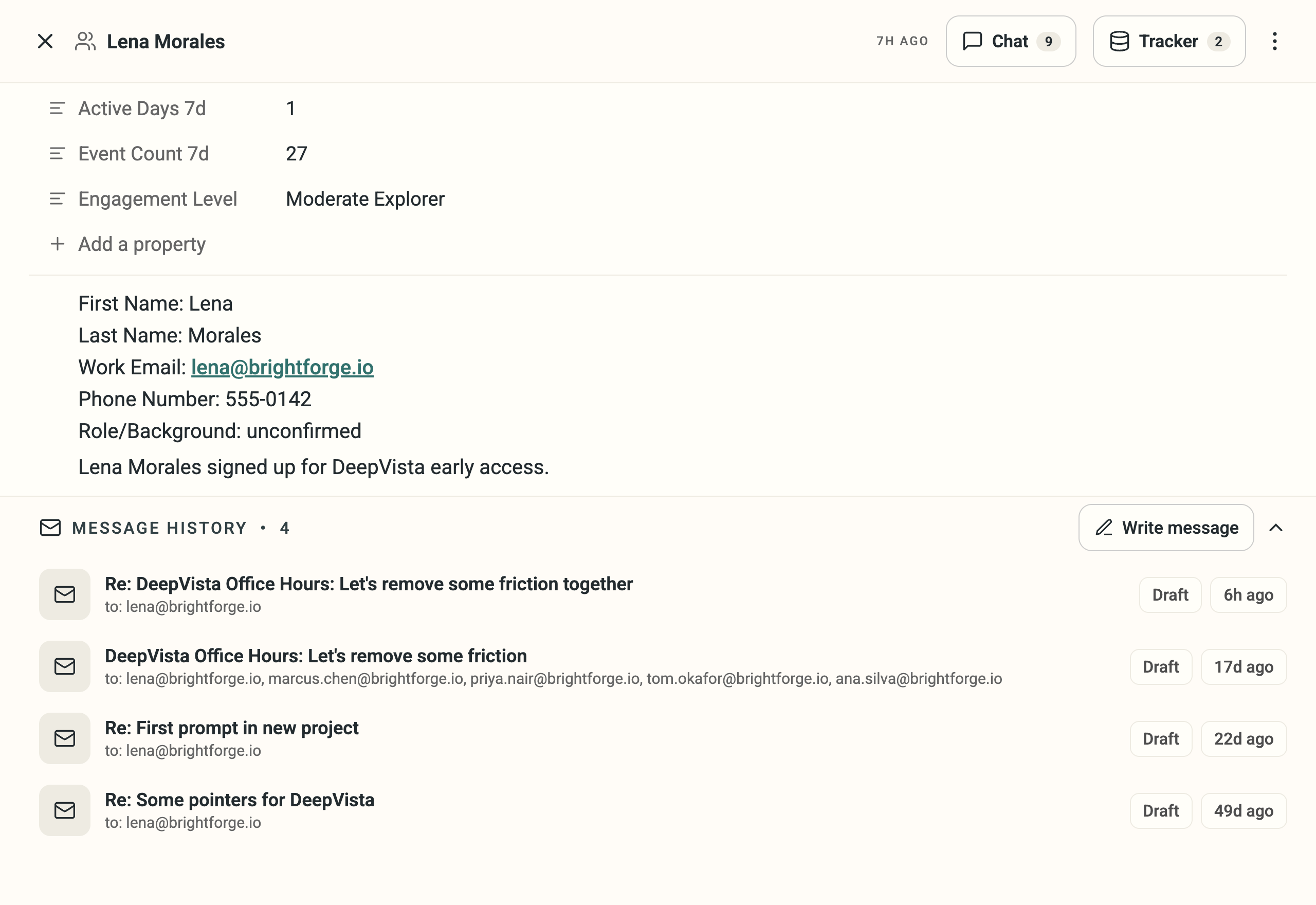
- Every touch you’ve had with someone now logs to their person card, so you don’t have to dig through Gmail before you reply.
- Click Write message and the agent finds the relevant touchpoint, such as something you said you’d follow up on, and drafts from it.
2. Know which workbench needs you the moment you land
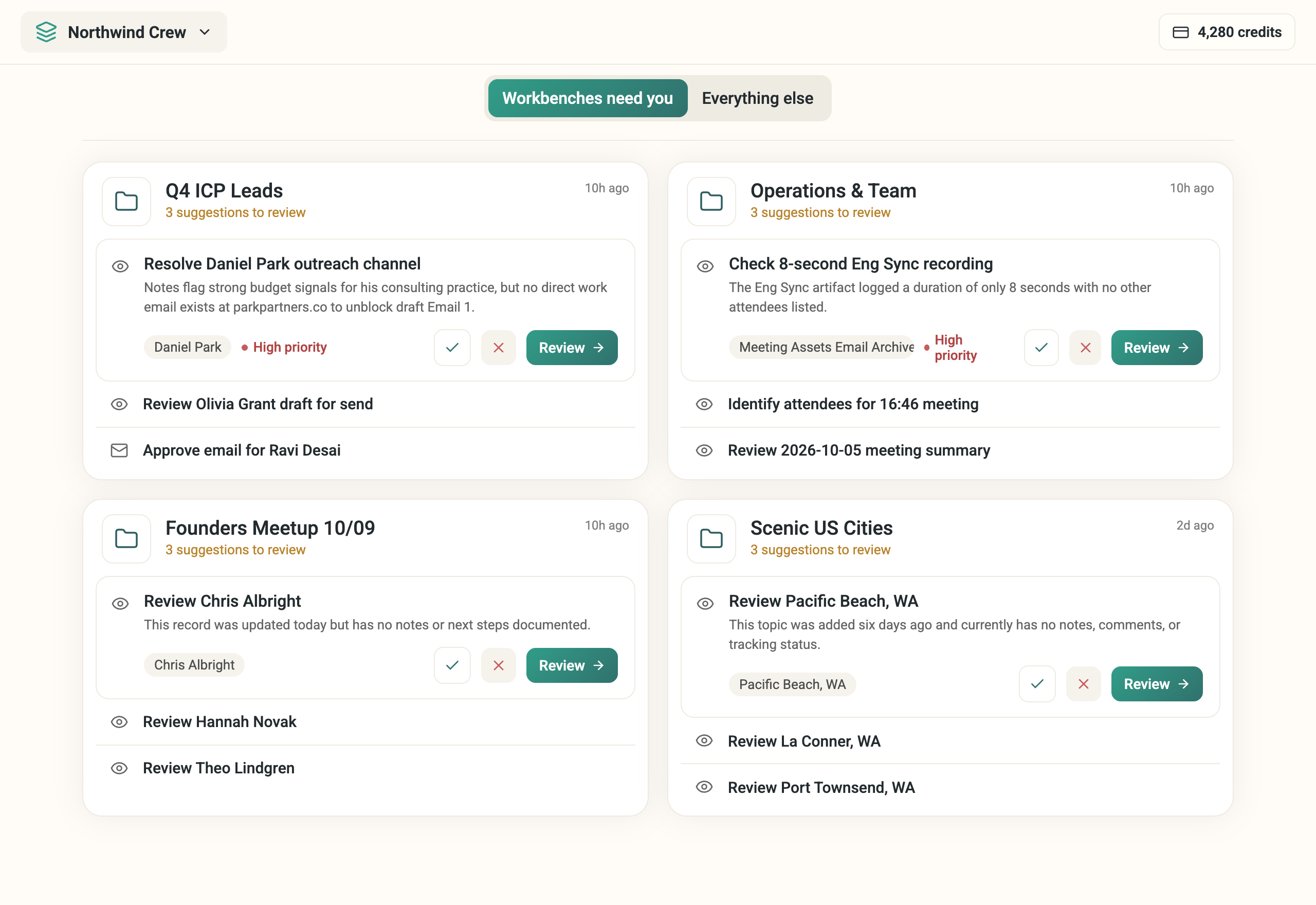
- If you run outreach across several accounts or clients, the morning question is “which one needs me today,” not “let me open each one and check.”
- Home now splits into Workbenches need you and Everything else, so the answer surfaces by workbench instead of sitting in one long list.
3. Calibrate your list. Your agent learns who to look for next.
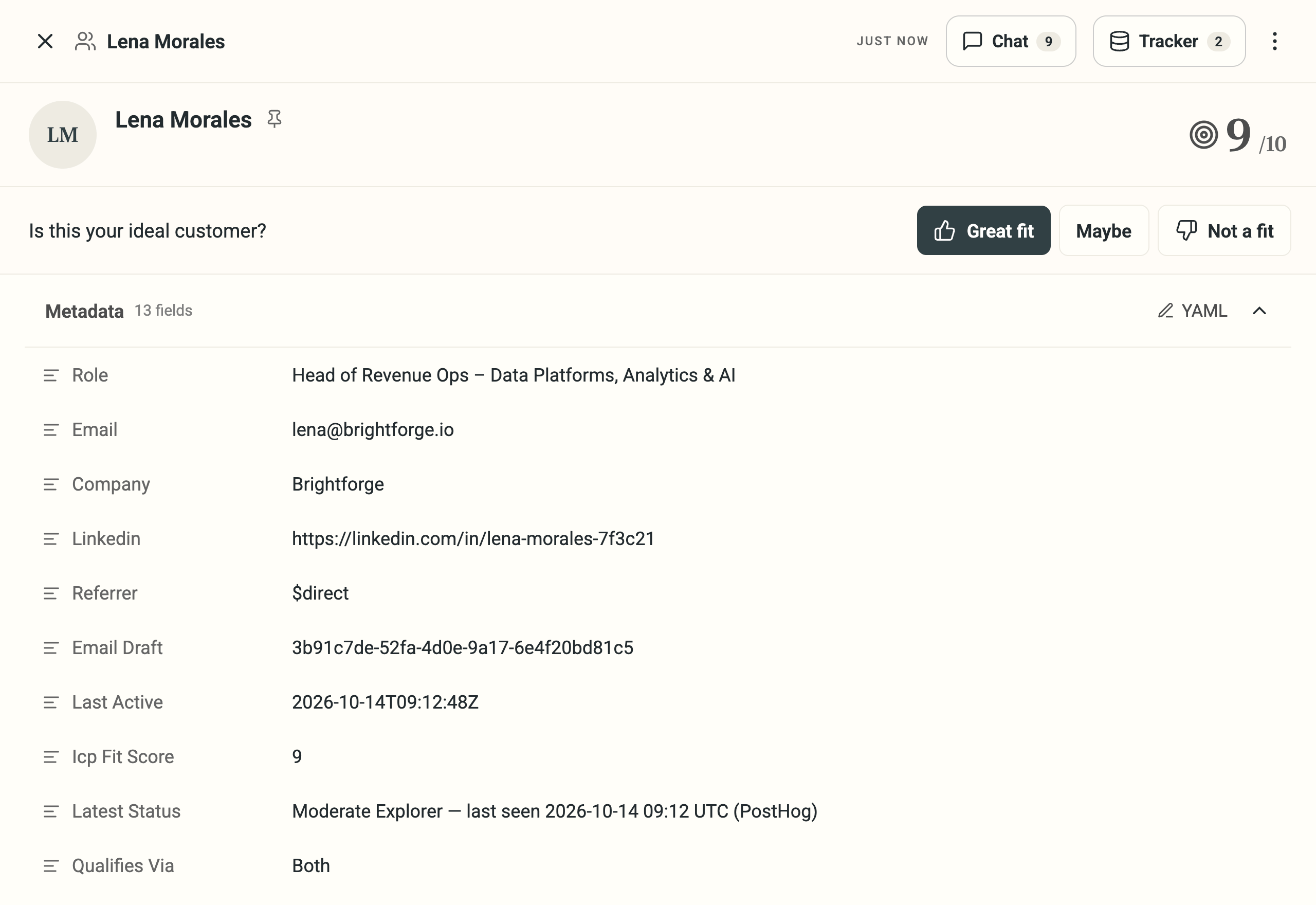
- Mark anyone Great fit, Maybe, or Not a fit from their card or the onboarding wizard, while you’re already looking at them.
- Hover the score to see the reason, like “actively hiring for GTM roles, no recent fundraising news,” instead of a bare number.
4. Find your connected tools in the main nav
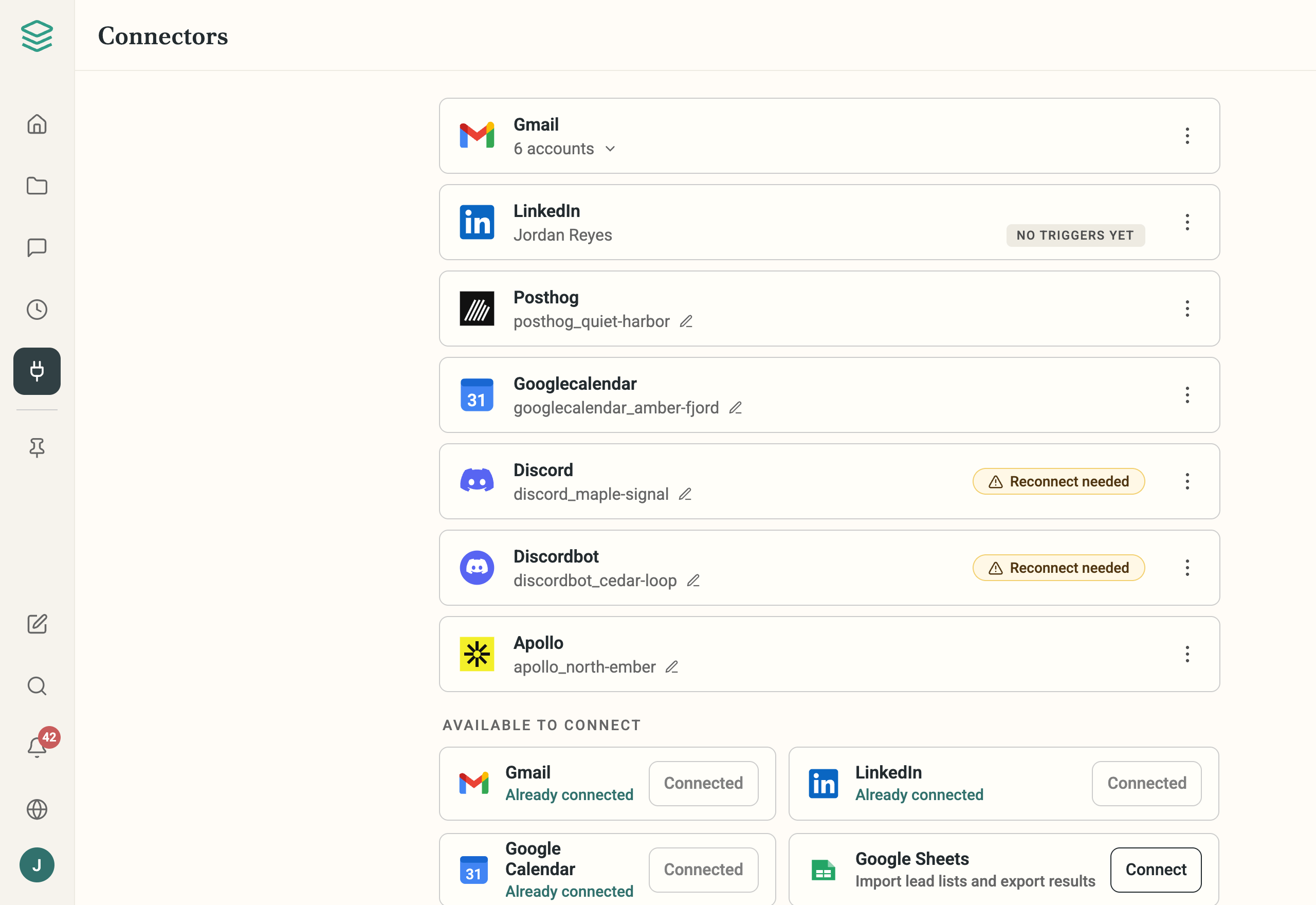
- Connectors now lives in the main nav, not buried in Settings.
- Connect LinkedIn and you land back on Connectors with a confirmation that it worked.