.png?fit=max&auto=format&n=jKjpuy2fz57OUcfn&q=85&s=d5b9cacebbb4a94e2c6bac33ad479982)
.png?fit=max&auto=format&n=jKjpuy2fz57OUcfn&q=85&s=0e6d93d474315b69b3046316150e4582)
- Co-edit a doc with multiple team members in real time.
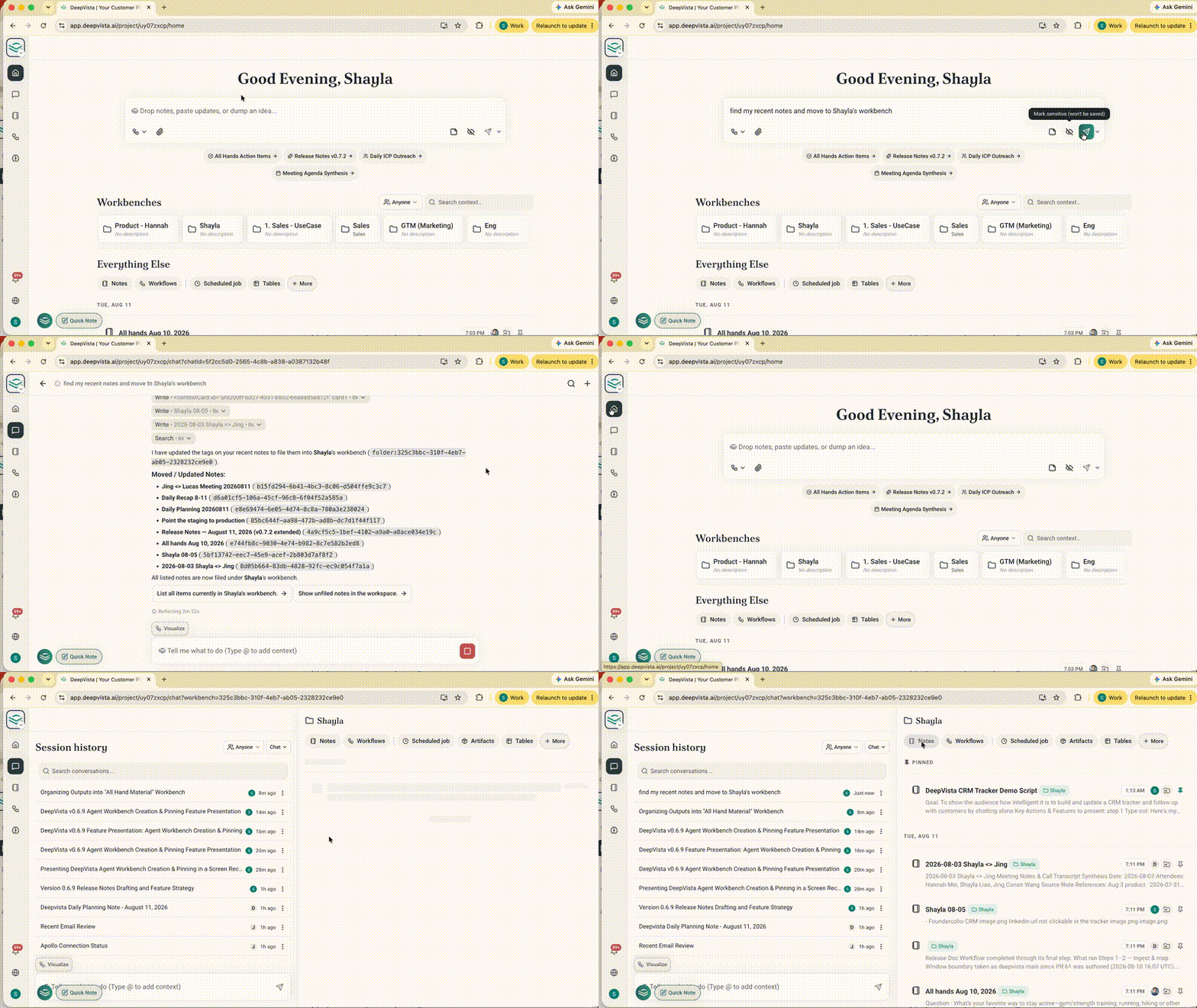
- Ask the agent to drop your recent output or any ongoing work process (e.g., a note, a workflow, or any context card) into a workbench and find them easily later.
LinkedIn Auto-Reply
Auto-reply to new LinkedIn messages triggered by a webhook using a Unipile account.
Want to dive in the latest changes?
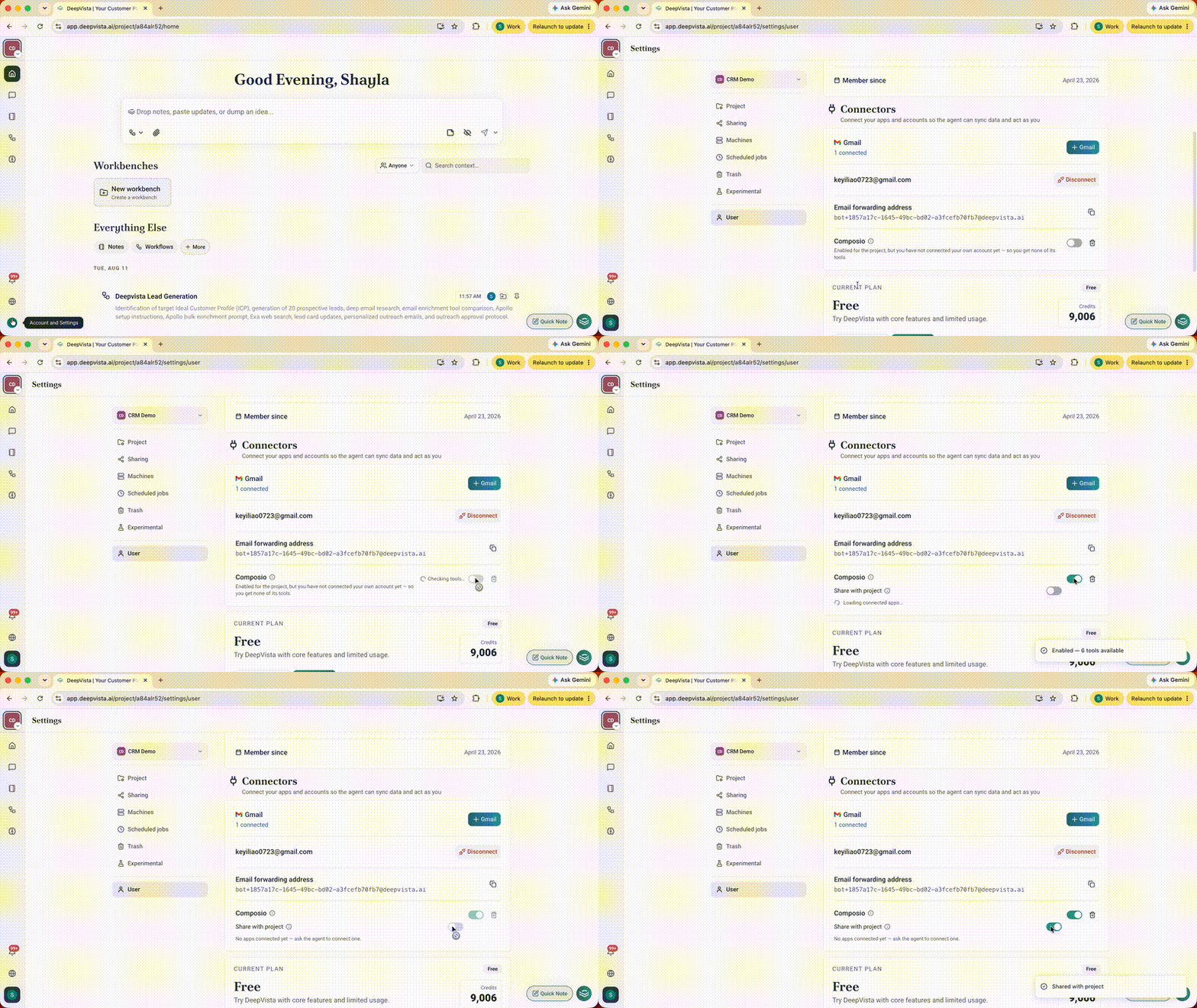
Technically, you can:- Connect external software natively with Composio MCP & OAuth2: Securely pass managed credentials and grant agents live access to third-party APIs without manual key configuration.
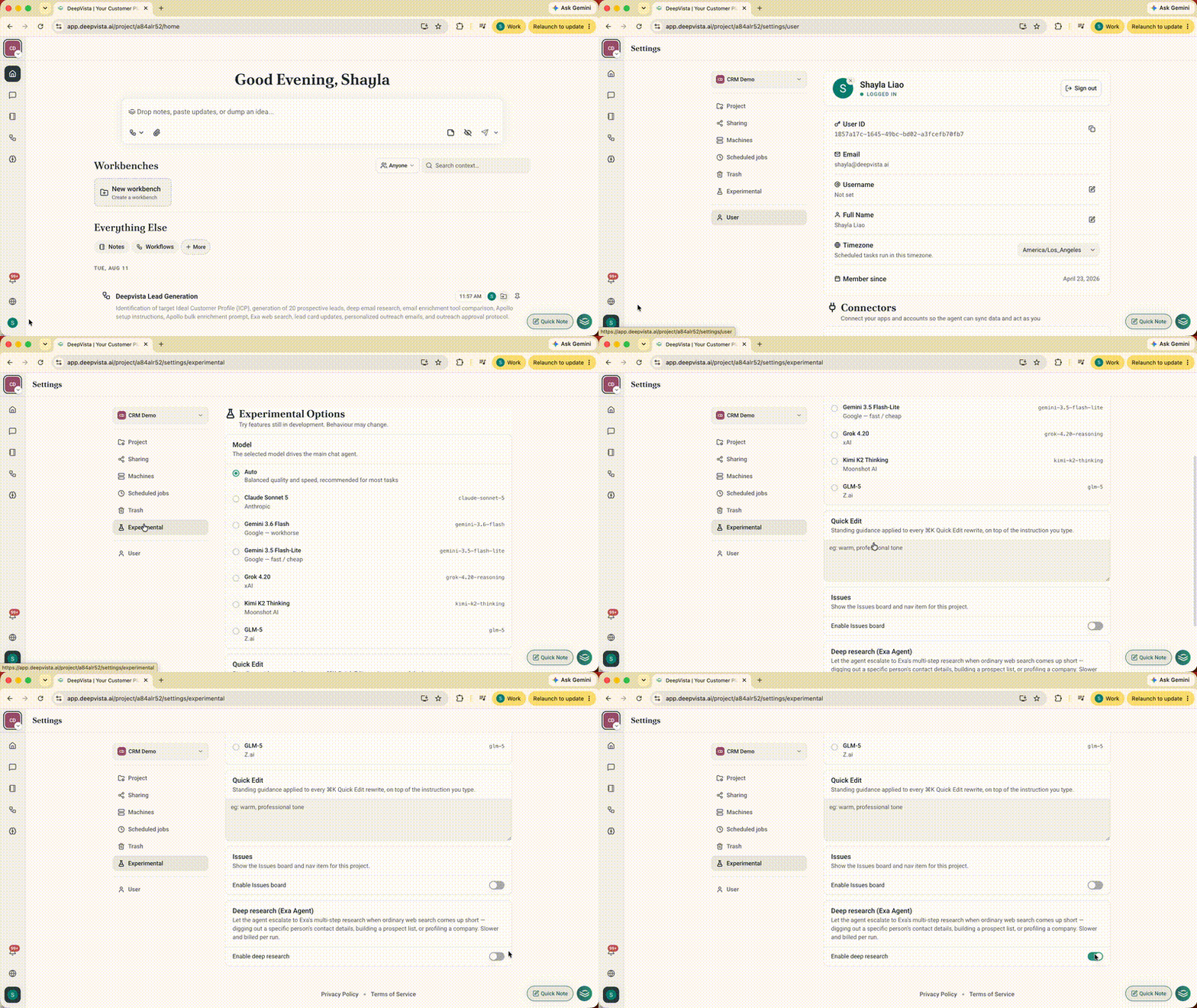
- Batch-find lead emails with Exa Agent: Run live web queries directly inside agent workflows for up-to-date market intelligence and company research.
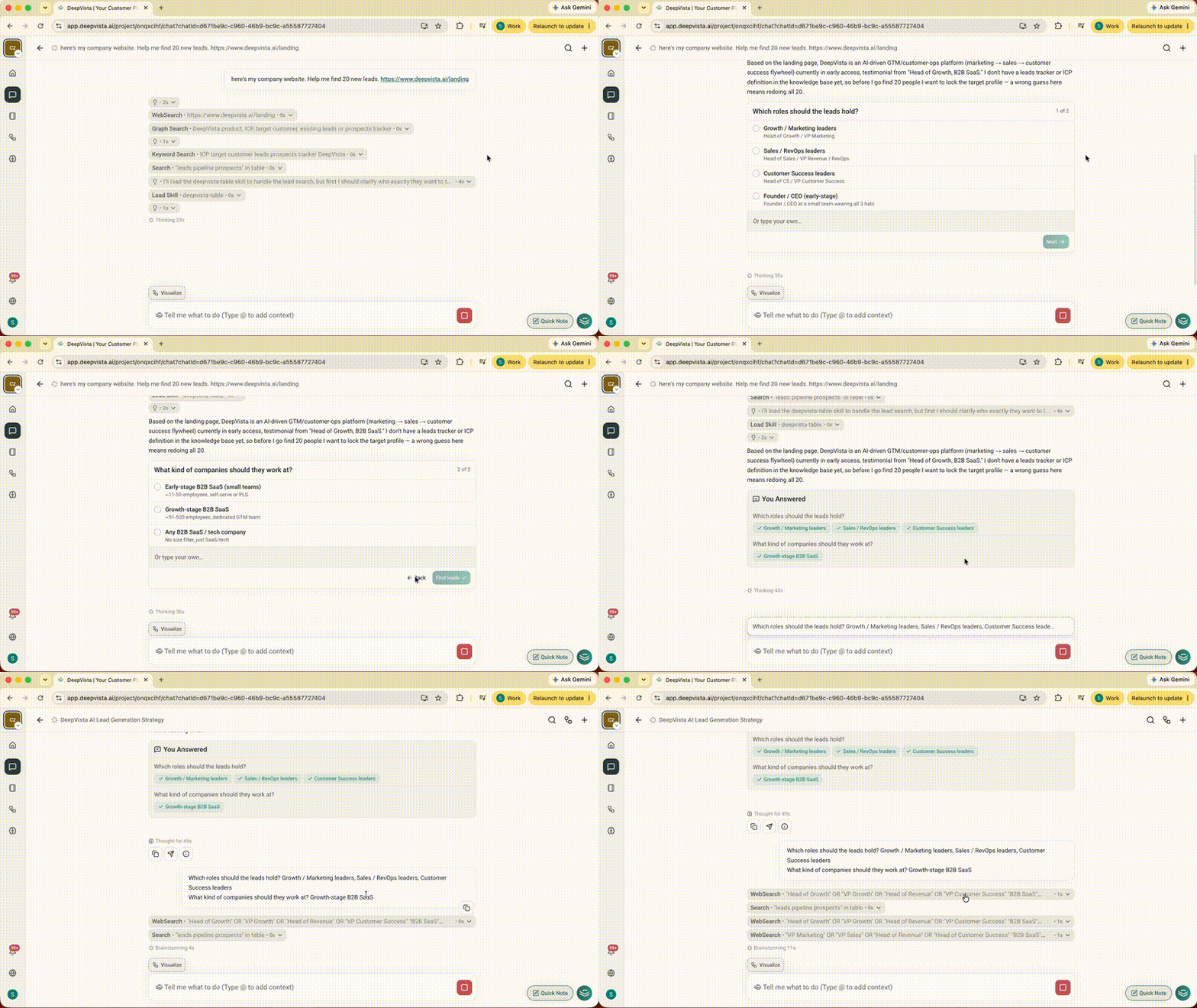
- Guide your agent to act more precisely in chat: Make choices via structured checkbox widgets (
<ask>blocks) without typing out manual instructions. - Organize projects easily with agent-created Workbenches: Let agents automatically create custom Workbenches and pin your favorites for instant access.
Try these on DeepVista
1. Composio Managed MCP & Exa Web Search
Connect live APIs and query real-time web content natively inside your agent workflows. How to use it:- To enable Composio, navigate to User → Composio.
- To enable Exa Agent, navigate to Experimental → Enable Deep Research.
2. <Ask> Blocks That Present Questions & Options Inside Chat
Prevent your agent from guessing missing context or stopping mid-workflow to ask open-ended questions.- How to use it: When an agent presents options during a run, click your preferred choices directly on the interactive card to resume execution.
3. Agent Workbench Organization
Keep growing projects structured automatically without requiring manual folder creation and navigation.- How to use it: Ask your agent to organize outputs into a new Workbench.
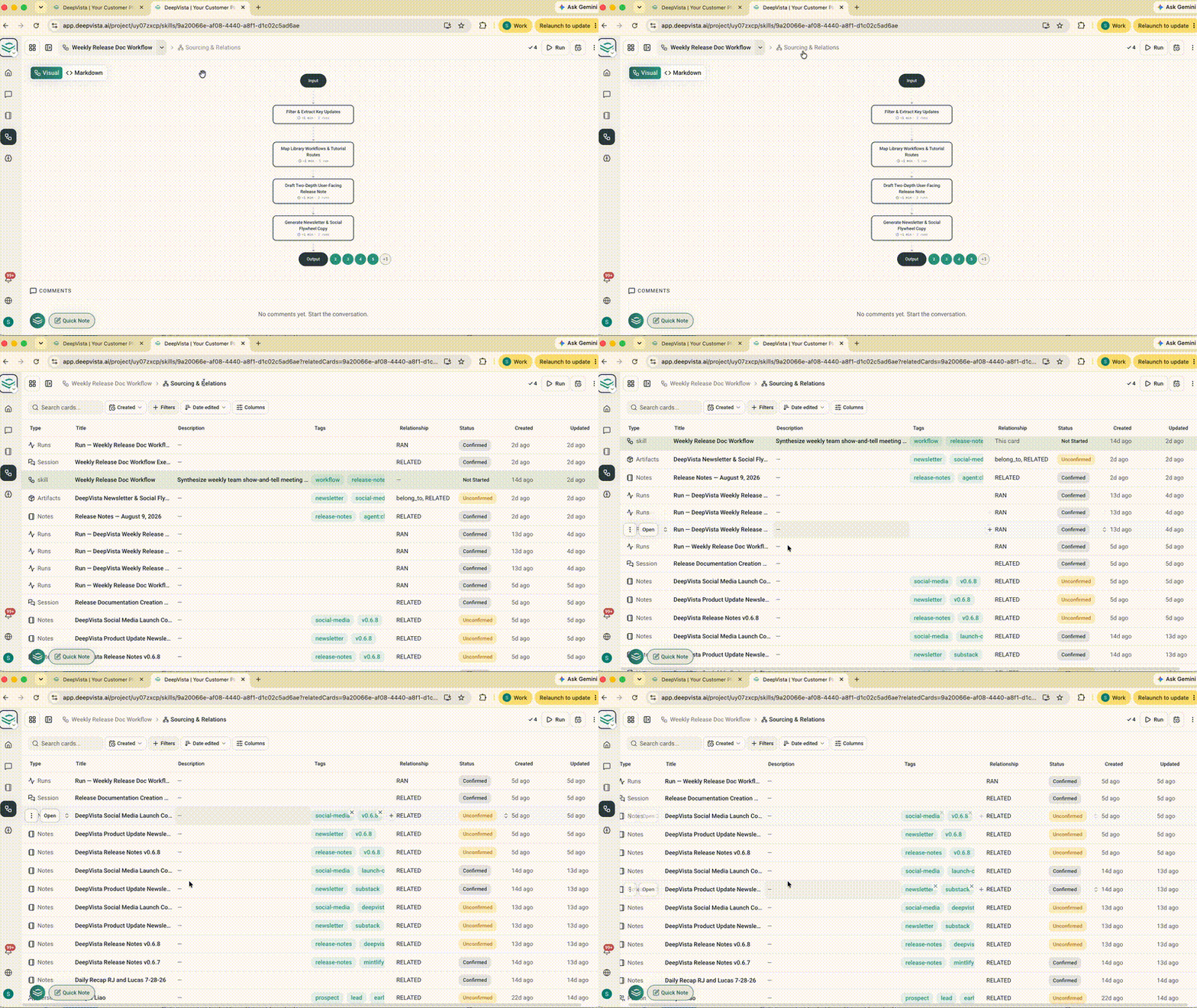
4. Card Lineage Tracing & Attribution
Trace which chat session or workflow execution generated every context card in your project, so you can audit team and multi-agent runs.- How to use it: Open any context card details panel to view its connected source chat sessions and workflow executions.
View our Light Workflow Gallery:
Research your leads and add them to a CRM Tracker
Set up a CRM tracker and let DeepVista keep pipeline stages and next steps up to date from your conversations.
LinkedIn Auto-Reply
Auto-reply to new LinkedIn messages triggered by a webhook using a Unipile account.