.png?fit=max&auto=format&n=jKjpuy2fz57OUcfn&q=85&s=d5b9cacebbb4a94e2c6bac33ad479982)
.png?fit=max&auto=format&n=jKjpuy2fz57OUcfn&q=85&s=0e6d93d474315b69b3046316150e4582)
Overview
To run a deep workflow, DeepVista’s CLI and local-agent tooling require a handful of standard developer tools installed on your machine:git, Python 3.12+, Node.js 18+, and the Claude Code CLI.
Already have some of these installed? Each step includes a version check — skip any step where the check already succeeds.
Step-by-step guide
1
Install Xcode Command Line Tools
Provides A software update dialog opens — click Install, accept the license, and wait for the download to finish.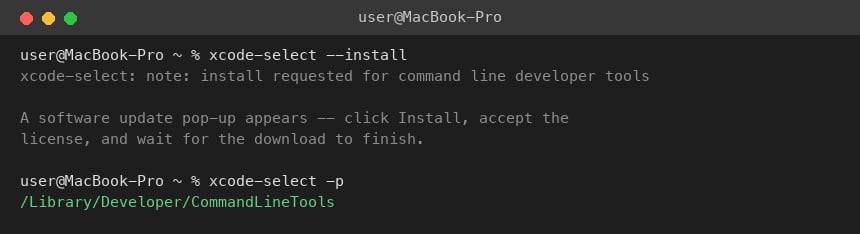
git, clang, and the other build tools macOS needs.2
Install Homebrew
Homebrew is the package manager used to install everything else in this tutorial.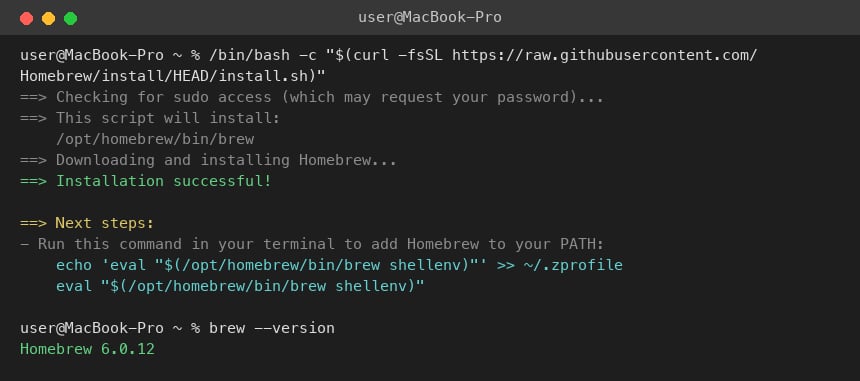
3
Install Python 3.12+
Required by the DeepVista CLI installer.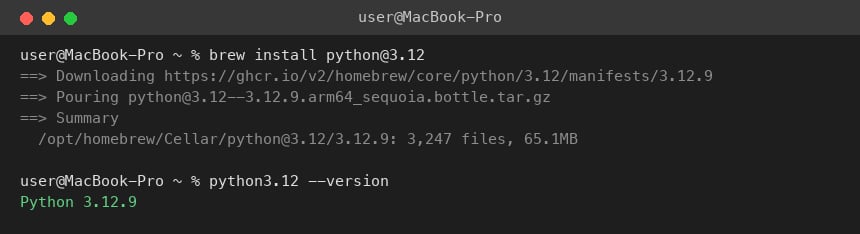
4
Install Node.js 18+
Required for the Claude Code CLI and DeepVista’s local tooling.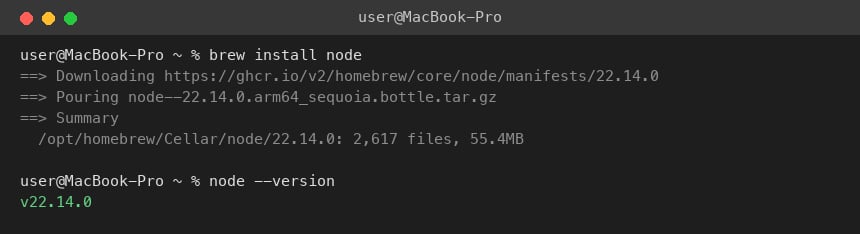
5
Install the Claude Code CLI
You’ll use this later to run 
claude login when connecting your machine to DeepVista.6
Verify everything installed correctly
Run all four checks together:Each command should print a version number, not a “command not found” error.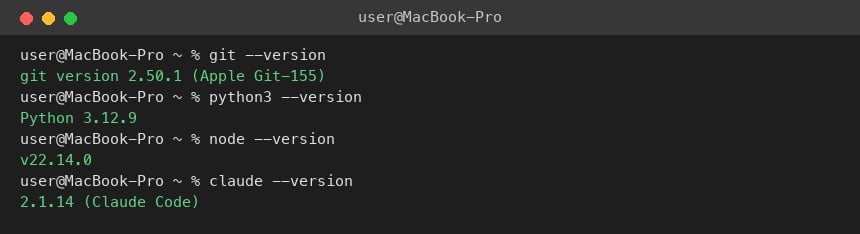
Next steps
Set Up Your Claude Code Connector
Authenticate Claude Code and configure the connectors your workflows will use.