.png?fit=max&auto=format&n=jKjpuy2fz57OUcfn&q=85&s=d5b9cacebbb4a94e2c6bac33ad479982)
.png?fit=max&auto=format&n=jKjpuy2fz57OUcfn&q=85&s=0e6d93d474315b69b3046316150e4582)
1. Connect your LinkedIn account to DeepVista
DeepVista now supports LinkedIn connector. Go to Settings → User → Connectors and connect your LinkedIn account.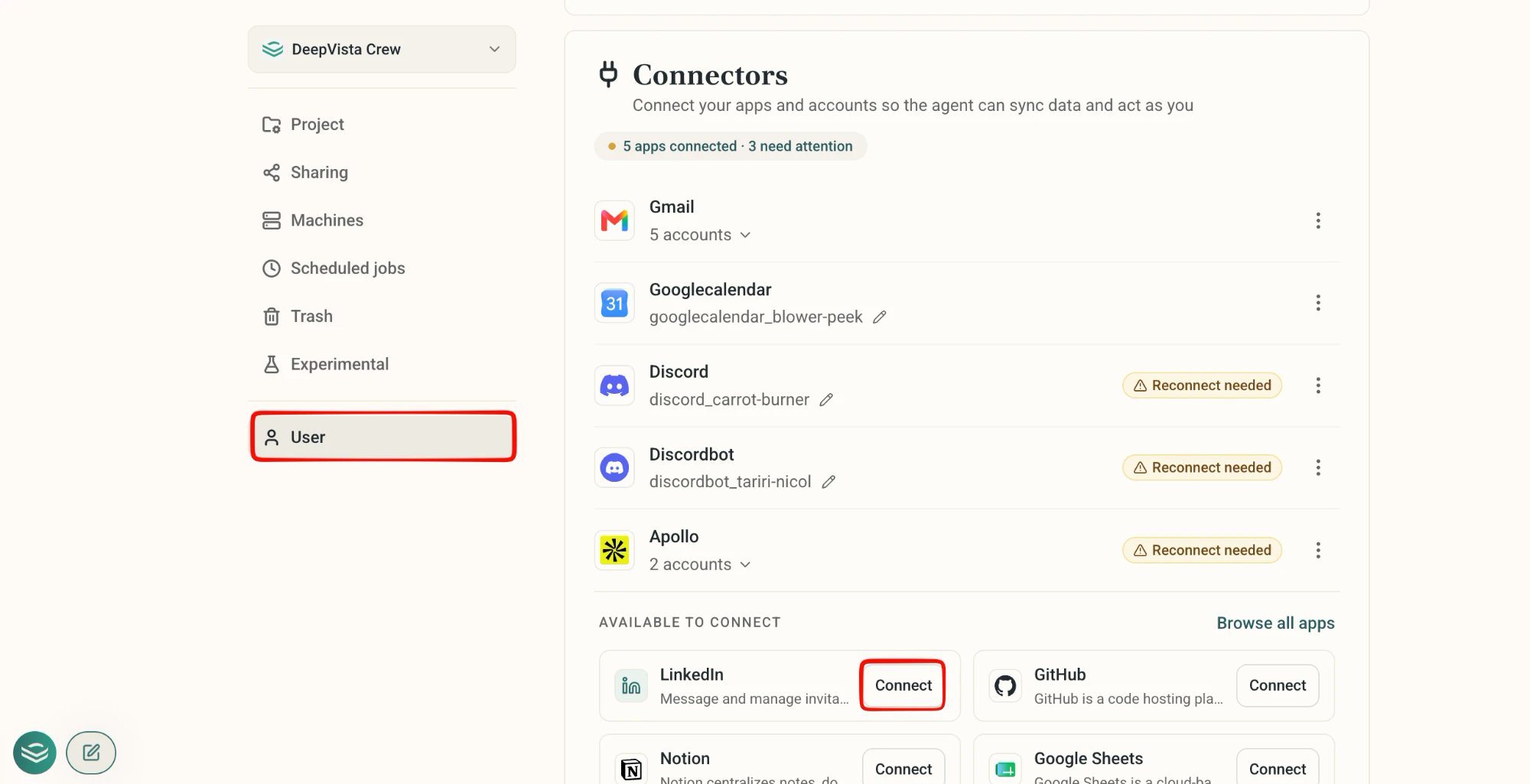
2. Watch your agent work from chat history
The floating chat now shows background actions directly in each thread’s preview. Glance at a thread and see whether the agent is searching the web, updating a card, or running a task, before you even open it.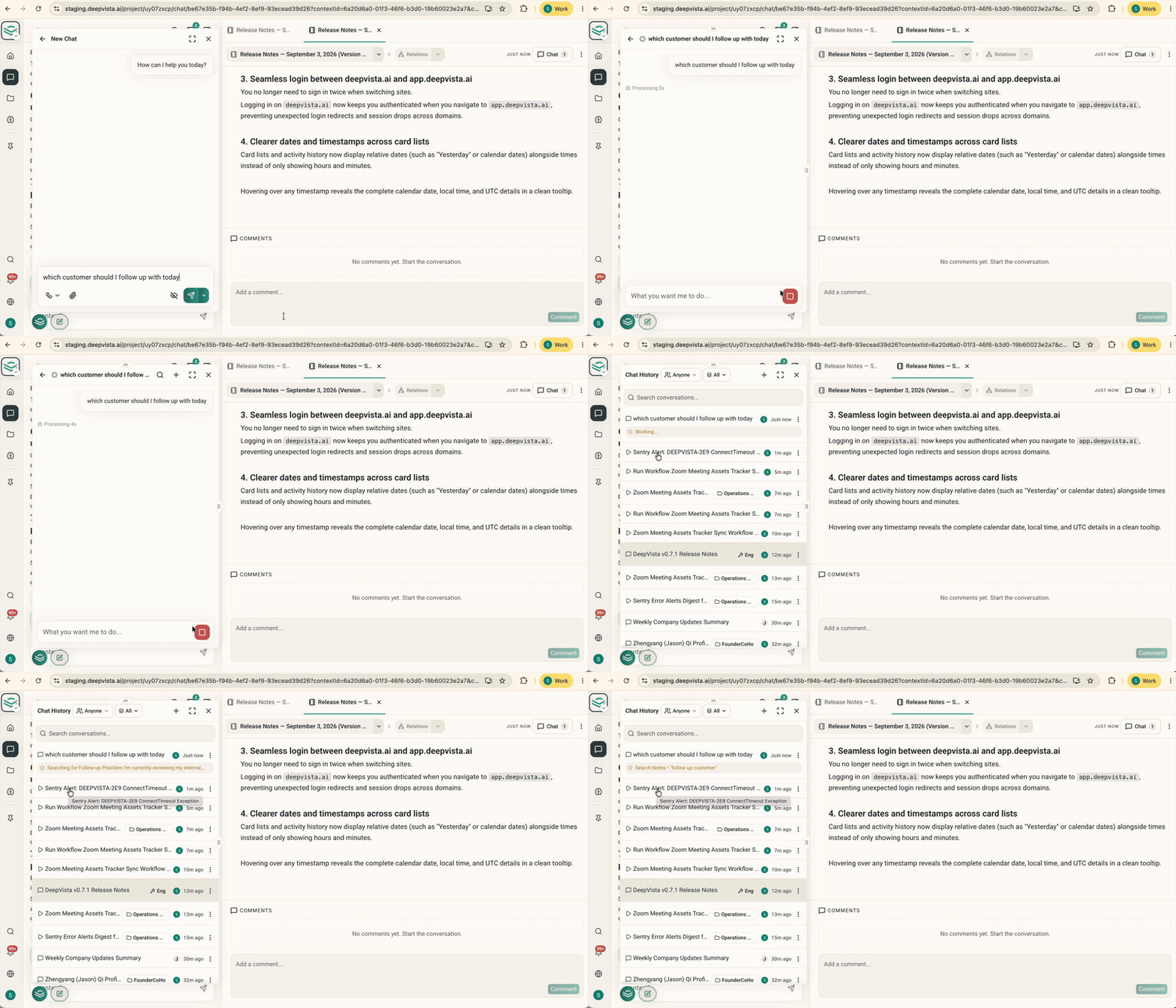
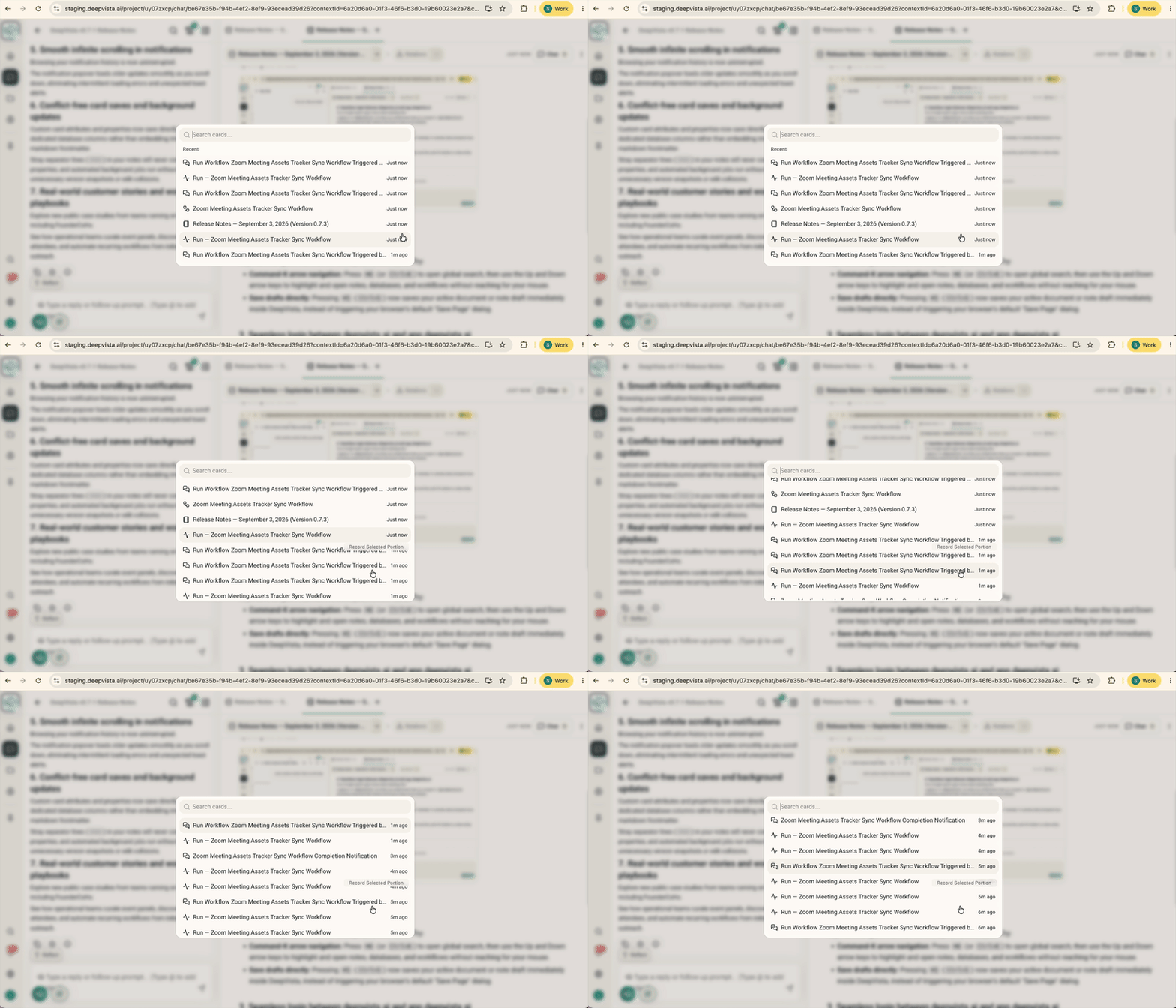
3. Jump straight to a result with ⌘K, and save drafts with ⌘S
Global search now supports full keyboard navigation. Press⌘K (or Ctrl K) to open search, then use the Up and Down arrow keys to highlight and open notes, databases, and workflows without reaching for your mouse.
⌘S (Ctrl S) now saves your active document or note draft immediately, instead of waiting on autosave.
4. Every workbench rolls up into one parent database
Every workbench now has a parent database with everyone you’ve already researched, one summary across all your work. Ask something like “find customers I need to follow up with today,” and DeepVista creates a child database under the parent, a focused list for that question that still rolls up into the summary. New workbenches get this automatically. Existing workbenches will be reorganized the same way.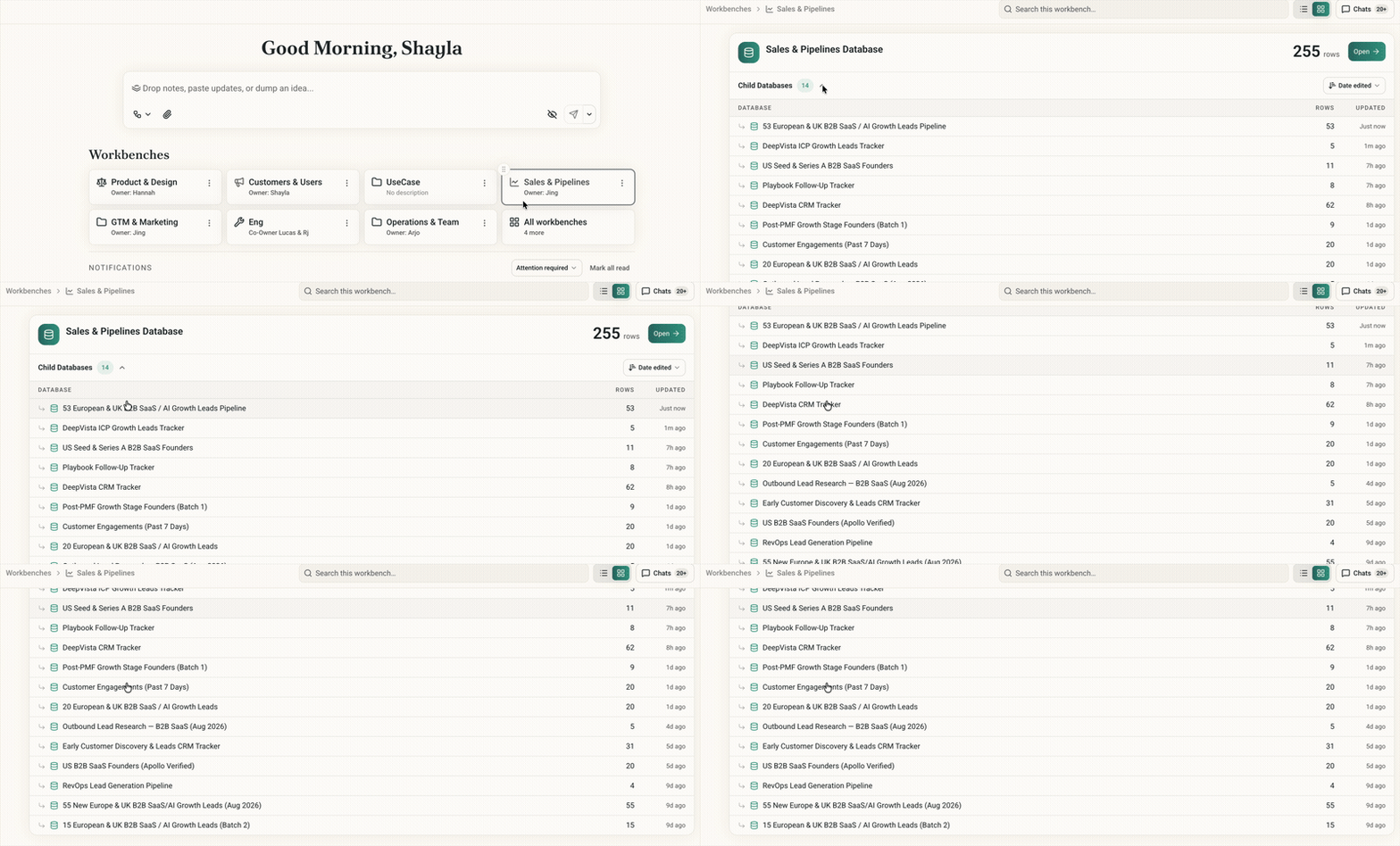
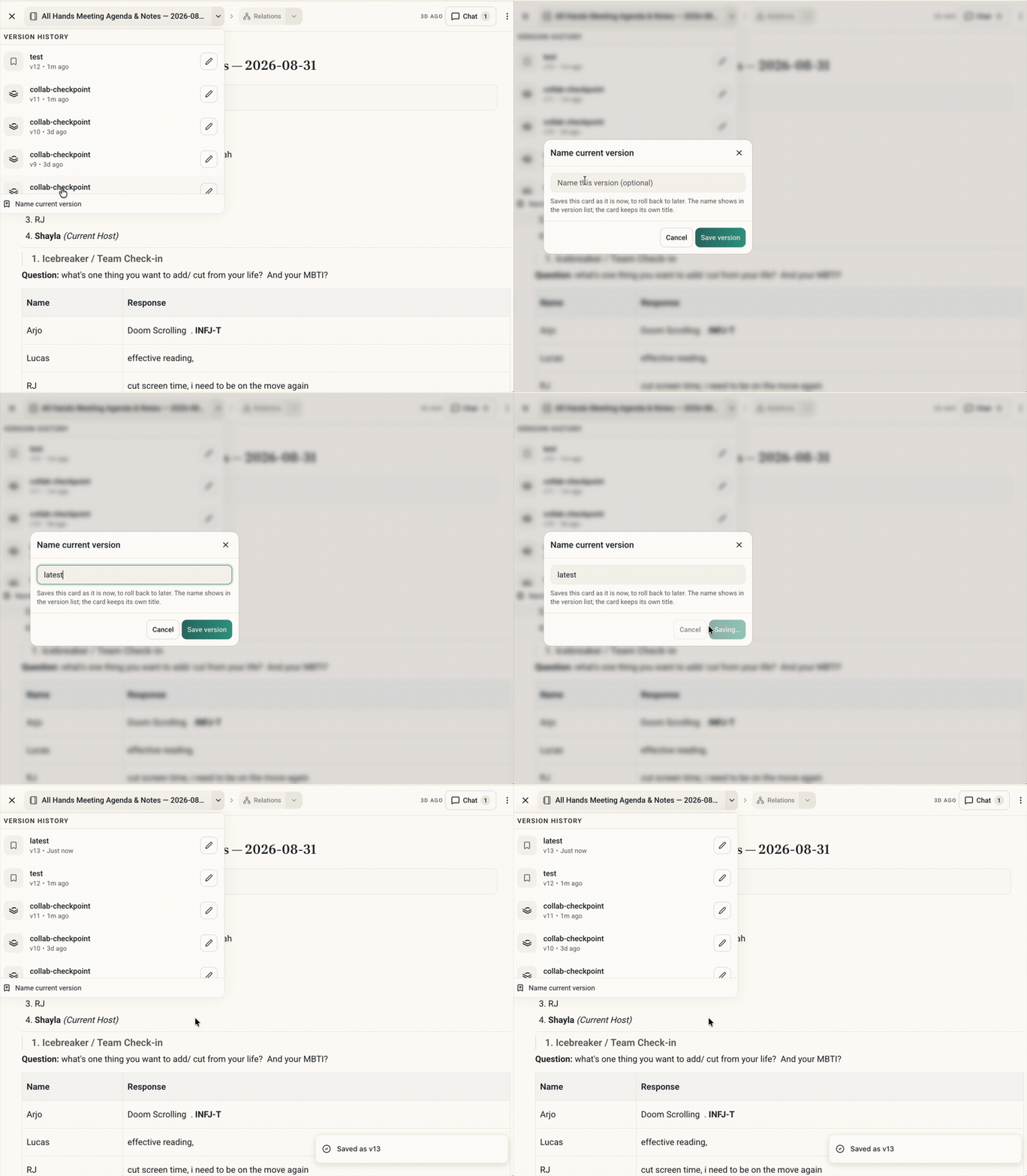
5. Save a version whenever you want
Notes and context cards now have a “name current version” button. Snapshot your work at any time so that you never lose it.