.png?fit=max&auto=format&n=jKjpuy2fz57OUcfn&q=85&s=d5b9cacebbb4a94e2c6bac33ad479982)
.png?fit=max&auto=format&n=jKjpuy2fz57OUcfn&q=85&s=0e6d93d474315b69b3046316150e4582)
Overview
DeepVista can query Apollo’s people-search database directly.Apollo’s direct people-search endpoint requires an Apollo Master API Key.
Prerequisites
- A DeepVista account with an active project. Sign up here if you don’t have one.
- An Apollo account with a Master API Key. In Apollo, go to Settings → Integrations → API to generate one.
Step-by-step guide
1
Ask DeepVista: "Help me connect with Apollo integration."
DeepVista returns a Connect Apollo Integration link through Composio. This link is valid for 10 minutes.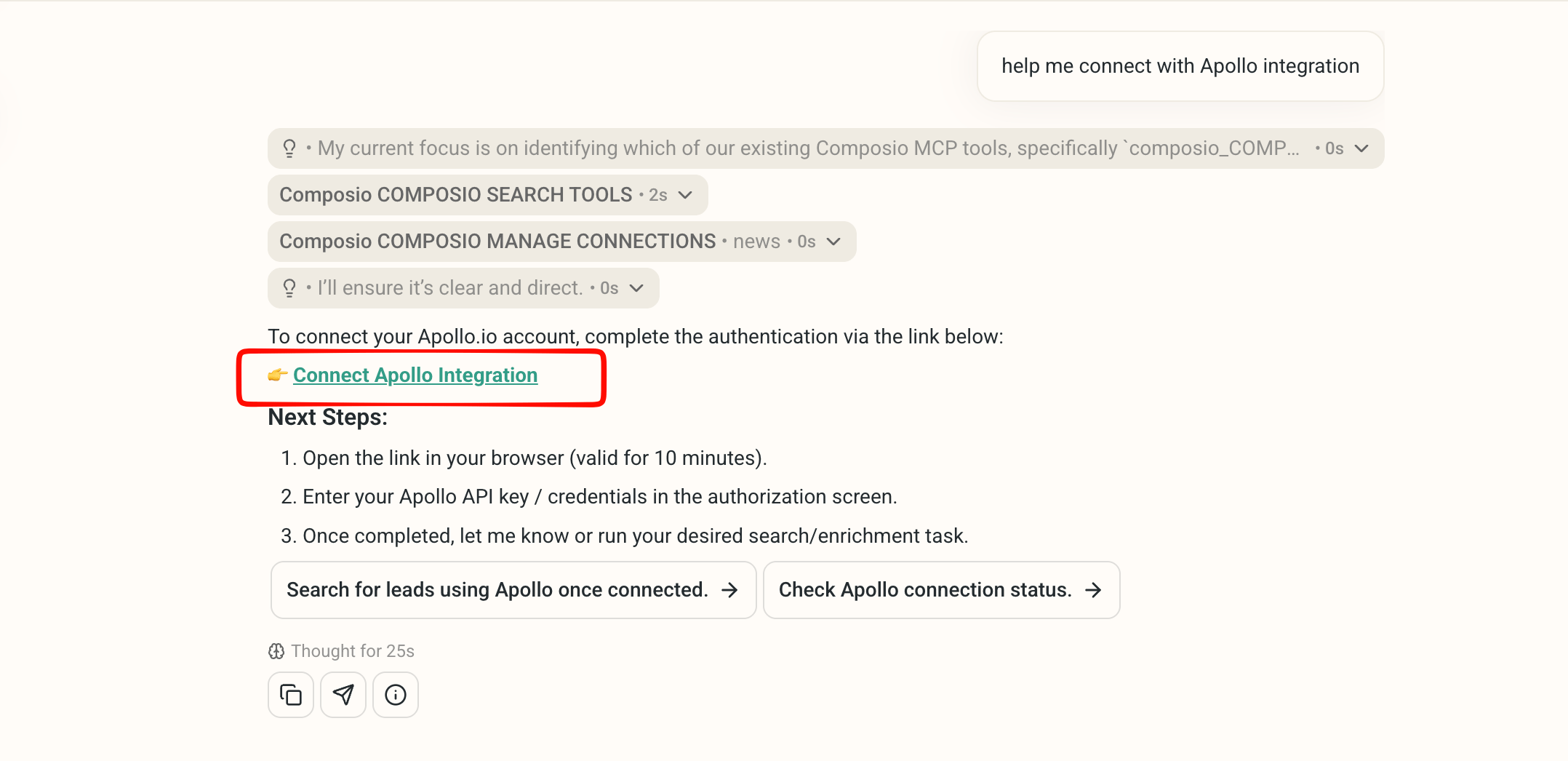
2
Open the link and authorize with your Apollo Master API Key.
Open it in your browser and enter your Apollo API key on the authorization screen.
3
Test the connection with a real search.
Try a prompt like:DeepVista returns a tracker sourced directly from Apollo, with every row’s 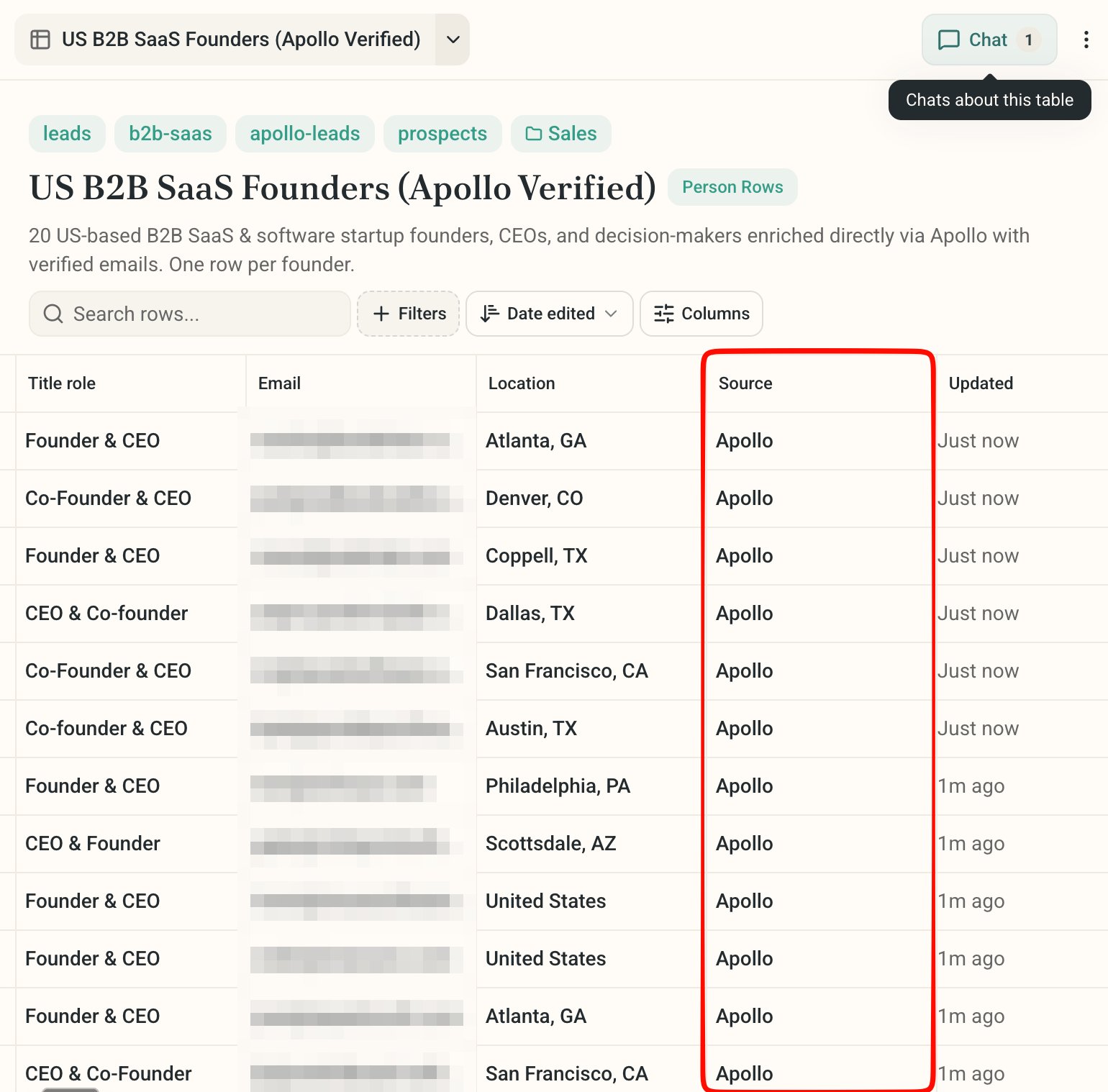
Source column set to Apollo.Next steps
Research Leads and Track Customers
Build your CRM tracker, then point it at Apollo for verified contact data.
Run a Social Media Campaign
Feed Apollo-verified leads straight into a campaign’s lead capture flow.