

1. Your agent waits until you say go: Standby vs. Tracking
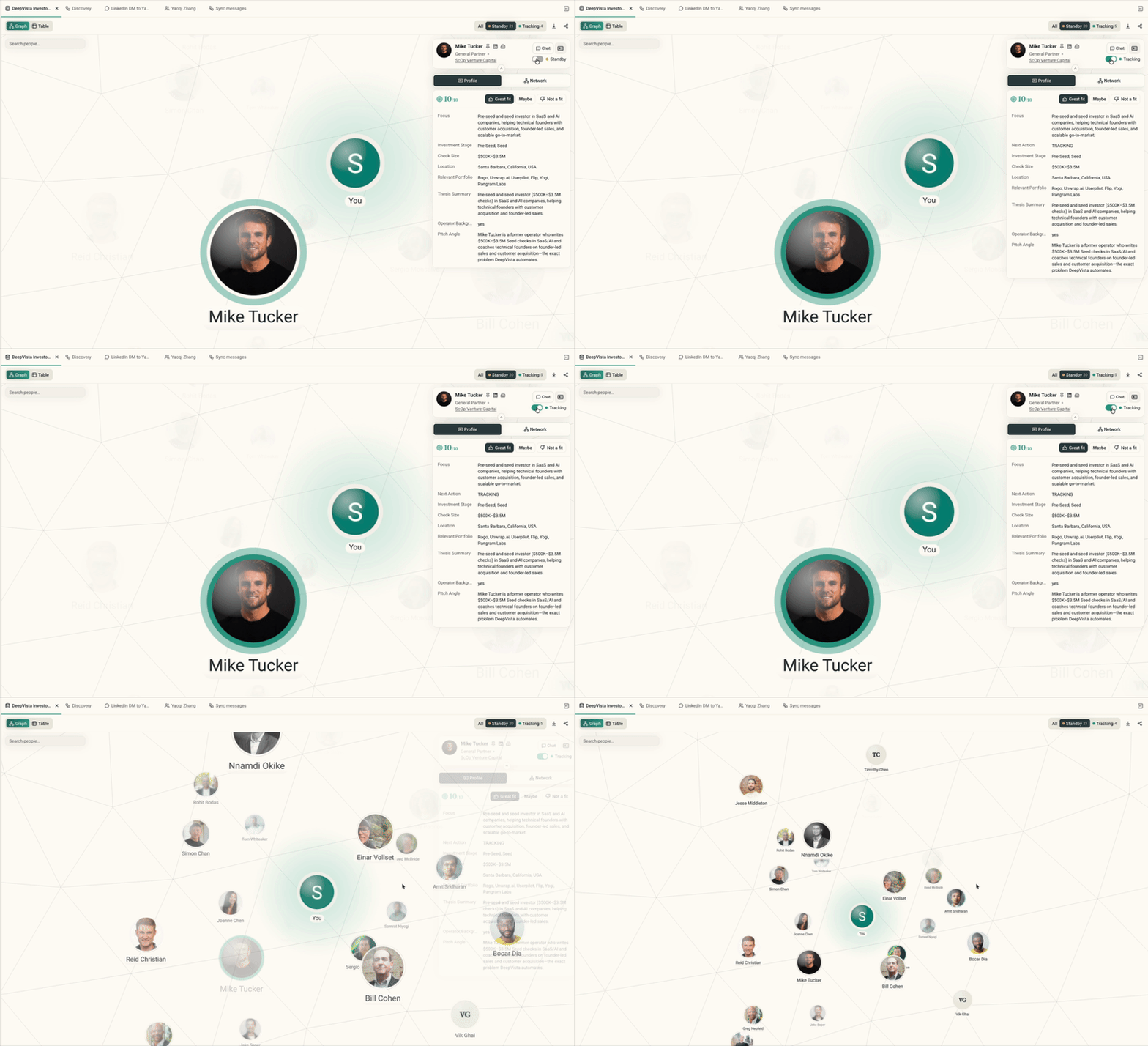
- Every contact from a discovery workflow or a fresh import now lands in Standby. Inspect their background, past work, and company details without triggering any background sequences.
- Once a prospect belongs in your pipeline, set their status to Tracking. Only Tracking contacts are eligible for daily workflows, research updates, and outreach generation.
- Toggle the tracker header between All, Standby, and Tracking at any time.
2. Gmail and LinkedIn replies, synced every day
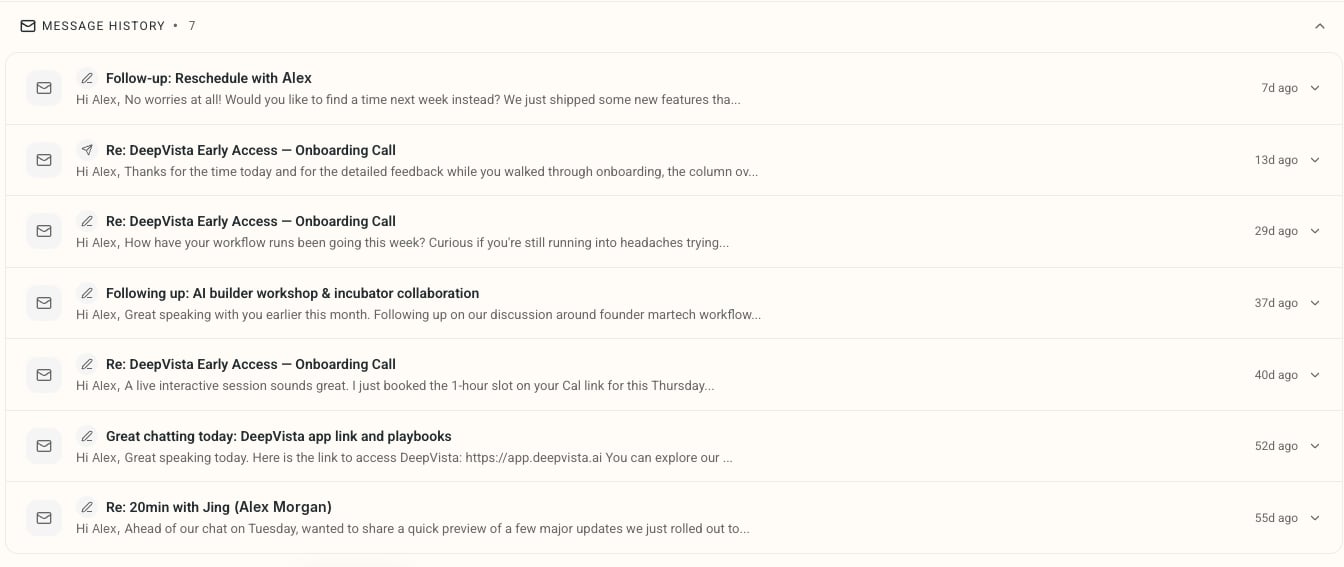
- A daily background sweep checks your connected Gmail and LinkedIn accounts.
- Any reply or message from a tracked contact in the past 24 hours logs to their person card. No more toggling between Gmail, Sales Navigator, and CRM notes.
3. Spot the warm intro before you send a cold pitch
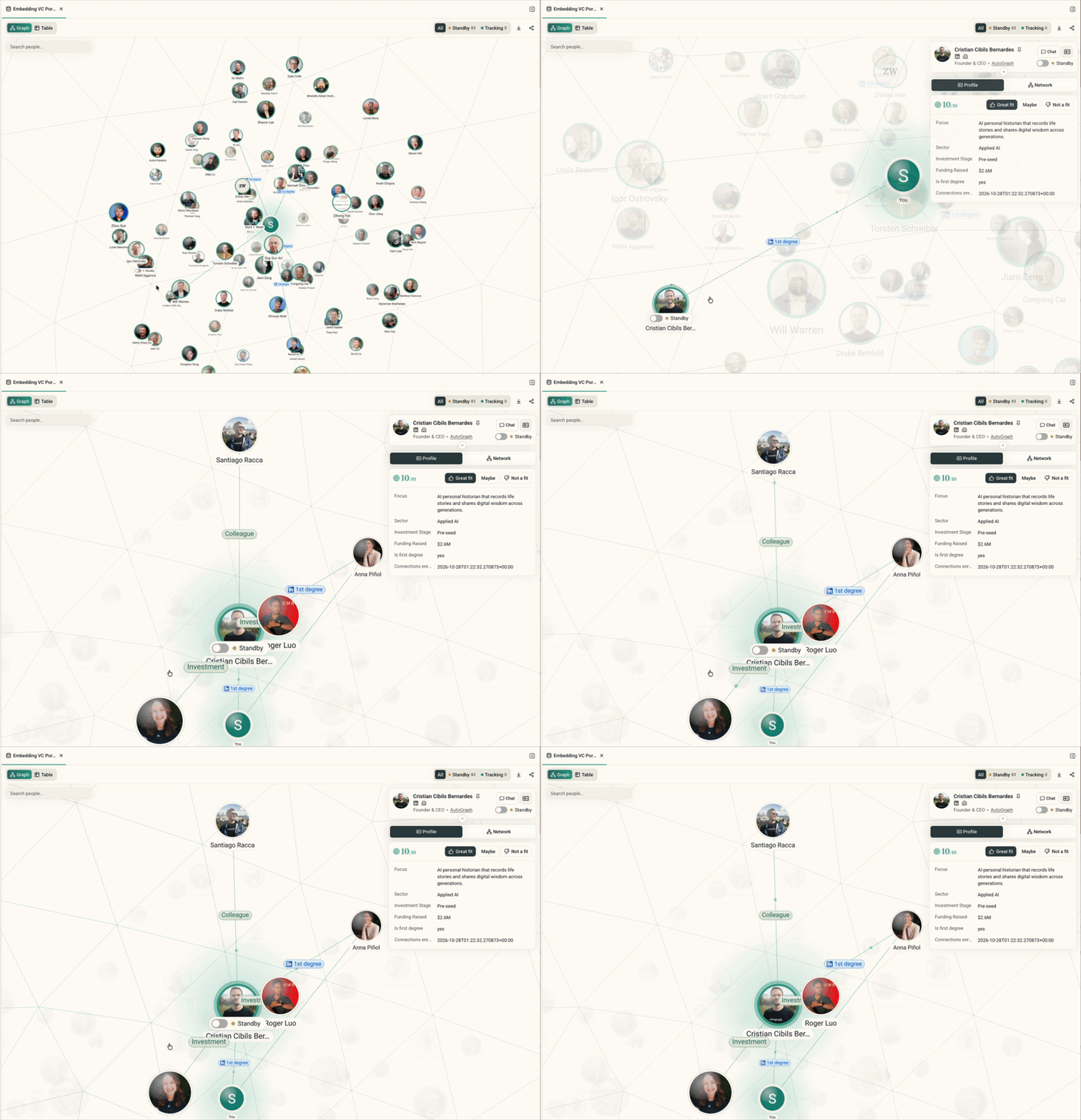
- The relationship graph now tags your direct LinkedIn connections with a 1st degree badge.
- A direct line traces from each one back to You, so you can see who can make the intro without digging through mutual connections.