> ## Documentation Index
> Fetch the complete documentation index at: https://docs.deepvista.ai/llms.txt
> Use this file to discover all available pages before exploring further.
# Version 1.1.0
> DeepVista 1.1.0, built to sharpen your judgment, and find you the right people.
October 13, 2026
DeepVista now helps you find precise leads. Don’t hand over your judgment on who is the right person to an agent.
#### **1. Judge 5 people, and surface the signals you care about**
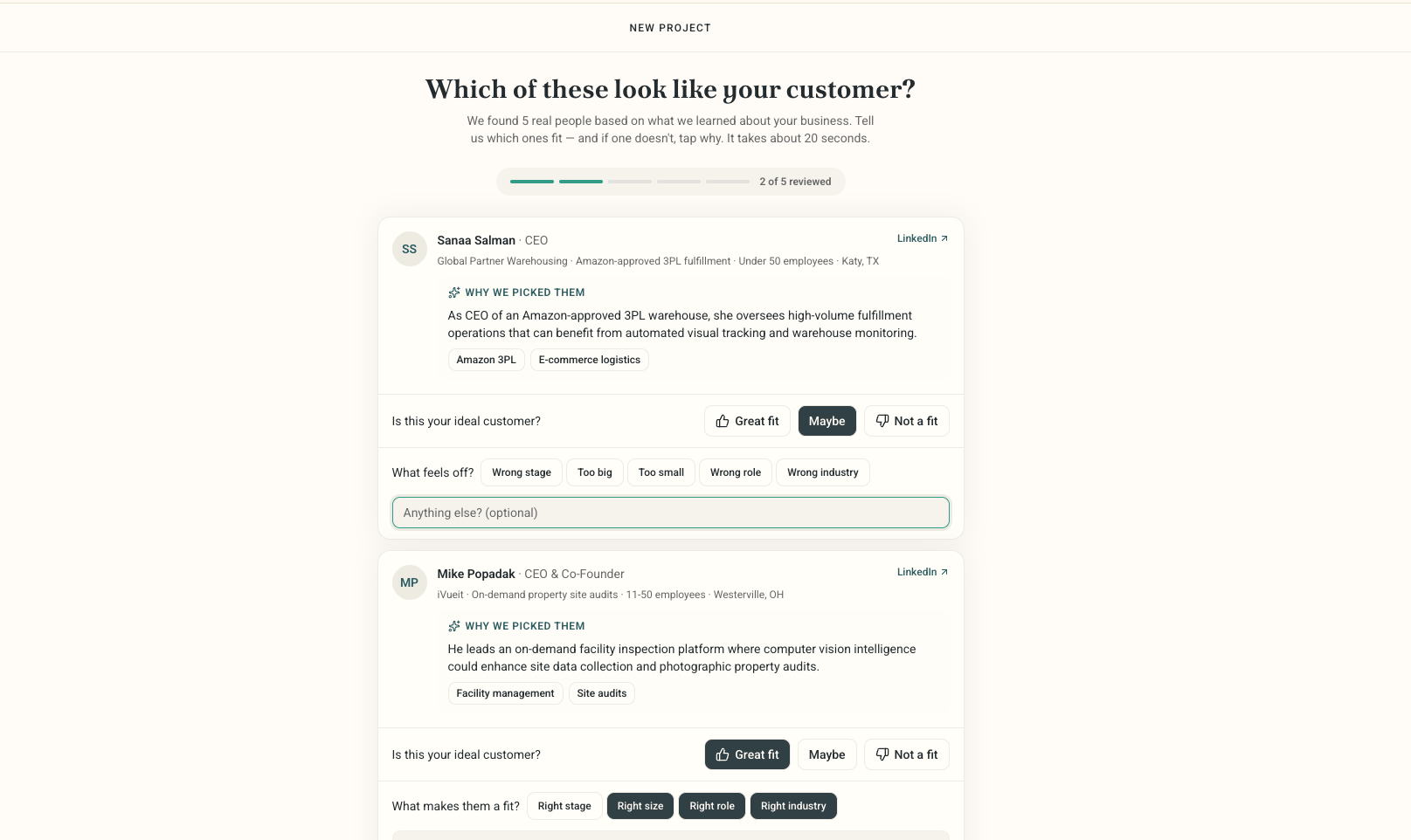 * Looks past headcount and funding stage, at founder activity, team composition, and recent job postings.
* Your reasoning becomes the agent’s criteria.
* In our tests, one round of scoring made the next batch 40% more accurate.
Try it by asking in the new project, “Find me \[who you’re looking for].” Score the 5 people it shows you, fit or not, and say why.
#### **2. Reach out in batch. Goodbye generic templates.**
* Looks past headcount and funding stage, at founder activity, team composition, and recent job postings.
* Your reasoning becomes the agent’s criteria.
* In our tests, one round of scoring made the next batch 40% more accurate.
Try it by asking in the new project, “Find me \[who you’re looking for].” Score the 5 people it shows you, fit or not, and say why.
#### **2. Reach out in batch. Goodbye generic templates.**
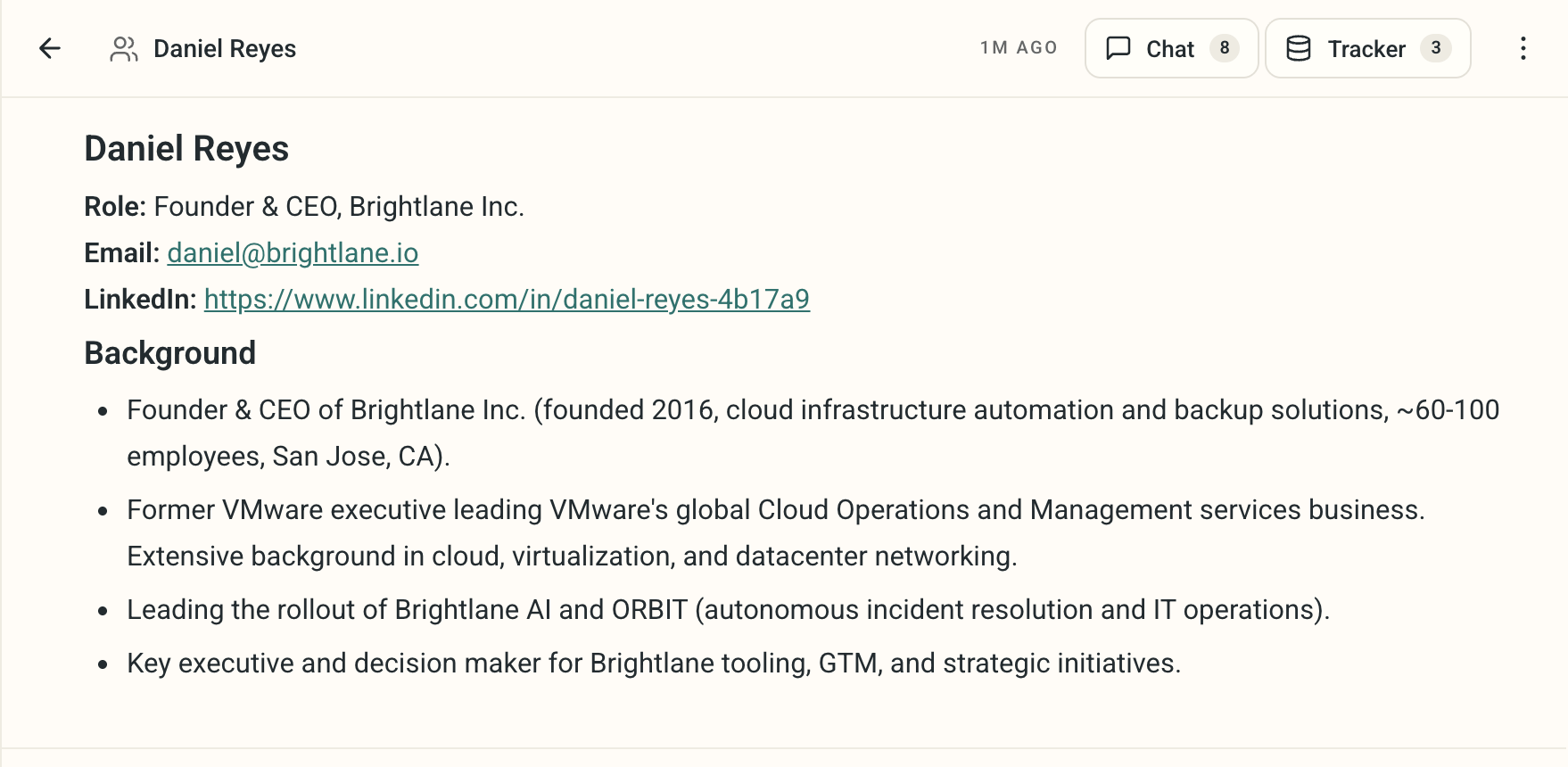 * Connect first, short intro, before any outreach message.
* Their posts tell you the topic to open with, not a guess.
* Ask the agent why one person replied and another didn’t, and use that to challenge your own assumptions about who’s actually a fit.
Try it by asking in chat, “Draft outreach for these 5 leads.” Treat your agent as a thinking partner: “Why did this one reply and that one didn’t?”
#### **3. One database. Remember every customer and what to do next.**
* Connect first, short intro, before any outreach message.
* Their posts tell you the topic to open with, not a guess.
* Ask the agent why one person replied and another didn’t, and use that to challenge your own assumptions about who’s actually a fit.
Try it by asking in chat, “Draft outreach for these 5 leads.” Treat your agent as a thinking partner: “Why did this one reply and that one didn’t?”
#### **3. One database. Remember every customer and what to do next.**
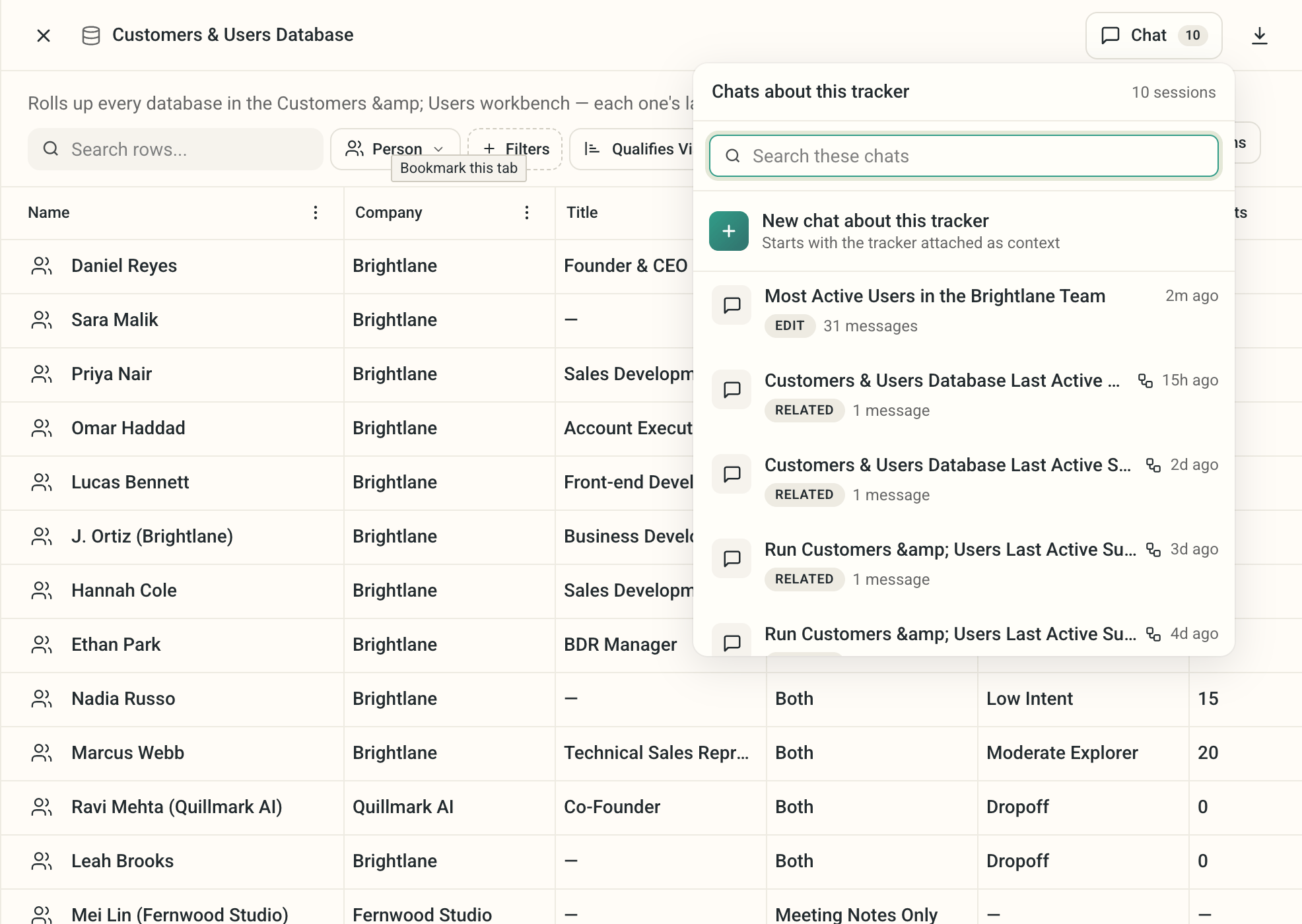 * Every touchpoint, call note, and meeting note lands in one place, visible to the whole team.
* Hand a deal to whoever’s booking the call or closing it, and they already have the context.
* Ask the agent who to follow up with, or who to tell about a new update, and it already knows.
Try it by asking in chat, “I have a new update, who should I tell?” or “Log this call, what’s the next step for this person?”
This documentation is built and hosted on [Mintlify](https://mintlify.com), a developer documentation platform.
* Every touchpoint, call note, and meeting note lands in one place, visible to the whole team.
* Hand a deal to whoever’s booking the call or closing it, and they already have the context.
* Ask the agent who to follow up with, or who to tell about a new update, and it already knows.
Try it by asking in chat, “I have a new update, who should I tell?” or “Log this call, what’s the next step for this person?”
This documentation is built and hosted on [Mintlify](https://mintlify.com), a developer documentation platform.