> ## Documentation Index
> Fetch the complete documentation index at: https://docs.deepvista.ai/llms.txt
> Use this file to discover all available pages before exploring further.
# Version 1.0.2
> Set up a workbench from a template, keep raw customer context in Notes, repeat proven work with workflows, and track results in the Database.
September 30, 2026
#### **1. Create a workbench for each initiative**
A workbench gives each initiative one home for its context, workflows, and results. Start from a template like **Lead Research & Outreach**, or choose **Skip for now** for a blank canvas.
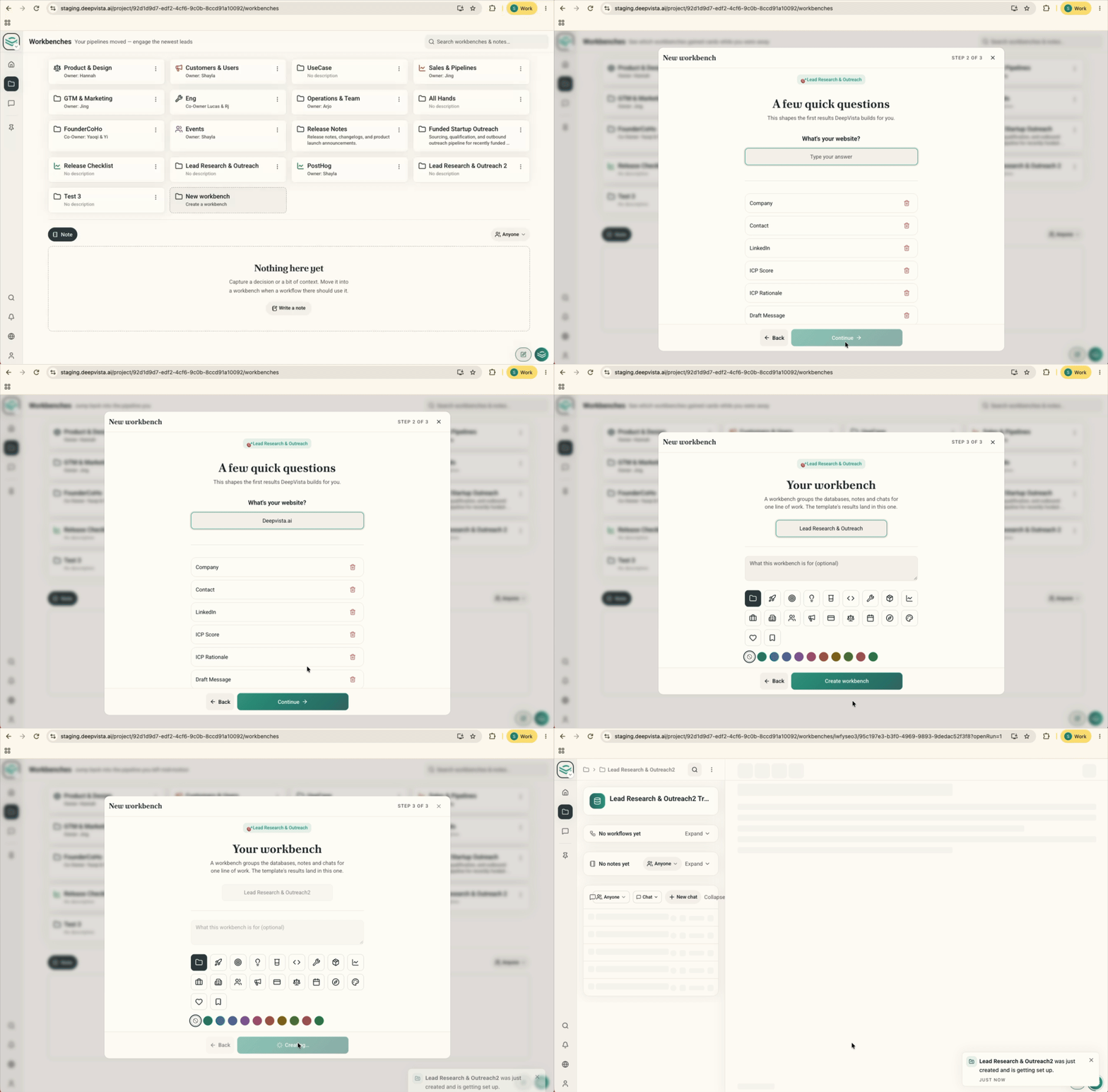 Try it by clicking **Create New Workbench** on your workbench page and picking a template or **Skip for now**.
#### **2. Drop raw context into Notes**
Paste in discovery takeaways, interview quotes, objections, and rough thoughts as they are. Your agent searches Notes on its own to find real decision-makers and draft emails that quote actual customer problems.
Try it by clicking **Create New Workbench** on your workbench page and picking a template or **Skip for now**.
#### **2. Drop raw context into Notes**
Paste in discovery takeaways, interview quotes, objections, and rough thoughts as they are. Your agent searches Notes on its own to find real decision-makers and draft emails that quote actual customer problems.
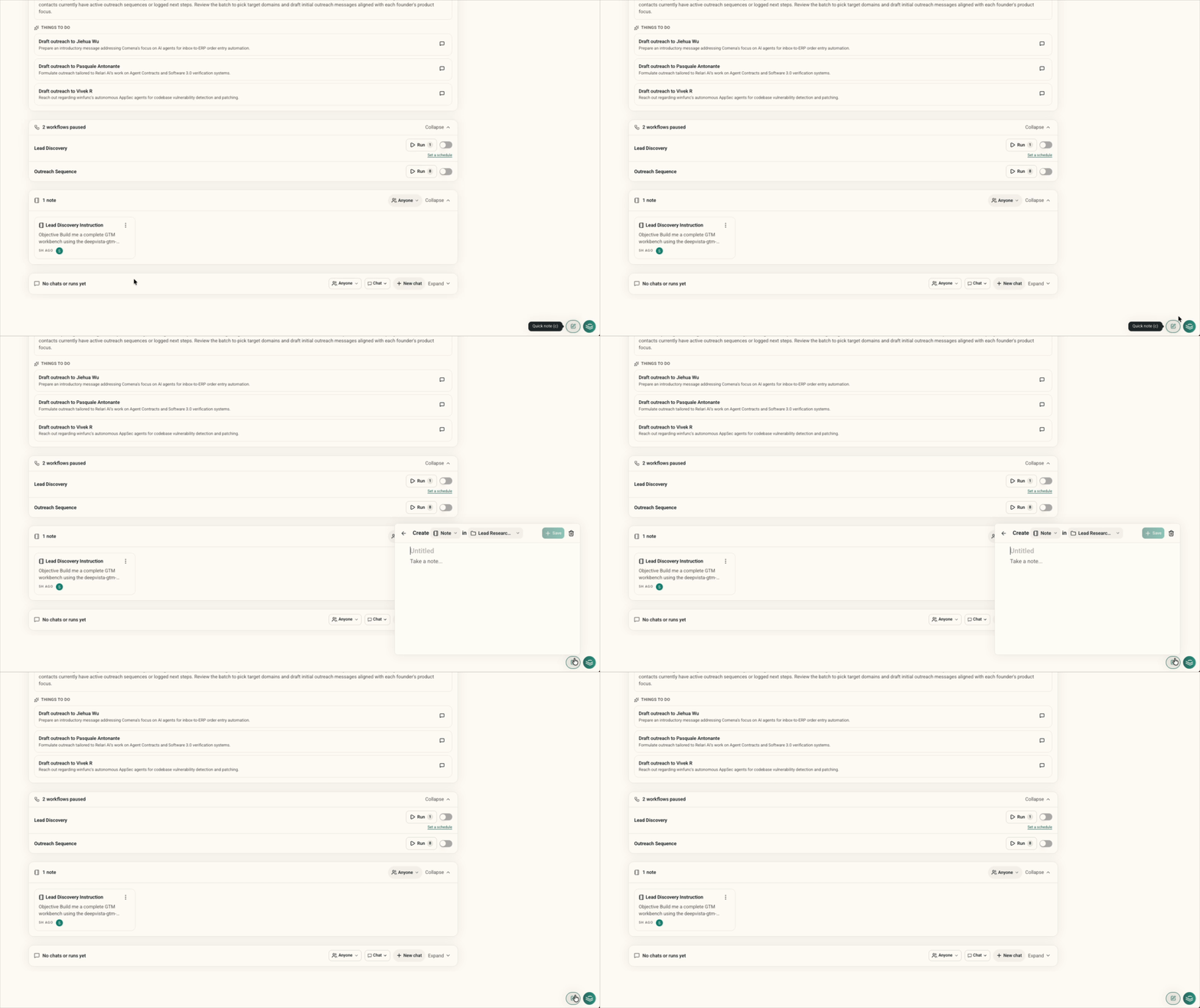 Try it by pasting call takeaways or user feedback into the **Notes** tab of your workbench.
#### **3. Run or create a workflow to repeat verified work**
Refine your lead criteria and email drafts with your agent first. Once you find the angle that gets replies, turn it into a workflow and repeat it.
Try it by pasting call takeaways or user feedback into the **Notes** tab of your workbench.
#### **3. Run or create a workflow to repeat verified work**
Refine your lead criteria and email drafts with your agent first. Once you find the angle that gets replies, turn it into a workflow and repeat it.
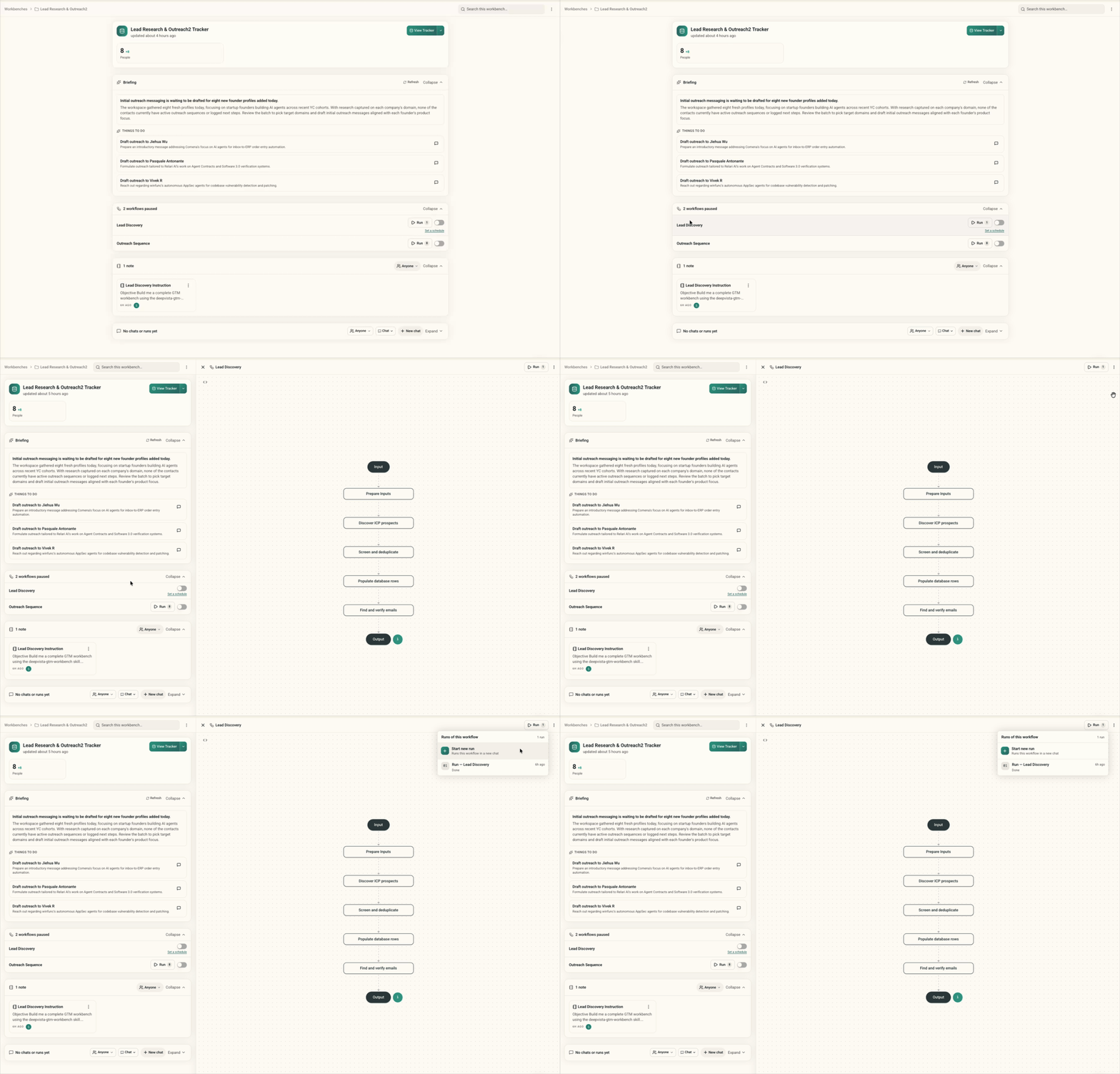 Try it by running a workflow in your workbench, or click **Add workflow** to automate steps that already work.
#### **4. Track results in the Database**
The Database records verified leads, email statuses, and booked meetings as your agent finishes tasks, so you can check results in one place.
Try it by running a workflow in your workbench, or click **Add workflow** to automate steps that already work.
#### **4. Track results in the Database**
The Database records verified leads, email statuses, and booked meetings as your agent finishes tasks, so you can check results in one place.
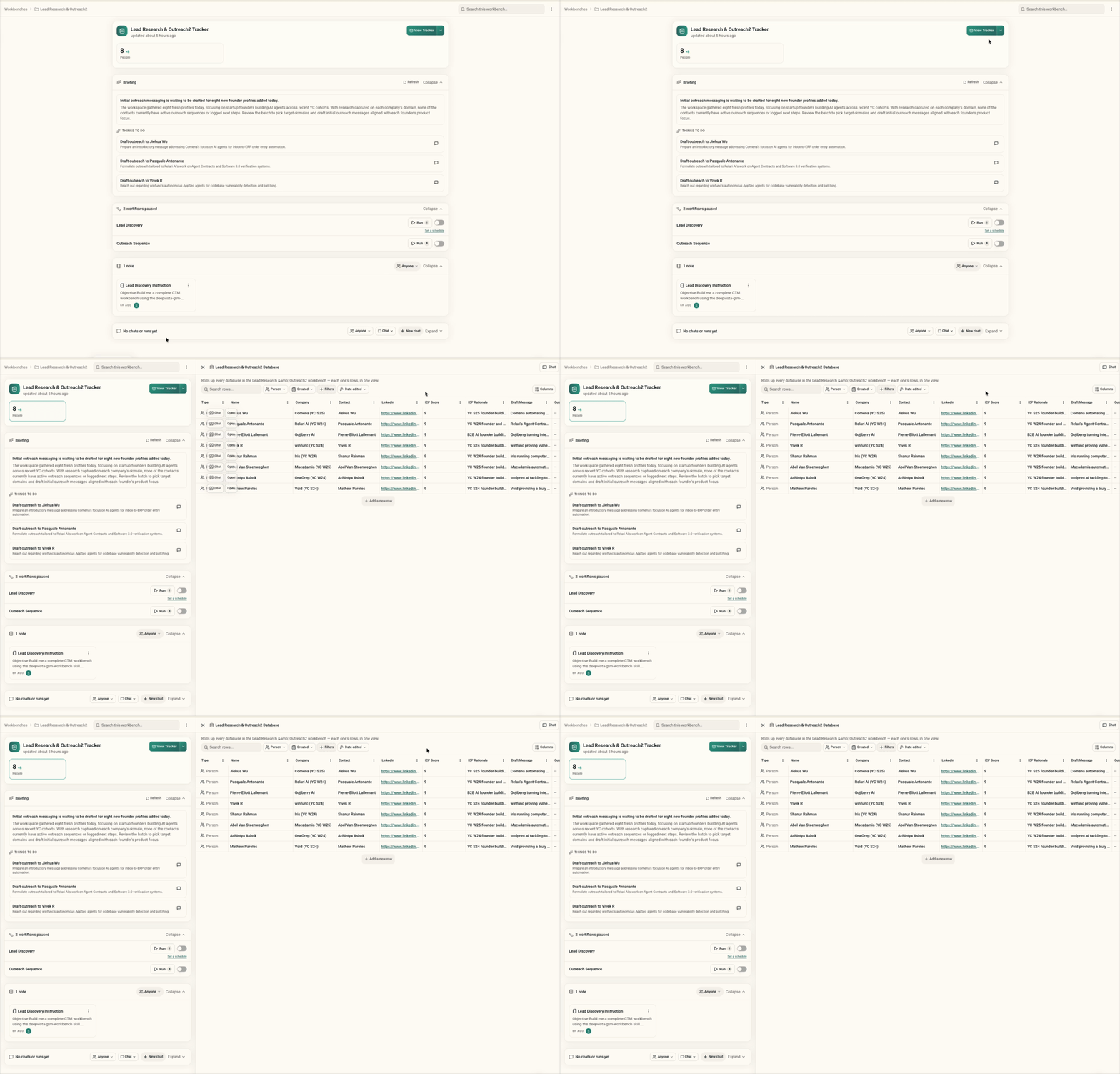 Try it by opening the **Database** tab to inspect leads, review outreach stages, and track booked calls.
This documentation is built and hosted on [Mintlify](https://mintlify.com), a developer documentation platform.
Try it by opening the **Database** tab to inspect leads, review outreach stages, and track booked calls.
This documentation is built and hosted on [Mintlify](https://mintlify.com), a developer documentation platform.