> ## Documentation Index
> Fetch the complete documentation index at: https://docs.deepvista.ai/llms.txt
> Use this file to discover all available pages before exploring further.
# Version 1.0.1
> Find more complete lead profiles for your pipeline, put your daily prospecting and outreach on autopilot, and act on workbench recommendations instantly.
September 22, 2026
#### **1. Get more complete search results for new leads**
Lead discovery now consistently captures essential contact and company details, so every new lead includes a name, role, and LinkedIn URL. Discovered profiles appear in your workbench table with clickable links, so you can read a prospect's role and jump directly to their LinkedIn profile or their company's.
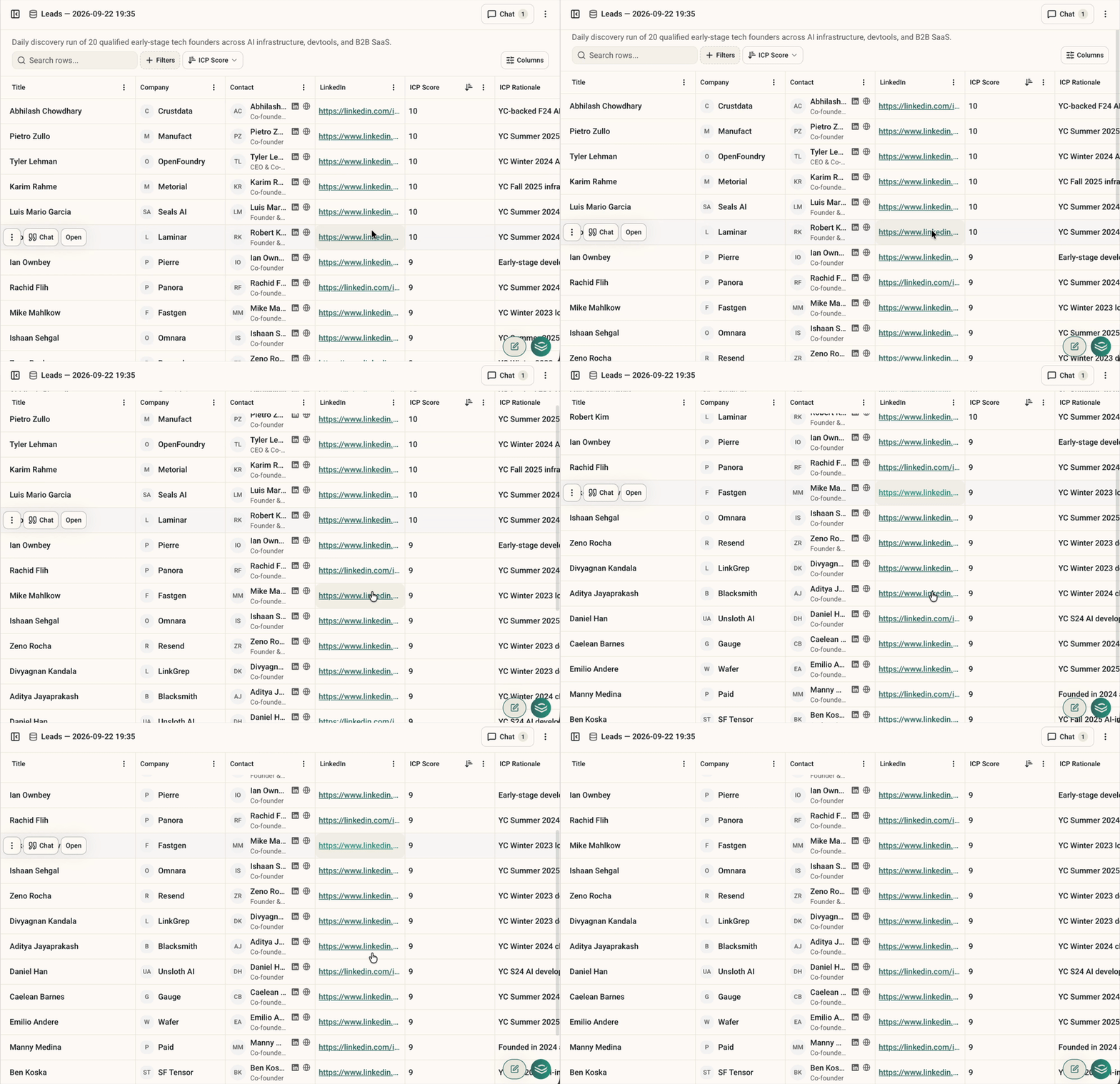 Try it by creating a new workbench or running a Lead Discovery workflow.
#### **2. Put your prospecting and outreach on autopilot**
Keep your pipeline moving without manual supervision. You can now schedule your workflows, such as finding new leads or sending email sequences, to run automatically on your preferred routine, whether that is daily at 9:00 AM or on a custom cadence.
Try it by creating a new workbench or running a Lead Discovery workflow.
#### **2. Put your prospecting and outreach on autopilot**
Keep your pipeline moving without manual supervision. You can now schedule your workflows, such as finding new leads or sending email sequences, to run automatically on your preferred routine, whether that is daily at 9:00 AM or on a custom cadence.
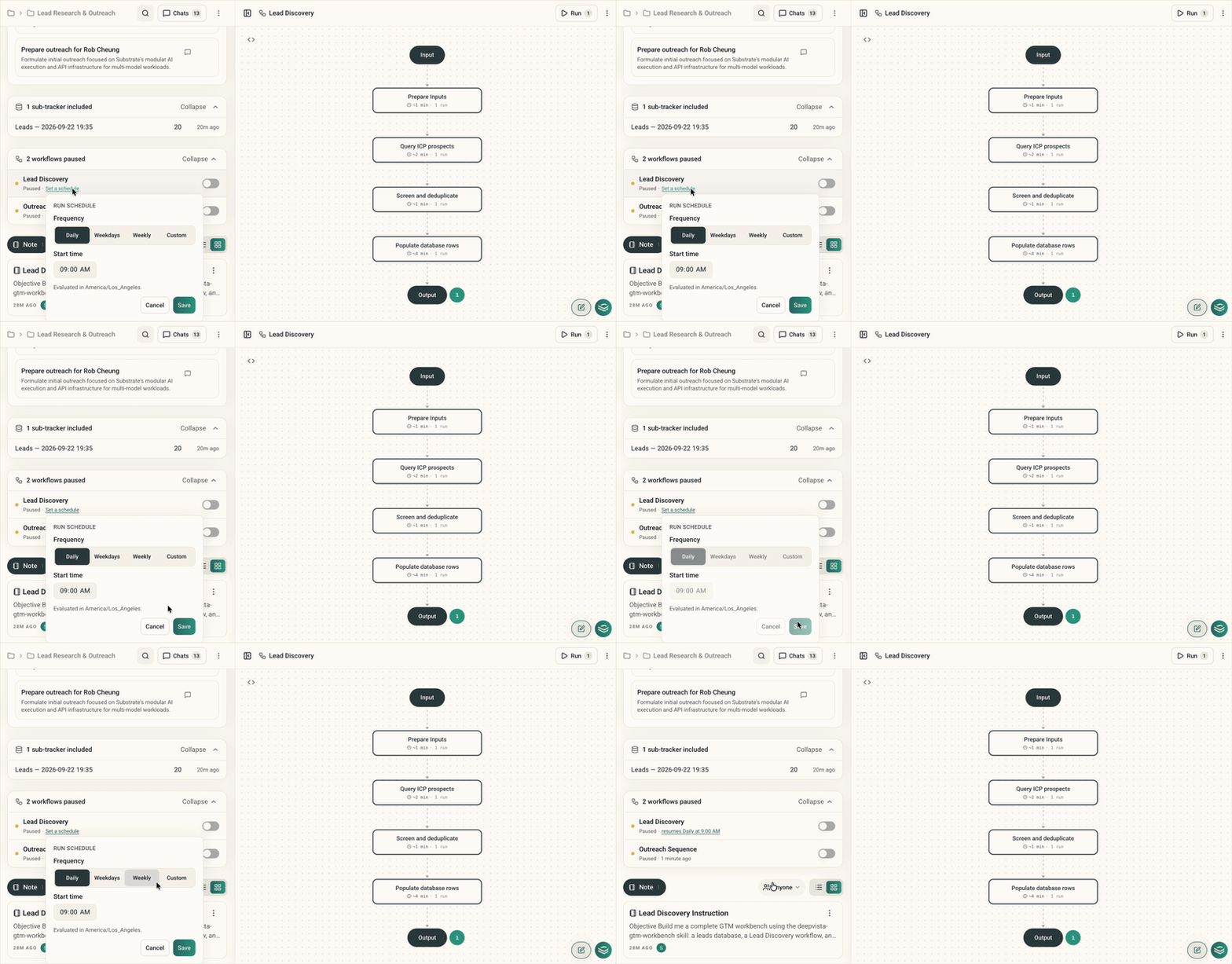 Try it by clicking the schedule link next to any workflow toggle in your workbench.
#### **3. Act on recommended priorities instantly**
Turn workbench recommendations into immediate action. Clicking any action button under Things to do now opens a workspace with the relevant contacts, background cards, and task details already loaded, so you can act without retyping anything or starting from scratch.
Try it by clicking the schedule link next to any workflow toggle in your workbench.
#### **3. Act on recommended priorities instantly**
Turn workbench recommendations into immediate action. Clicking any action button under Things to do now opens a workspace with the relevant contacts, background cards, and task details already loaded, so you can act without retyping anything or starting from scratch.
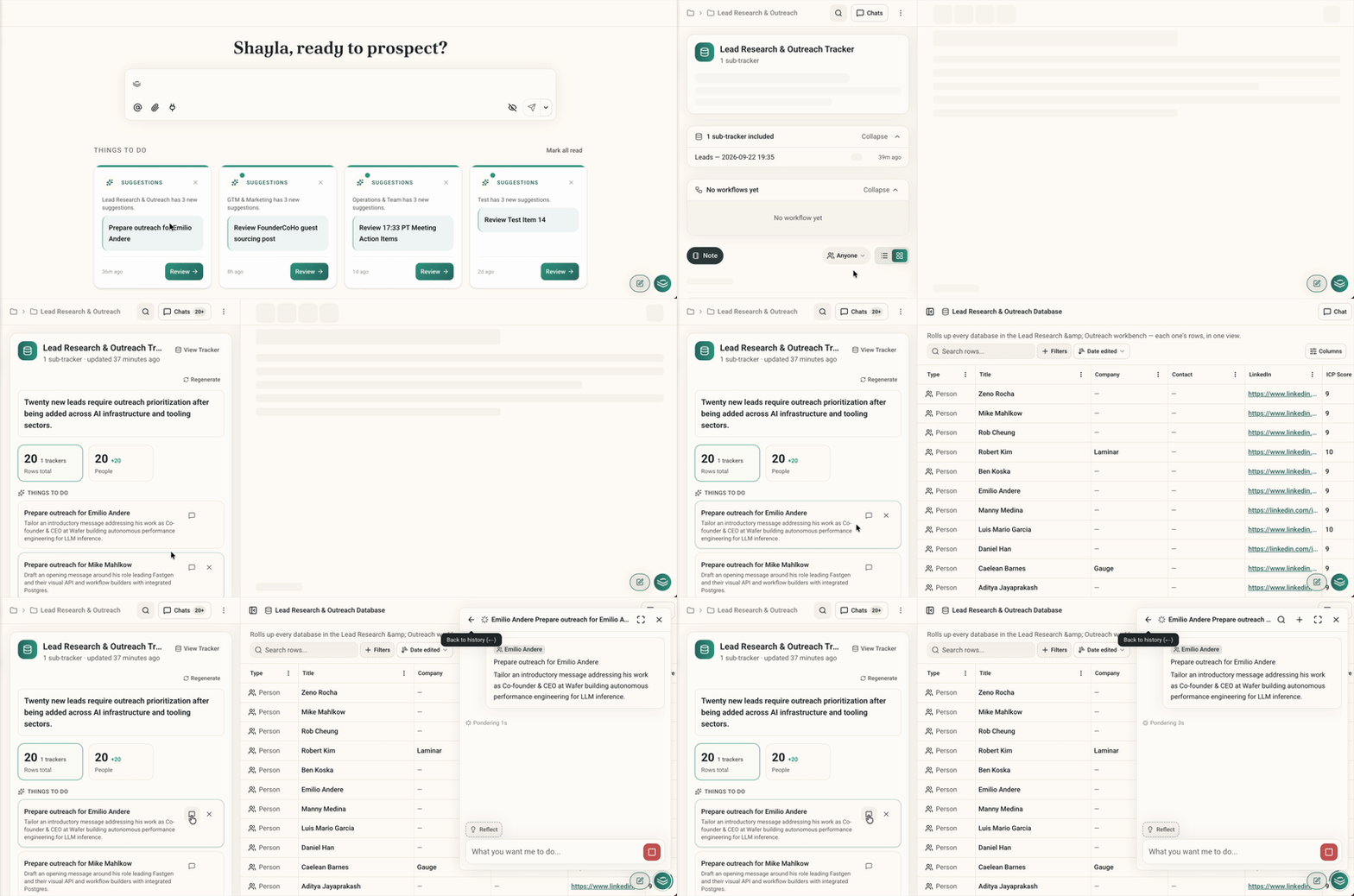 Try it by clicking any action button under Things to do on your workbench overview.