> ## Documentation Index
> Fetch the complete documentation index at: https://docs.deepvista.ai/llms.txt
> Use this file to discover all available pages before exploring further.
# Version 0.7.3
> Connect your LinkedIn account to DeepVista, watch your agent work from chat history, jump to results and save drafts faster with your keyboard, roll every workbench up into one parent database, and save versions whenever you want.
September 5, 2026
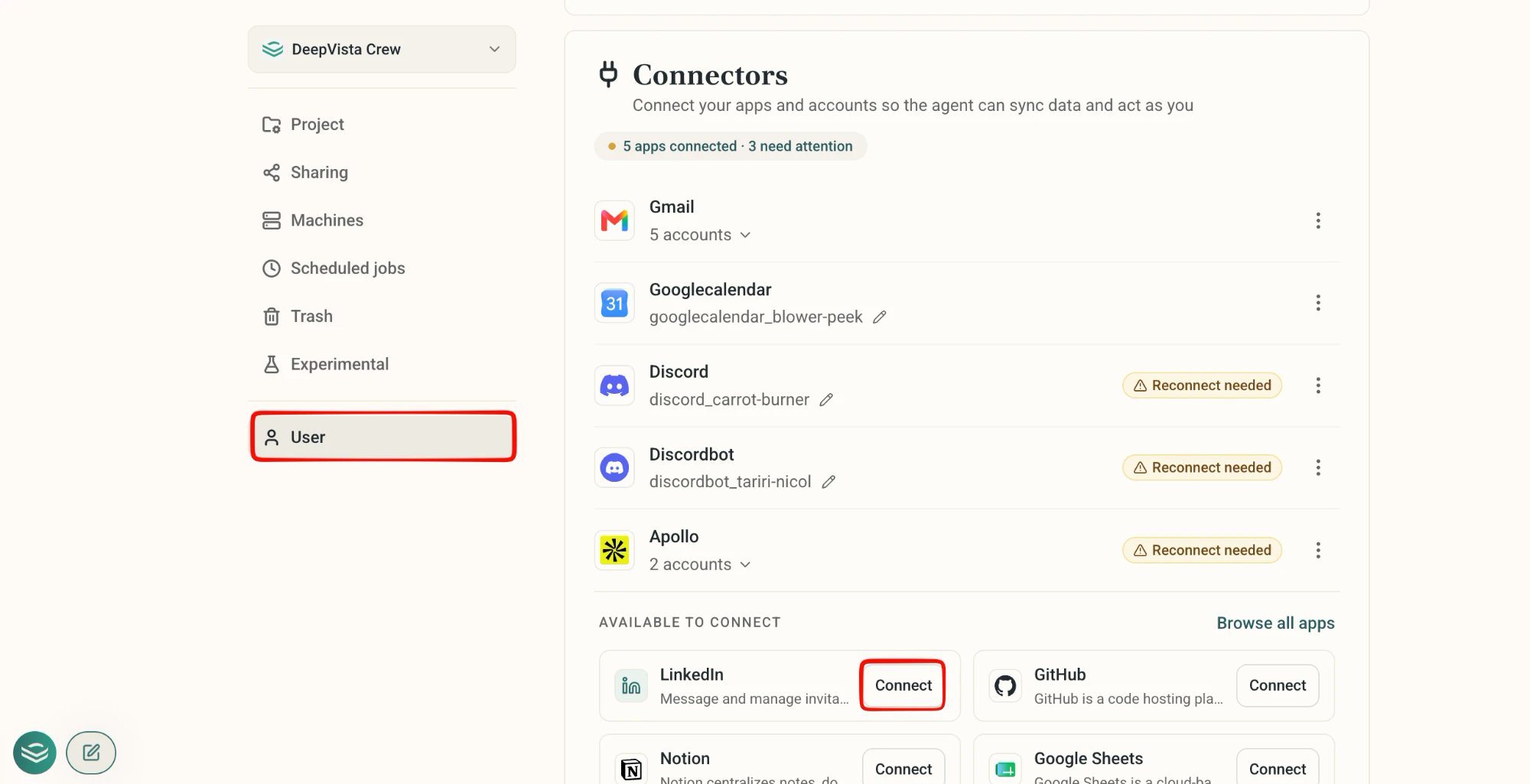
#### **1. Connect your LinkedIn account to DeepVista**
DeepVista now supports LinkedIn connector. Go to **Settings → User → Connectors** and connect your LinkedIn account.
 #### **2. Watch your agent work from chat history**
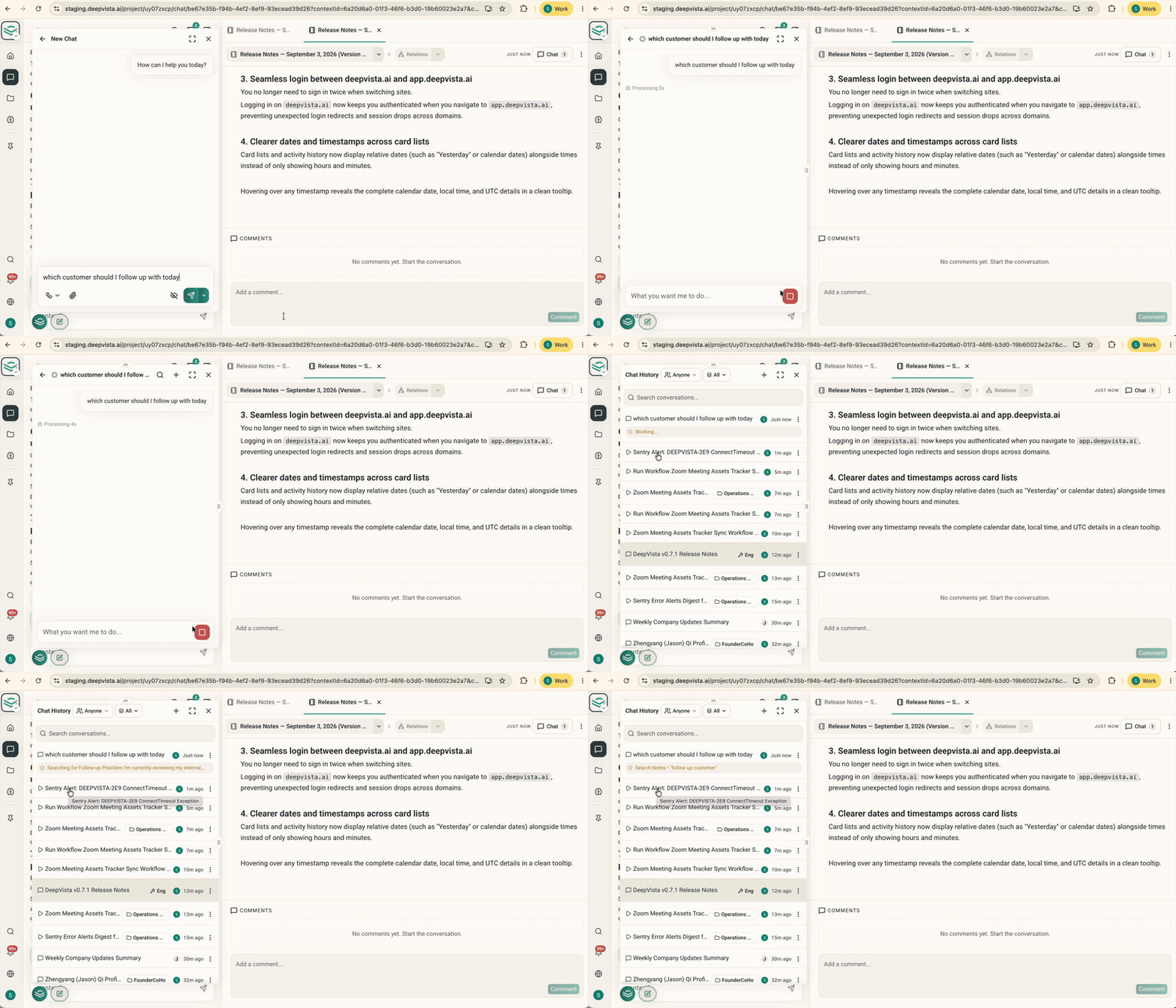
The floating chat now shows background actions directly in each thread's preview.
Glance at a thread and see whether the agent is searching the web, updating a card, or running a task, before you even open it.
#### **2. Watch your agent work from chat history**
The floating chat now shows background actions directly in each thread's preview.
Glance at a thread and see whether the agent is searching the web, updating a card, or running a task, before you even open it.
 #### **3. Jump straight to a result with ⌘K, and save drafts with ⌘S**
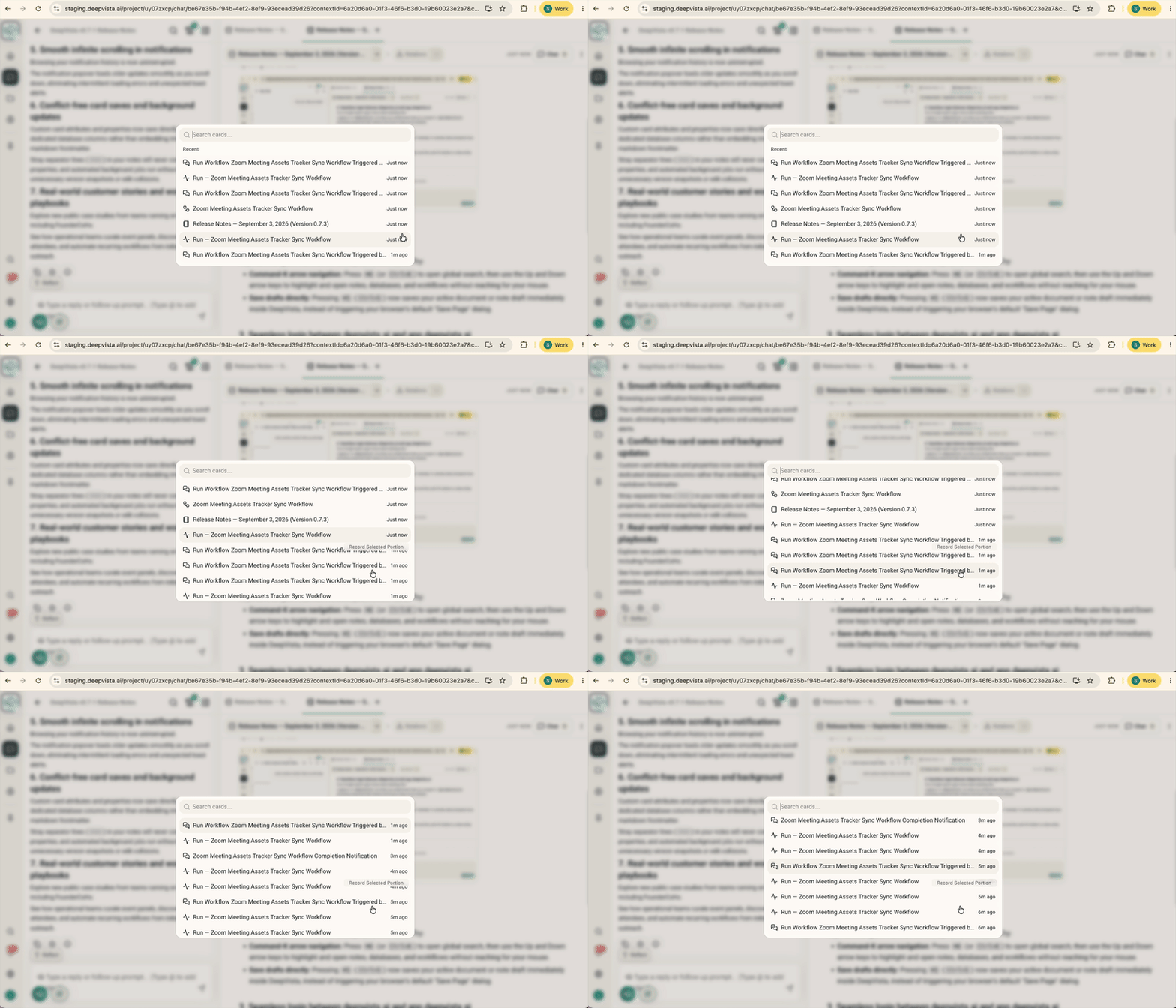
Global search now supports full keyboard navigation. Press `⌘K` (or `Ctrl K`) to open search, then use the Up and Down arrow keys to highlight and open notes, databases, and workflows without reaching for your mouse.
#### **3. Jump straight to a result with ⌘K, and save drafts with ⌘S**
Global search now supports full keyboard navigation. Press `⌘K` (or `Ctrl K`) to open search, then use the Up and Down arrow keys to highlight and open notes, databases, and workflows without reaching for your mouse.
 Pressing `⌘S` (`Ctrl S`) now saves your active document or note draft immediately, instead of waiting on autosave.
#### **4. Every workbench rolls up into one parent database**
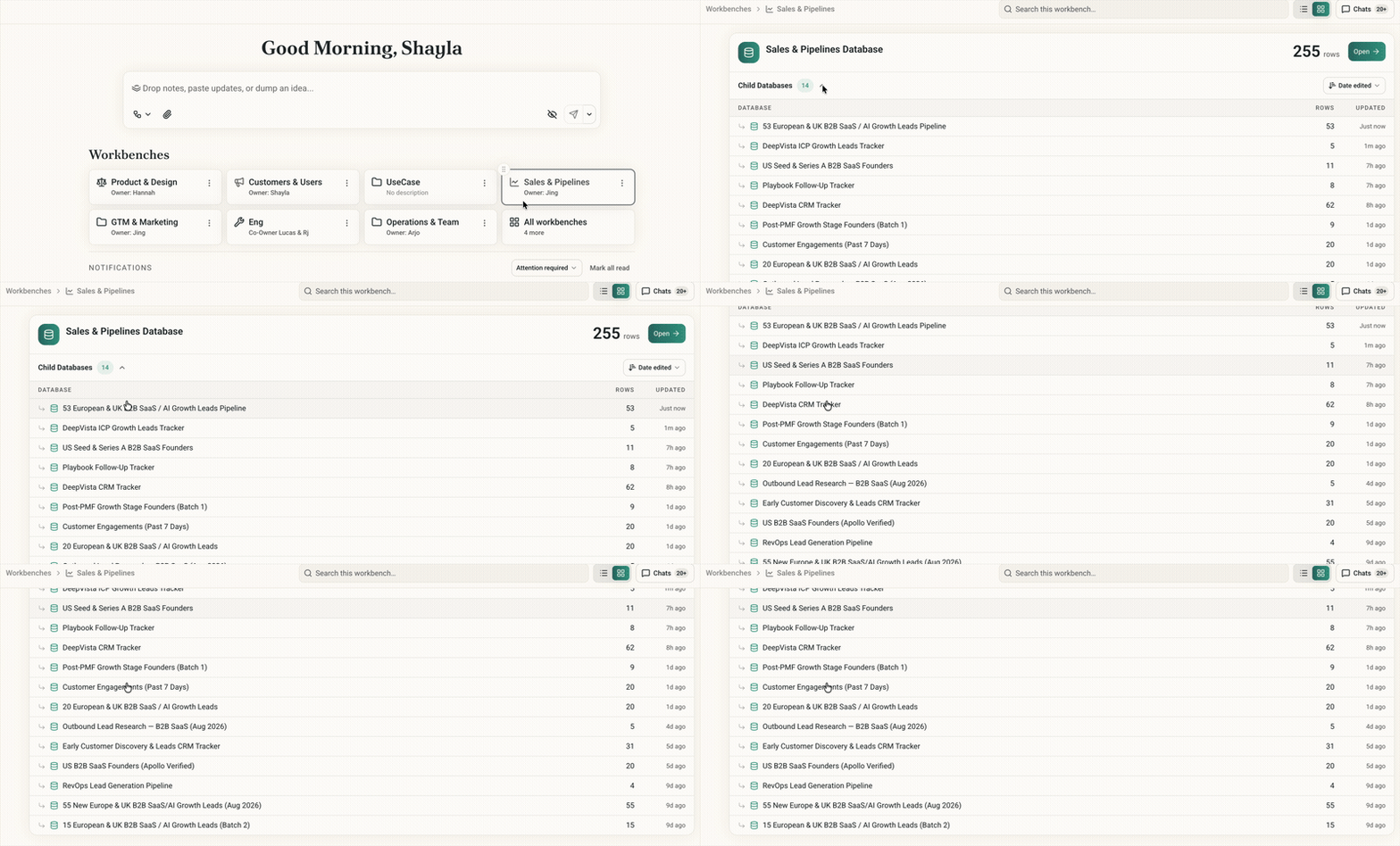
Every workbench now has a parent database with everyone you've already researched, one summary across all your work.
Ask something like "find customers I need to follow up with today," and DeepVista creates a child database under the parent, a focused list for that question that still rolls up into the summary.
New workbenches get this automatically. Existing workbenches will be reorganized the same way.
Pressing `⌘S` (`Ctrl S`) now saves your active document or note draft immediately, instead of waiting on autosave.
#### **4. Every workbench rolls up into one parent database**
Every workbench now has a parent database with everyone you've already researched, one summary across all your work.
Ask something like "find customers I need to follow up with today," and DeepVista creates a child database under the parent, a focused list for that question that still rolls up into the summary.
New workbenches get this automatically. Existing workbenches will be reorganized the same way.
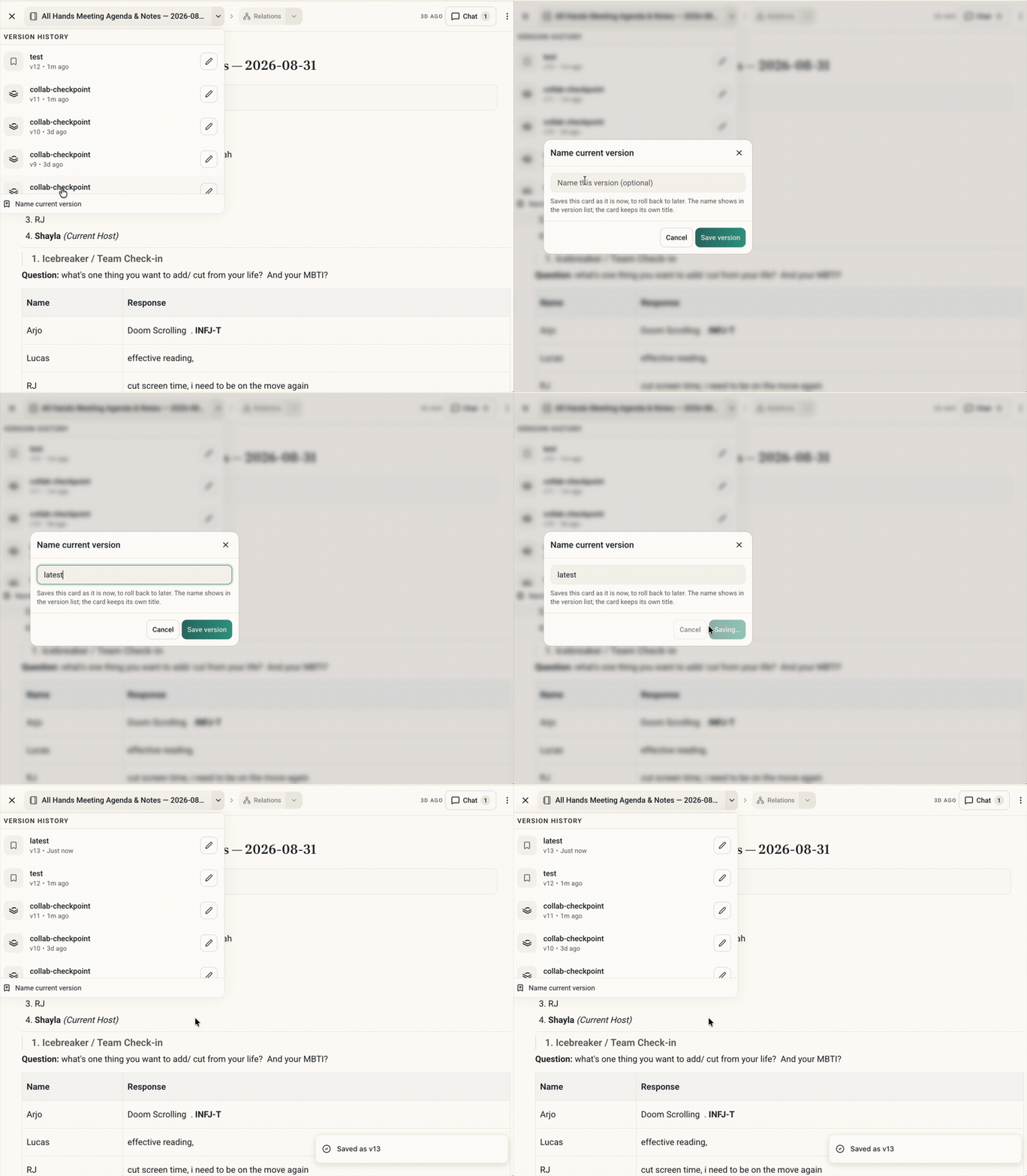
 #### **5. Save a version whenever you want**
Notes and context cards now have a "name current version" button. Snapshot your work at any time so that you never lose it.
#### **5. Save a version whenever you want**
Notes and context cards now have a "name current version" button. Snapshot your work at any time so that you never lose it.