> ## Documentation Index
> Fetch the complete documentation index at: https://docs.deepvista.ai/llms.txt
> Use this file to discover all available pages before exploring further.
# Version 0.7.1
> Research to outreach, in one chat: Find niche communities, pull customer leads into a database, and draft follow-up email sequences all in the same thread.
#### **1. Start with database, not workflows**.
Don't build complex workflows from scratch.
Now you can generate a **database** (like target leads or user interview lists) with a single prompt, edit it, and only automate it once you like the results.
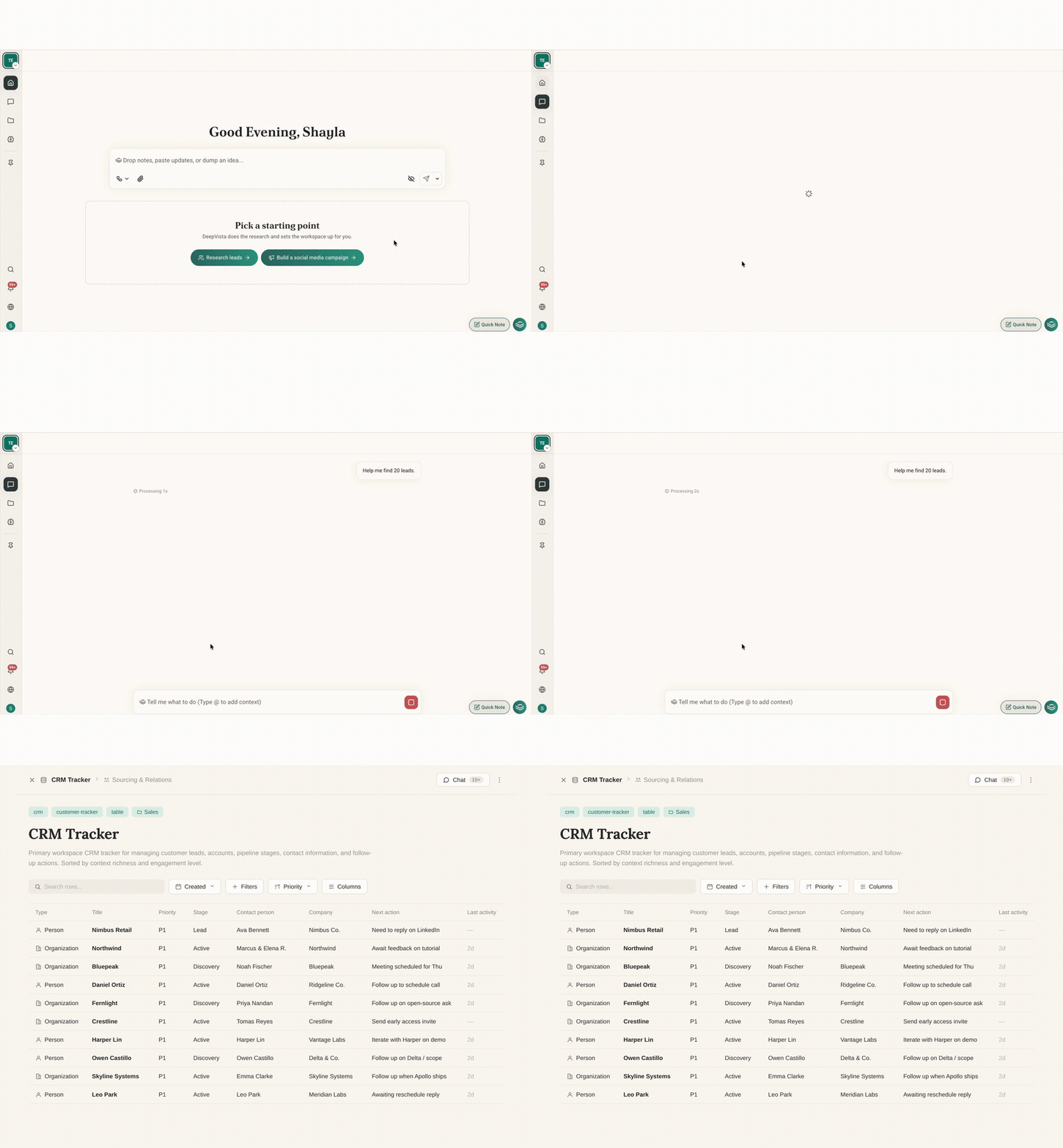 Learn more about building your database [here](https://docs.deepvista.ai/tutorials/customer-research-and-tracking).
#### **2. Drop long meeting audio directly into chat**.
You can now upload long audio files straight into chat.
DeepVista listens and extracts them directly with no separate transcription tool needed.
#### **3. Instant Command-K search**.
Press `⌘K` from anywhere in the app to find any note, database, or workflow instantly.
#### **4. Chats file themselves into Workbenches**.
When you chat about a project or note inside a Workbench, the conversation automatically saves into that Workbench.
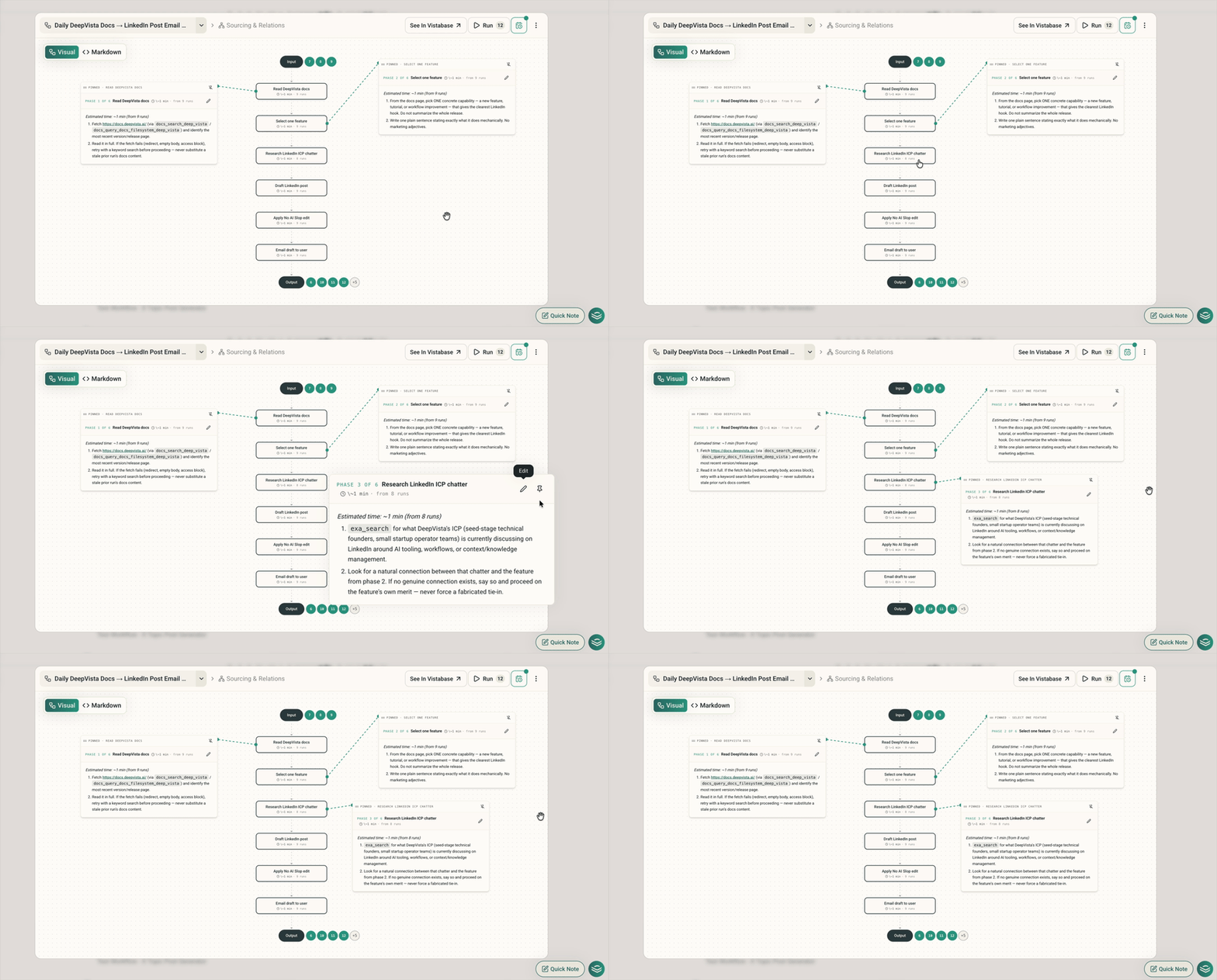
#### **5. Pin notes on workflow charts**.
Pin multiple step popovers onto your visual workflow canvas like sticky notes so you can view the whole plan at once.
Learn more about building your database [here](https://docs.deepvista.ai/tutorials/customer-research-and-tracking).
#### **2. Drop long meeting audio directly into chat**.
You can now upload long audio files straight into chat.
DeepVista listens and extracts them directly with no separate transcription tool needed.
#### **3. Instant Command-K search**.
Press `⌘K` from anywhere in the app to find any note, database, or workflow instantly.
#### **4. Chats file themselves into Workbenches**.
When you chat about a project or note inside a Workbench, the conversation automatically saves into that Workbench.
#### **5. Pin notes on workflow charts**.
Pin multiple step popovers onto your visual workflow canvas like sticky notes so you can view the whole plan at once.