> ## Documentation Index
> Fetch the complete documentation index at: https://docs.deepvista.ai/llms.txt
> Use this file to discover all available pages before exploring further.
# Version 0.7.0
August 20, 2026
Drop messy call notes, LinkedIn screenshots, and campaign ideas into chat, and DeepVista builds a clean, auto-updating lead list — no manual formatting.
Version 0.7.0 overhauls **Trackers**, DeepVista's live data lists for running your CRM and social campaigns. Ask in plain English to slice, sort, and reorganize your pipeline without touching the underlying records, track the full history of every deal, and export a ready-to-share spreadsheet in one click.
**Highlights**
* **Clean data separation, no ghost rows.** Meeting notes, call transcripts, and campaign playbooks stay linked in the background instead of creating blank rows in your list.
* **Natural-language custom views.** Ask DeepVista to filter high-fit leads, sort campaign posts, or reorder columns. It updates your display view instantly without modifying or deleting the underlying records.
* **1-click spreadsheet export.** Download any CRM or campaign tracker as an Excel-compatible CSV from the tracker options menu.
* **Full version history.** Every row added, removed, or updated shows up in one unified timeline.
* **Smart import and a cleaner grid.** Paste multi-cell data from Excel or Google Sheets without broken formatting. Column borders and draggable resize handles make dense trackers easier to scan.
Build a CRM tracker from your ICP, keep it clean of ghost rows, and update it by pasting in call notes.
Schedule a campaign in a tracker, generate tracking links, and route inbound leads straight into your CRM.
***
## What we shipped this week
### Clean data separation (no more ghost rows)
Trackers now separate actual data records from linked reference context.
* **Dedicated row architecture:** attaching background research notes or a campaign playbook to a tracker no longer creates a blank "ghost" row. Trackers isolate real data items from reference links.
* **Connected background context:** call notes, customer emails, ICP briefs, and campaign workflows stay attached to your tracker in the background, fully accessible to the AI without cluttering your data grid.
* **Interactive card rows:** every row is still a full context card. Click any contact or campaign post to open its profile, past communications, and associated tasks.
 ### Non-destructive AI views
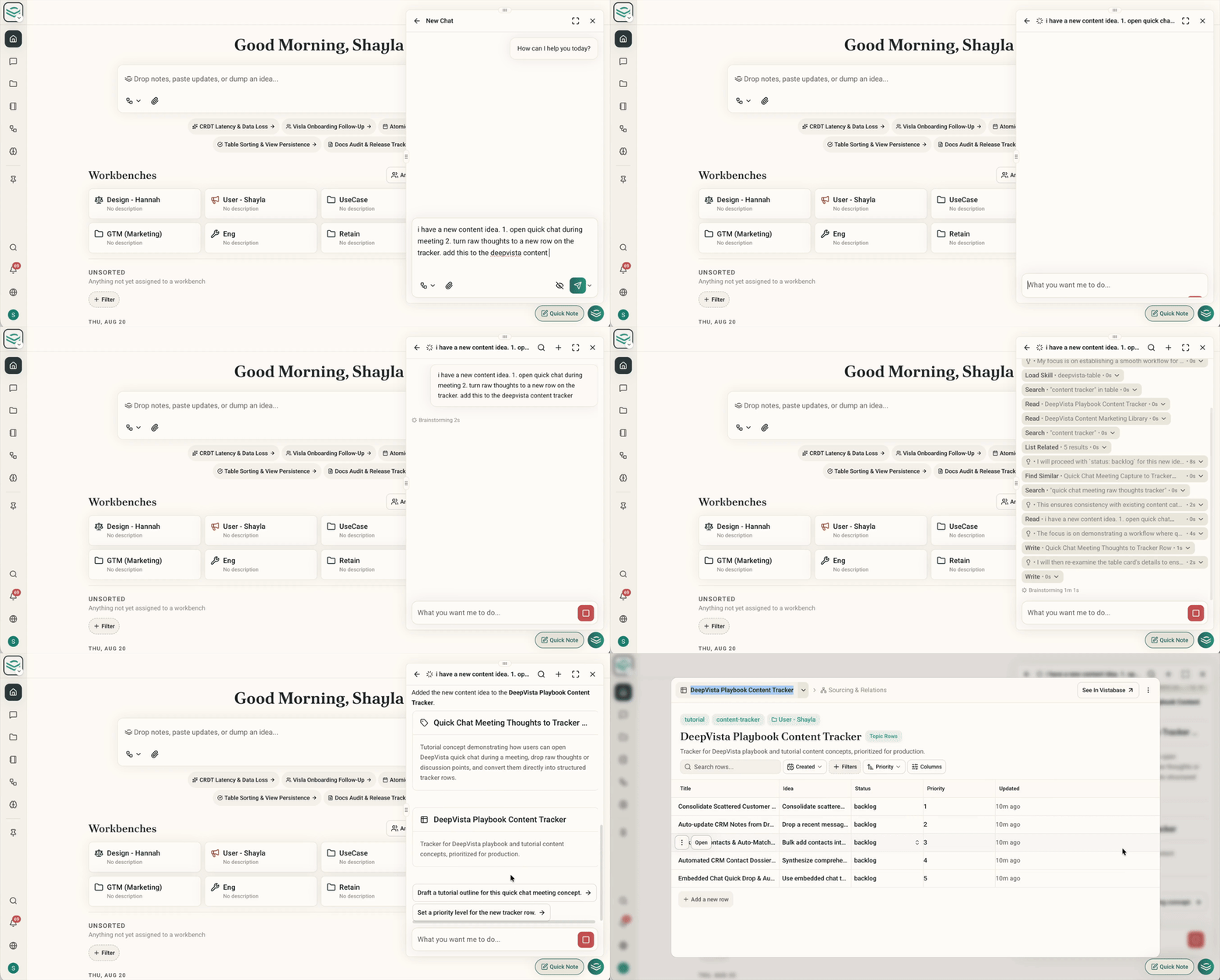
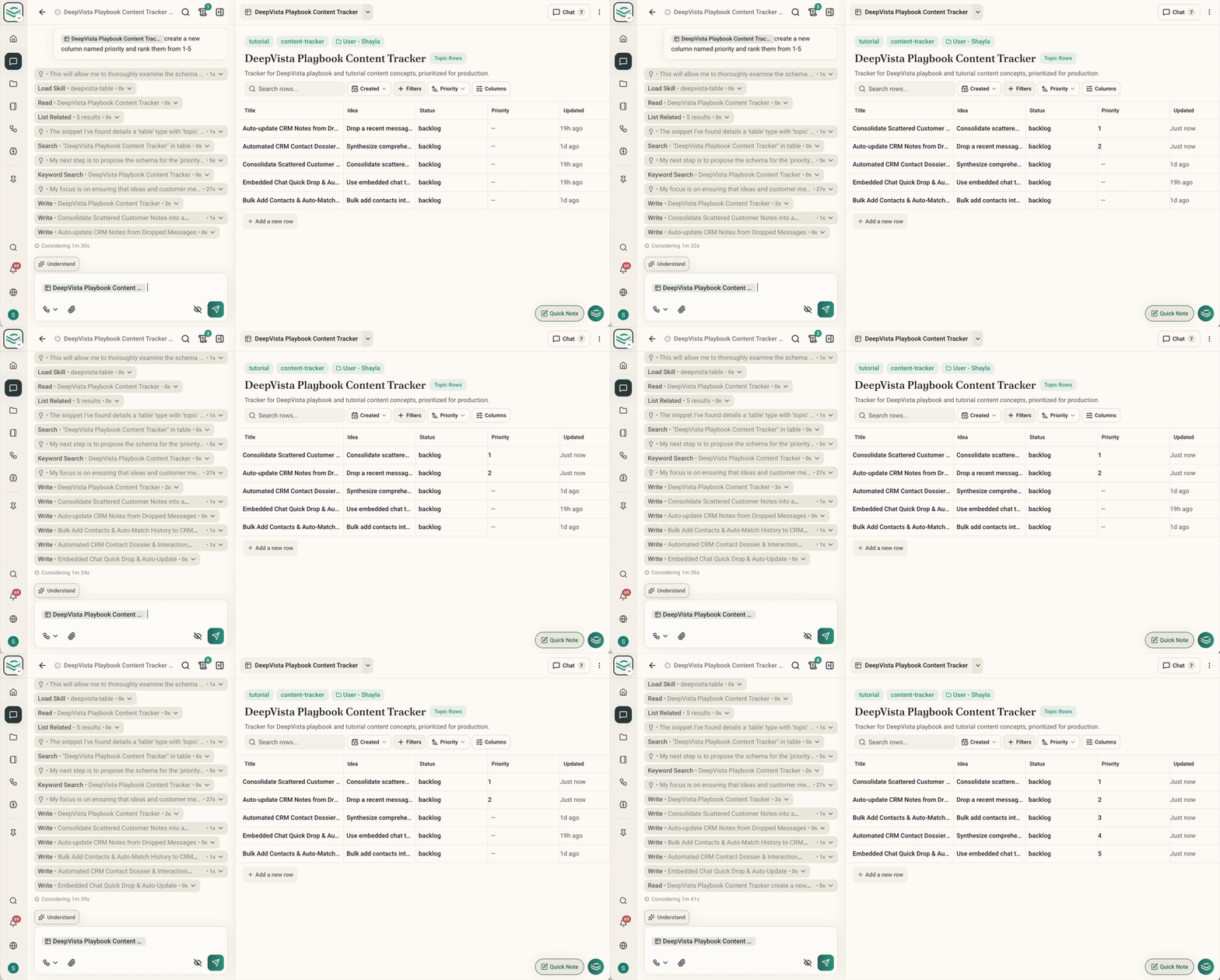
* **Prompt-driven filtering and sorting:** tell DeepVista "show only high-fit inbound leads from this week's social campaign" or "sort CRM contacts by outreach date and hide internal notes."
* **Non-destructive view layer:** view changes touch only display rules — filters, sort order, visible columns. Your context cards and campaign records stay untouched.
* **Persistent saved layouts:** custom views save automatically, so you and your team return to the same column setup every time.
### Non-destructive AI views
* **Prompt-driven filtering and sorting:** tell DeepVista "show only high-fit inbound leads from this week's social campaign" or "sort CRM contacts by outreach date and hide internal notes."
* **Non-destructive view layer:** view changes touch only display rules — filters, sort order, visible columns. Your context cards and campaign records stay untouched.
* **Persistent saved layouts:** custom views save automatically, so you and your team return to the same column setup every time.
 ### Versioned rows and a unified history
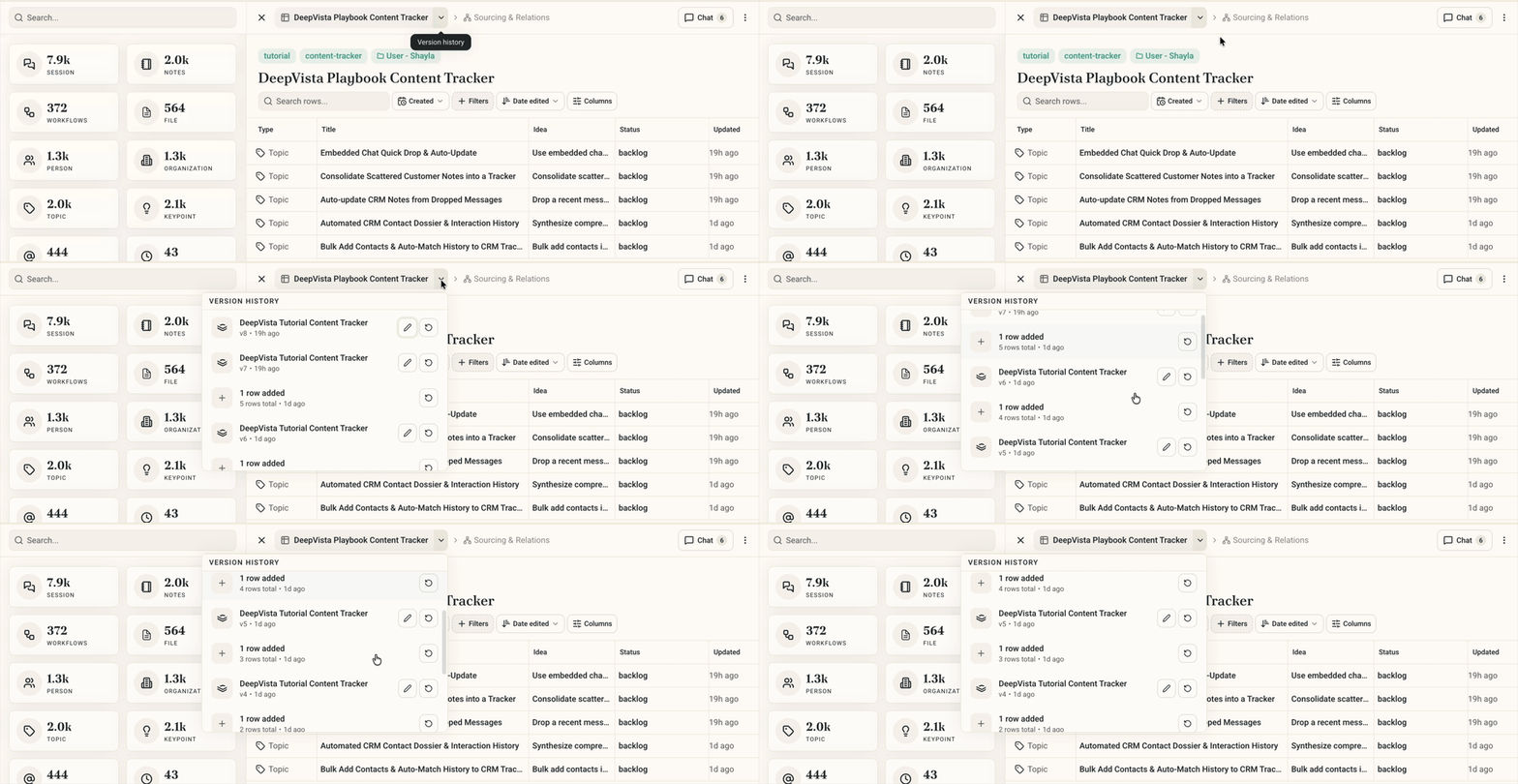
* **Versioned row additions and removals:** trackers record the exact revision when a row is added, completed, or removed.
* **Unified changelog:** row edits and tracker setting changes merge into one chronological activity history.
### Versioned rows and a unified history
* **Versioned row additions and removals:** trackers record the exact revision when a row is added, completed, or removed.
* **Unified changelog:** row edits and tracker setting changes merge into one chronological activity history.
 ### Visual grid polish
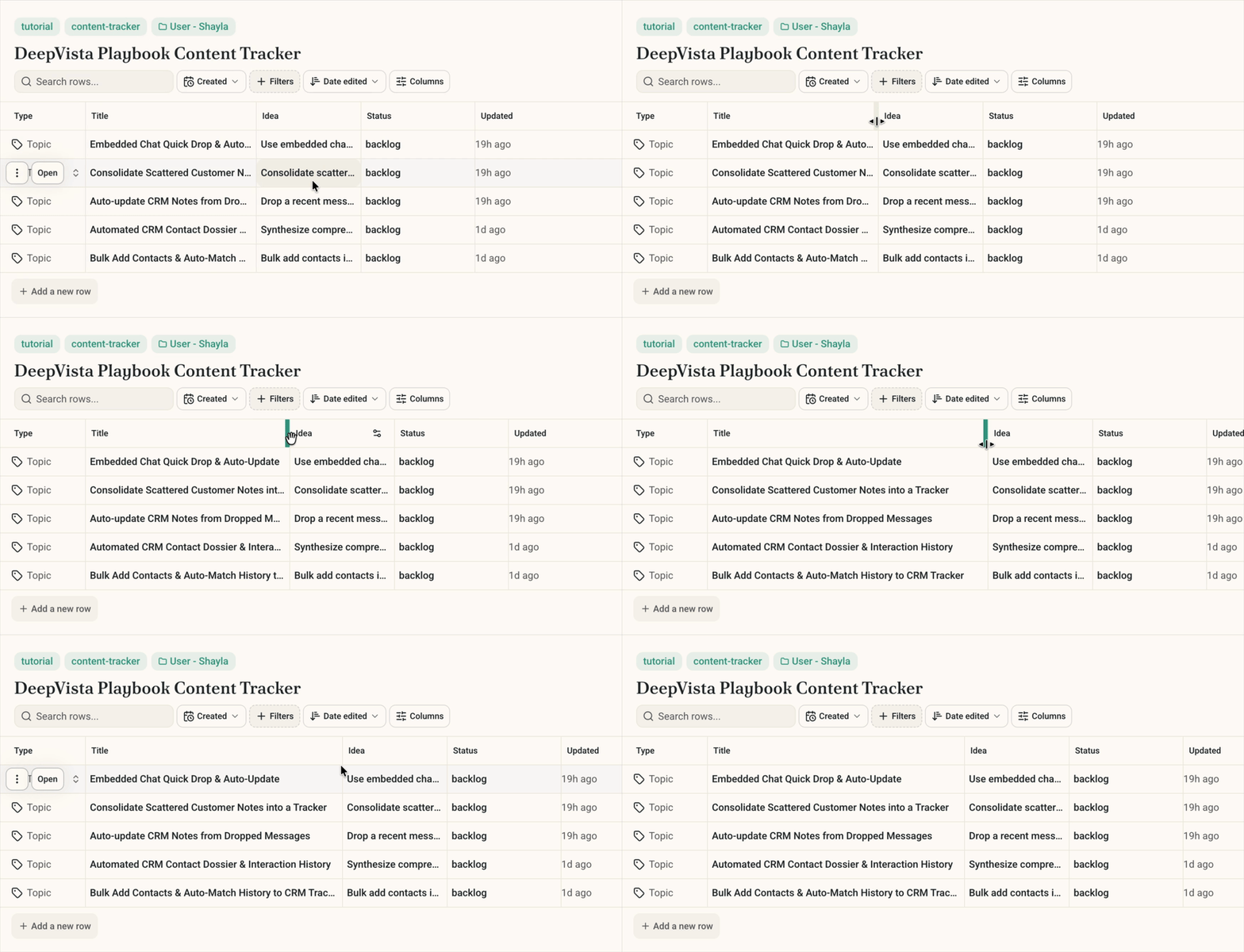
* **Visible column borders:** grid lines make dense customer lists and multi-day campaign schedules easier to scan.
* **Draggable column resize handles:** adjust column widths to fit long company names, LinkedIn URLs, and status tags.
### Visual grid polish
* **Visible column borders:** grid lines make dense customer lists and multi-day campaign schedules easier to scan.
* **Draggable column resize handles:** adjust column widths to fit long company names, LinkedIn URLs, and status tags.
 ***
## Try these on DeepVista
#### 1. Build an intelligent CRM tracker
Prompt DeepVista with your target customer profile:
```text theme={null}
Research 10 target companies matching our ICP and create a CRM tracker with columns for Company, Contact, LinkedIn URL, and Outreach Status.
```
DeepVista builds the tracker and populates verified records. Paste in call notes or screenshots and ask DeepVista to update the matching row.
#### 2. Launch a 10-day social media campaign
Give DeepVista a tutorial, landing page, or release note and prompt:
```text theme={null}
Research this content and propose 10 social copies targeting our ICPs with lead capture forms linked to our CRM tracker.
```
DeepVista schedules the campaign in a tracker, generates unique tracking links, and routes inbound form submissions straight into your CRM.
#### 3. Filter your pipeline with plain English
Open your CRM tracker and prompt:
```text theme={null}
Filter this tracker to show only leads who received an outreach email, and sort them by the last touchpoint date.
```
DeepVista updates your saved view immediately and leaves the original records untouched.
***
## Start building your own Trackers
Follow the step-by-step guides to set up automated [Customer Research & Tracking](/tutorials/customer-research-and-tracking) for your pipeline, or launch a multi-day [Social Media Campaign](/tutorials/social-media-campaign) with built-in lead capture.
***
## Try these on DeepVista
#### 1. Build an intelligent CRM tracker
Prompt DeepVista with your target customer profile:
```text theme={null}
Research 10 target companies matching our ICP and create a CRM tracker with columns for Company, Contact, LinkedIn URL, and Outreach Status.
```
DeepVista builds the tracker and populates verified records. Paste in call notes or screenshots and ask DeepVista to update the matching row.
#### 2. Launch a 10-day social media campaign
Give DeepVista a tutorial, landing page, or release note and prompt:
```text theme={null}
Research this content and propose 10 social copies targeting our ICPs with lead capture forms linked to our CRM tracker.
```
DeepVista schedules the campaign in a tracker, generates unique tracking links, and routes inbound form submissions straight into your CRM.
#### 3. Filter your pipeline with plain English
Open your CRM tracker and prompt:
```text theme={null}
Filter this tracker to show only leads who received an outreach email, and sort them by the last touchpoint date.
```
DeepVista updates your saved view immediately and leaves the original records untouched.
***
## Start building your own Trackers
Follow the step-by-step guides to set up automated [Customer Research & Tracking](/tutorials/customer-research-and-tracking) for your pipeline, or launch a multi-day [Social Media Campaign](/tutorials/social-media-campaign) with built-in lead capture.