> ## Documentation Index
> Fetch the complete documentation index at: https://docs.deepvista.ai/llms.txt
> Use this file to discover all available pages before exploring further.
# Version 0.6.8
August 6, 2026
Collaborating with team members and agents is getting smarter on DeepVista.
**Highlights**
* **Organize your project with Workbenches.** You can now group workflows, context cards, and scheduled jobs, and find them easily on the homepage.
* **Transfer your understanding of relationships between entities to your agents.** In your prompt, mention a person card, a note on a customer call, and a workflow to create connections for your agent.
* **Research smarter by chatting.** You can now create an intelligent table card that can populate any information you want just by chatting with DeepVista.
* **Turn your thinking process into executable workflows with one click.** Drop in a screenshot or any unstructured thought, and watch DeepVista convert it into a workflow ready to execute.
***
## Try these on DeepVista
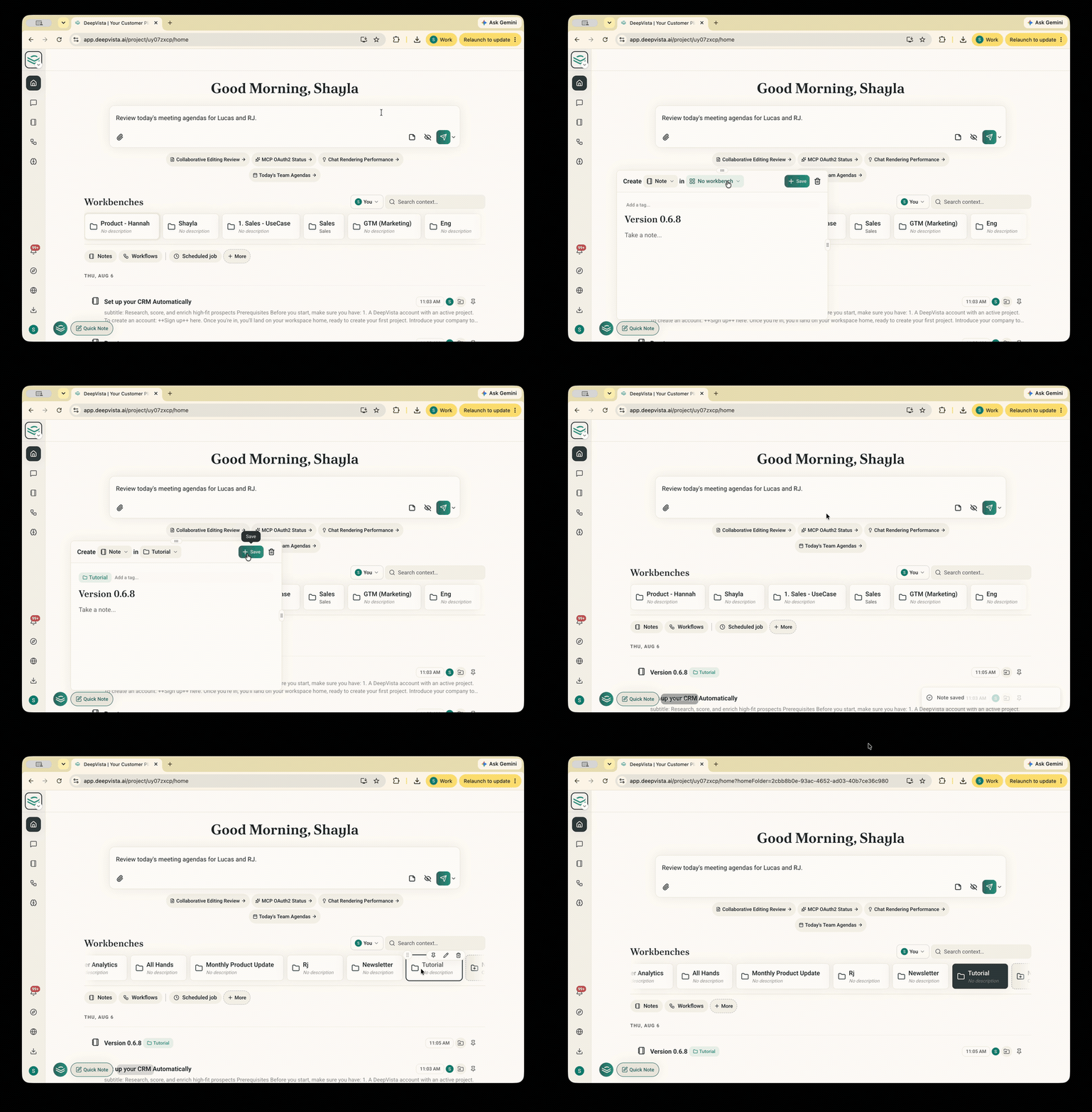
### 1. Capture a Quick Note and drop it in a Workbench.
Organize notes and assets instantly by dragging quick notes into dedicated project Workbenches.
 ### 2. Mention @ to find a context card.
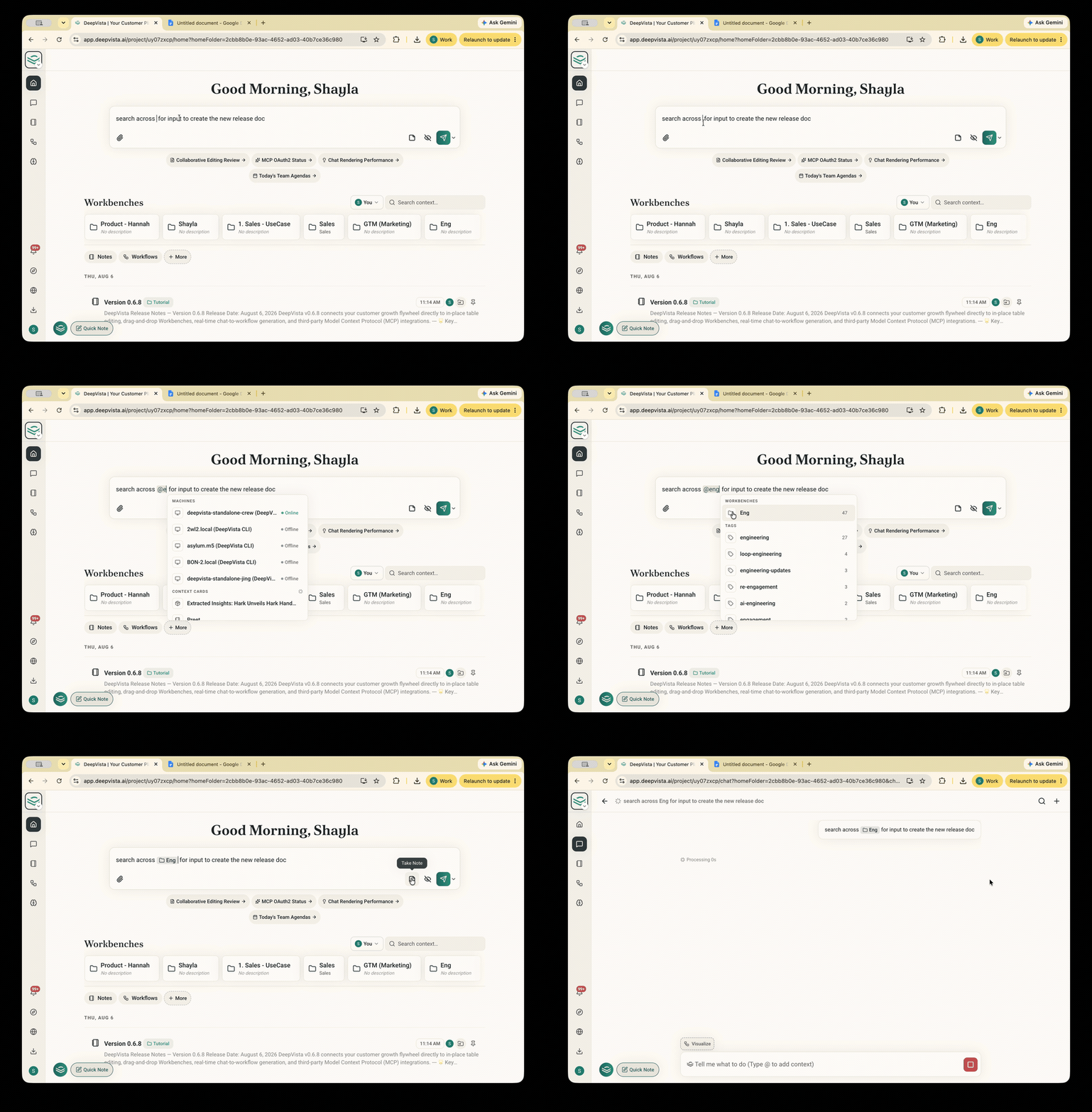
Access relevant team notes, people, and resources instantly by typing `@` anywhere in your prompt.
### 2. Mention @ to find a context card.
Access relevant team notes, people, and resources instantly by typing `@` anywhere in your prompt.
 ### 3. Watch DeepVista populate a new column in your table card.
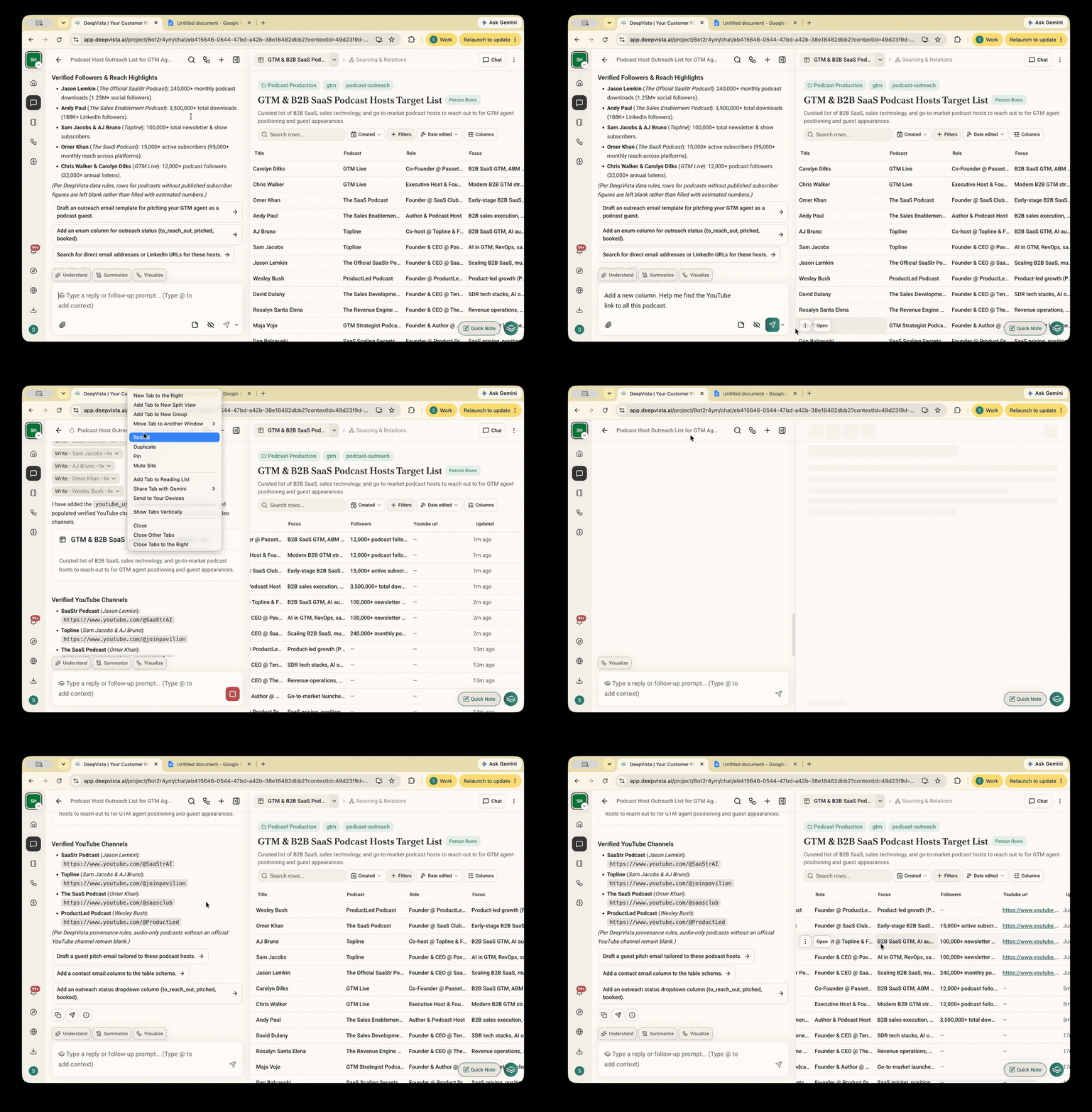
Generate and populate new data columns automatically through inline chat prompts inside VistaBase tables.
### 3. Watch DeepVista populate a new column in your table card.
Generate and populate new data columns automatically through inline chat prompts inside VistaBase tables.
 ### 4. Pick a chat and convert your thinking process into a workflow.
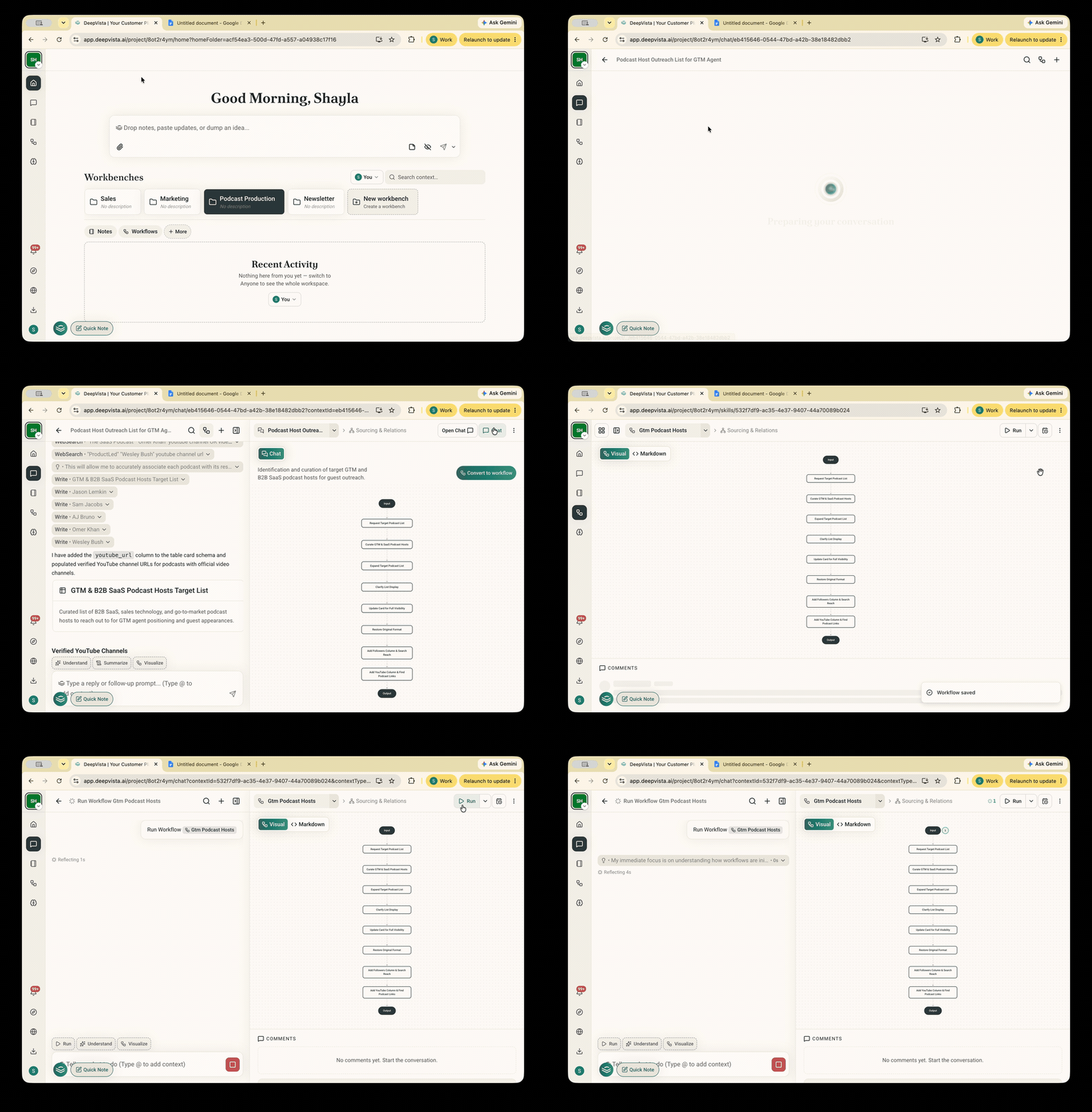
Turn past chat sessions and brainstorming turns into executable team playbooks with a single click.
### 4. Pick a chat and convert your thinking process into a workflow.
Turn past chat sessions and brainstorming turns into executable team playbooks with a single click.
 ## Check out the most popular workflow among GTM leaders
By the end of this tutorial, you will close one continuous loop of automated playbooks to acquire, engage, and retain your customer.
Set up a CRM tracker and let DeepVista keep pipeline stages and next steps up to date from your conversations.
## Check out the most popular workflow among GTM leaders
By the end of this tutorial, you will close one continuous loop of automated playbooks to acquire, engage, and retain your customer.
Set up a CRM tracker and let DeepVista keep pipeline stages and next steps up to date from your conversations.