> ## Documentation Index
> Fetch the complete documentation index at: https://docs.deepvista.ai/llms.txt
> Use this file to discover all available pages before exploring further.
# Setting Up the Rebrandly CLI for DeepVista Task Delegation
> Generate custom short links through DeepVista workflows using the Rebrandly CLI on a connected machine, while keeping your API key out of regular chat history.
## Overview
Integrating the **Rebrandly CLI** with DeepVista lets your workflows create, customize, and manage branded short URLs (e.g. `link.yourdomain.com/xyz`) directly from prompts.
Your Rebrandly API key is given to DeepVista once, through a **sensitive message** in chat, a message DeepVista doesn't save to chat history. From there, the key is only ever used by your connected machine to run Rebrandly CLI commands; it's never handled as regular chat text or stored in a normal message.
## Prerequisites
Deep Workflows need a connected machine before you can run them. Complete these three setup steps first, in order:
Install the developer tools and Claude Code CLI this setup depends on.
Authenticate Claude Code with your Claude account.
Install the DeepVista CLI and connect your machine as a local runner.
With your machine connected and `deepvista tasks run` polling, you'll also need a [Rebrandly](https://www.rebrandly.com) account with an active workspace API key.
## Step-by-step guide
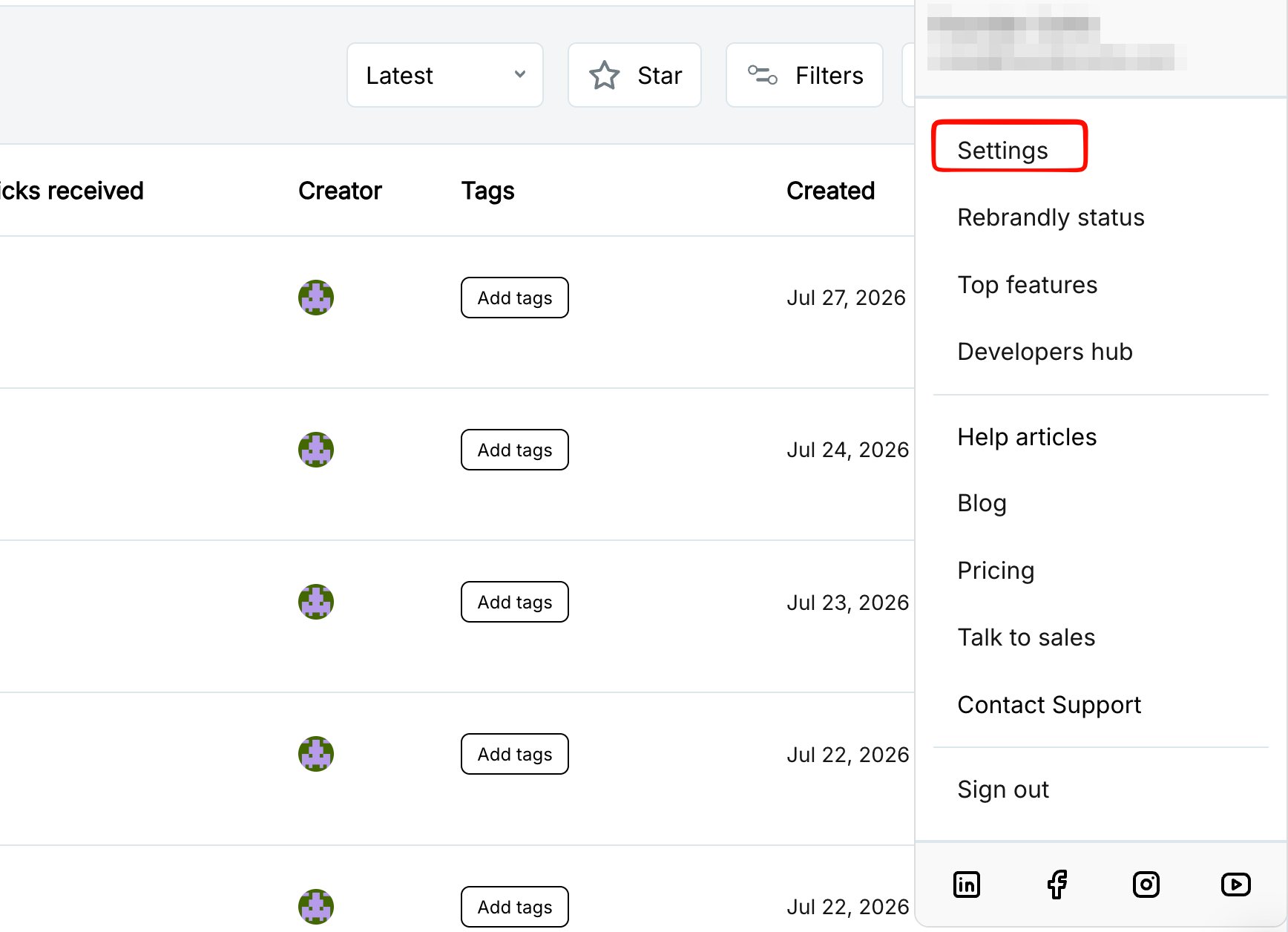
In Rebrandly, click your account menu and select **Settings**.
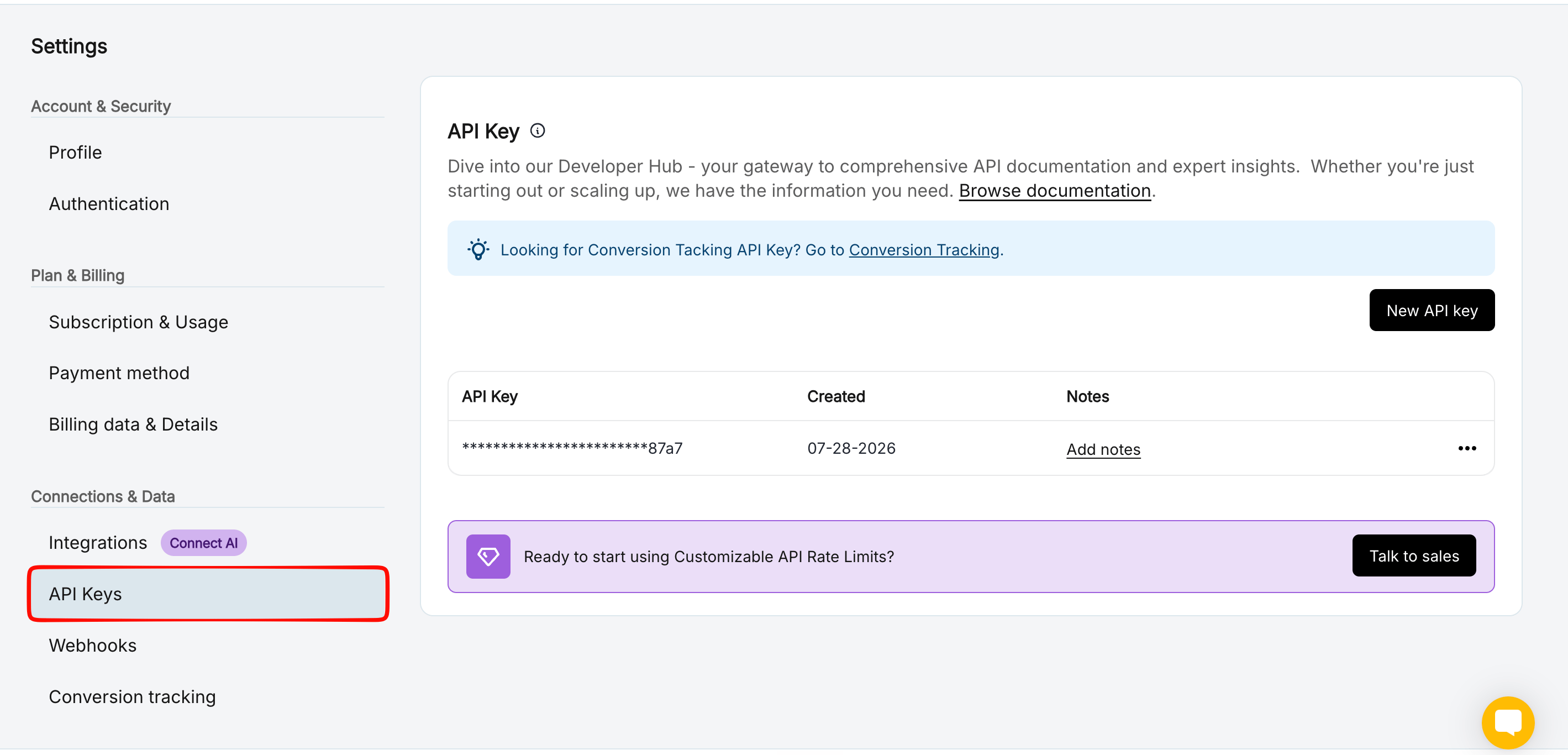
 Under **Connections & Data**, select **API Keys**.
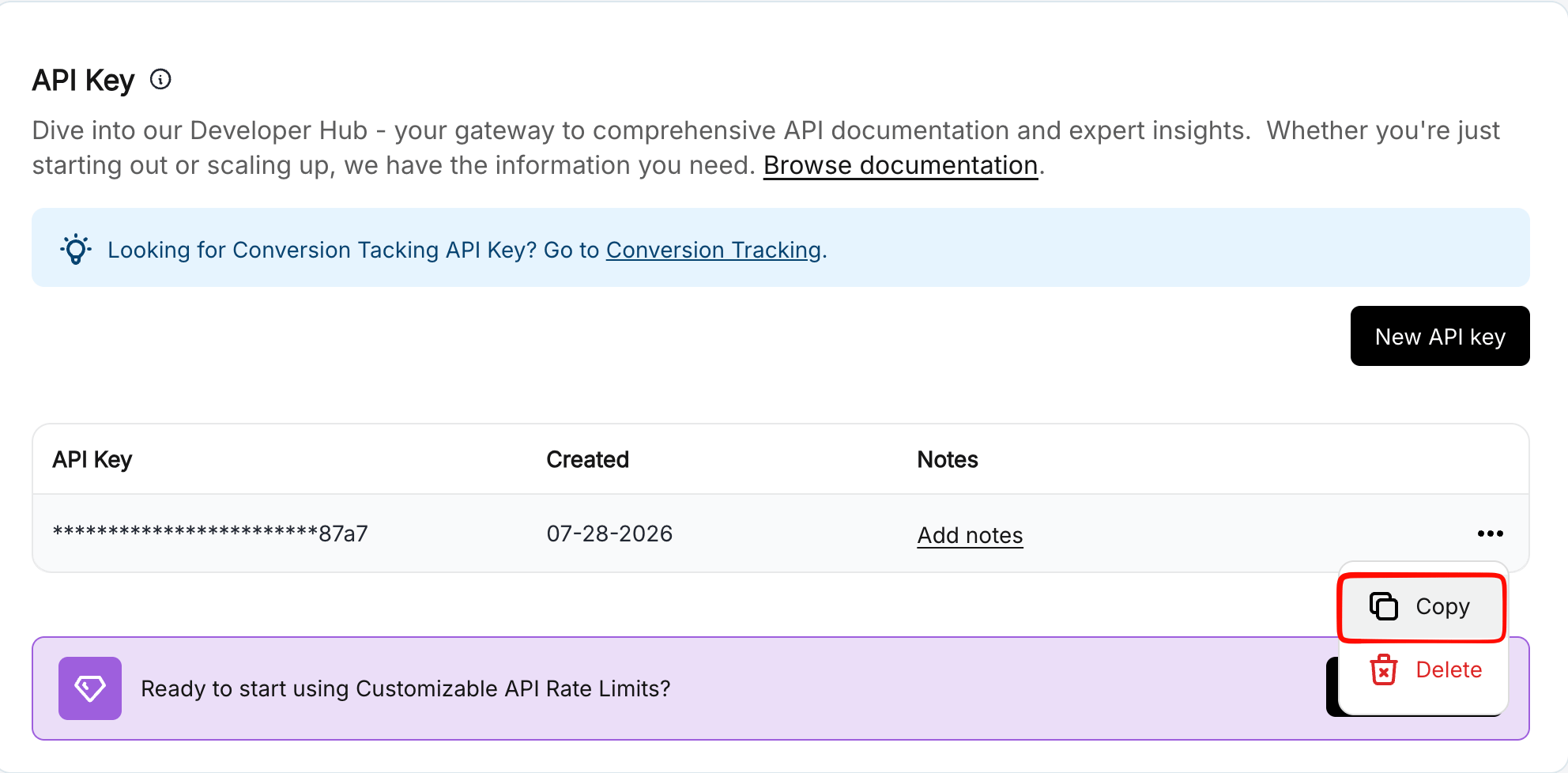
 Click the **Copy** button next to your key.
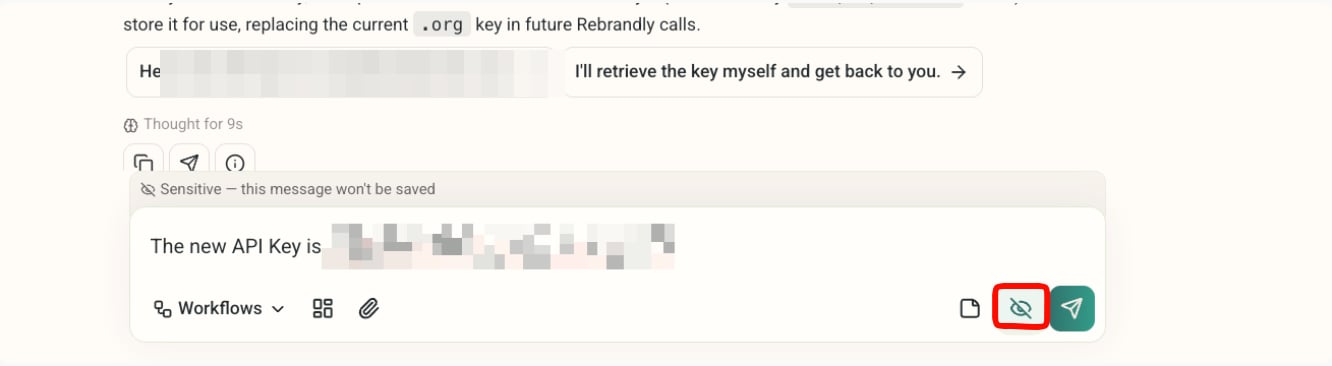
 Back in DeepVista chat, paste the key using the **sensitive message** toggle (the crossed-out eye icon next to send). Messages sent this way are delivered to your connected machine but are not saved to chat history.
 This is the recommended way to hand off any credential to DeepVista. It's simpler than manually creating a local config file, and the key still never appears in your regular chat history.
Done, you can now rebrand any link in a DeepVista workflow just by chatting.
## Next steps
See the same local-credential pattern used to file Linear tickets headlessly.
Research, draft, and publish X posts with the Buffer CLI.
This is the recommended way to hand off any credential to DeepVista. It's simpler than manually creating a local config file, and the key still never appears in your regular chat history.
Done, you can now rebrand any link in a DeepVista workflow just by chatting.
## Next steps
See the same local-credential pattern used to file Linear tickets headlessly.
Research, draft, and publish X posts with the Buffer CLI.