> ## Documentation Index
> Fetch the complete documentation index at: https://docs.deepvista.ai/llms.txt
> Use this file to discover all available pages before exploring further.
# Install Coding Dependencies on Mac
> Install the command-line tools, Homebrew, Python, Node.js, and the Claude Code CLI you'll need before running DeepVista's other setup tutorials.
## Overview
To run a deep workflow, DeepVista's CLI and local-agent tooling require a handful of standard developer tools installed on your machine: `git`, Python 3.12+, Node.js 18+, and the Claude Code CLI.
Already have some of these installed? Each step includes a version check — skip any step where the check already succeeds.
## Step-by-step guide
Provides `git`, `clang`, and the other build tools macOS needs.
```bash theme={null}
xcode-select --install
```
A software update dialog opens — click **Install**, accept the license, and wait for the download to finish.
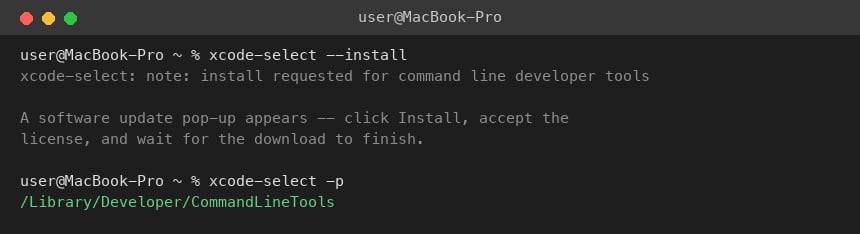 Verify it worked:
```bash theme={null}
xcode-select -p
```
Homebrew is the package manager used to install everything else in this tutorial.
```bash theme={null}
/bin/bash -c "$(curl -fsSL https://raw.githubusercontent.com/Homebrew/install/HEAD/install.sh)"
```
Verify it worked:
```bash theme={null}
xcode-select -p
```
Homebrew is the package manager used to install everything else in this tutorial.
```bash theme={null}
/bin/bash -c "$(curl -fsSL https://raw.githubusercontent.com/Homebrew/install/HEAD/install.sh)"
```
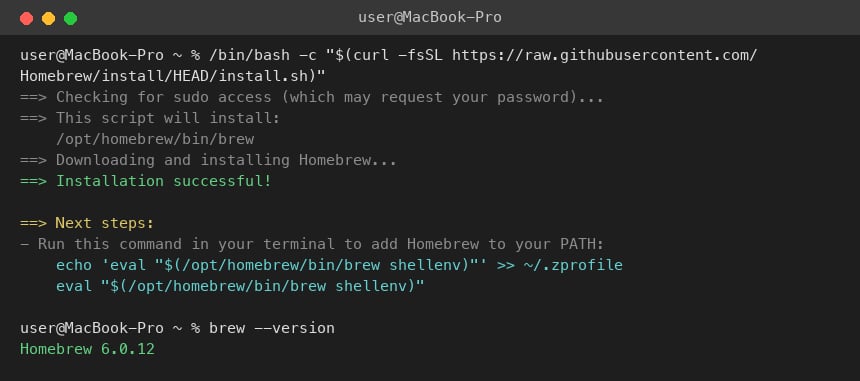 Verify it worked:
```bash theme={null}
brew --version
```
Required by the DeepVista CLI installer.
```bash theme={null}
brew install python@3.12
```
Verify it worked:
```bash theme={null}
brew --version
```
Required by the DeepVista CLI installer.
```bash theme={null}
brew install python@3.12
```
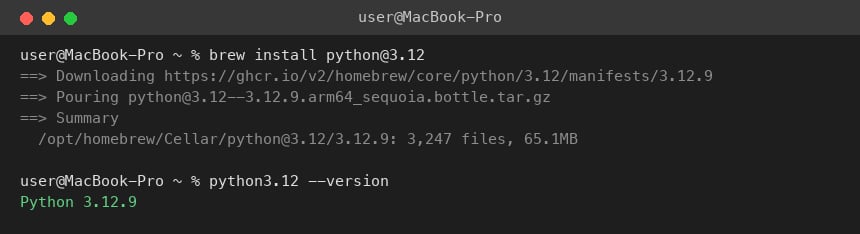 Verify it worked:
```bash theme={null}
python3.12 --version
```
Required for the Claude Code CLI and DeepVista's local tooling.
```bash theme={null}
brew install node
```
Verify it worked:
```bash theme={null}
python3.12 --version
```
Required for the Claude Code CLI and DeepVista's local tooling.
```bash theme={null}
brew install node
```
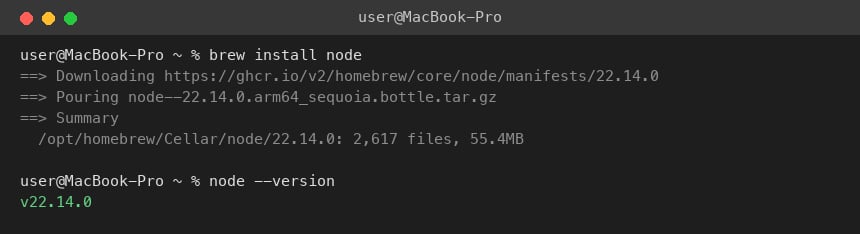 Verify it worked:
```bash theme={null}
node --version
```
You'll use this later to run `claude login` when connecting your machine to DeepVista.
```bash theme={null}
npm install -g @anthropic-ai/claude-code
```
Verify it worked:
```bash theme={null}
node --version
```
You'll use this later to run `claude login` when connecting your machine to DeepVista.
```bash theme={null}
npm install -g @anthropic-ai/claude-code
```
 Verify it worked:
```bash theme={null}
claude --version
```
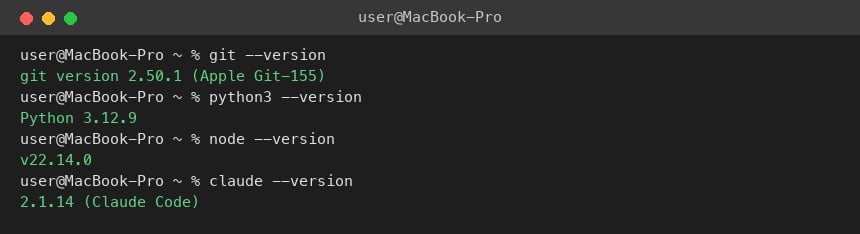
Run all four checks together:
```bash theme={null}
git --version
python3 --version
node --version
claude --version
```
Each command should print a version number, not a "command not found" error.
Verify it worked:
```bash theme={null}
claude --version
```
Run all four checks together:
```bash theme={null}
git --version
python3 --version
node --version
claude --version
```
Each command should print a version number, not a "command not found" error.
 ## Next steps
Authenticate Claude Code and configure the connectors your workflows will use.
## Next steps
Authenticate Claude Code and configure the connectors your workflows will use.