> ## Documentation Index
> Fetch the complete documentation index at: https://docs.deepvista.ai/llms.txt
> Use this file to discover all available pages before exploring further.

# 4. Keep Your CRM Running With You

## Capture a Note/ a Screenshot

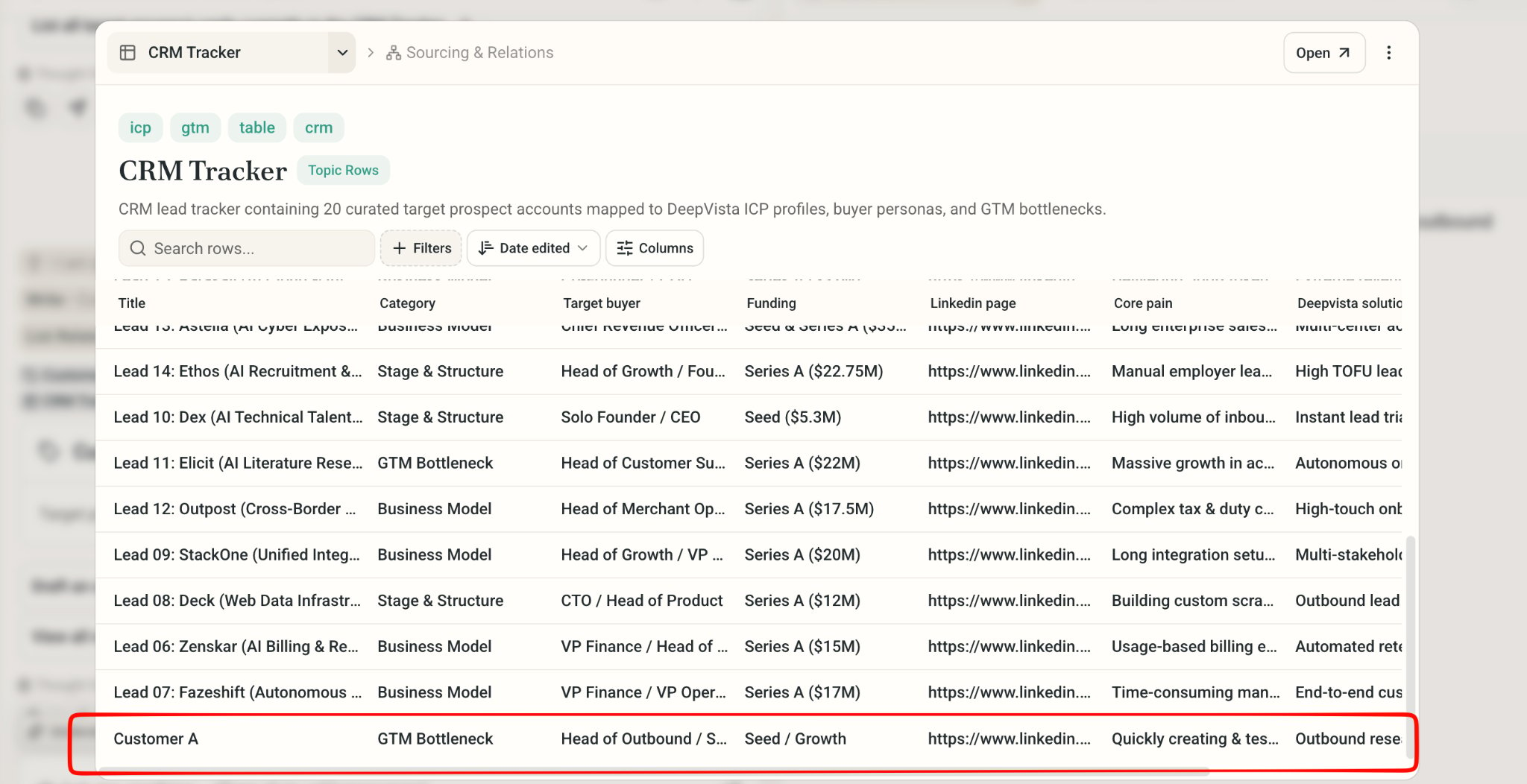
1. Copy and paste it in chat, ask DeepVista to "add customer A to my CRM Tracker."

   DeepVista will automatically update the row.
<Frame>
  <img src="https://mintcdn.com/deepvistainc/_inCNvsT8zxiIr7Z/images/lightworkflow-doc-crm-tracker-customer-a.png?fit=max&auto=format&n=_inCNvsT8zxiIr7Z&q=85&s=3cdcdfe4f2227dd6fd4594e495827c0b" alt="" width="2048" height="1052" data-path="images/lightworkflow-doc-crm-tracker-customer-a.png" />
</Frame>

## Monitor your Email

<Steps>
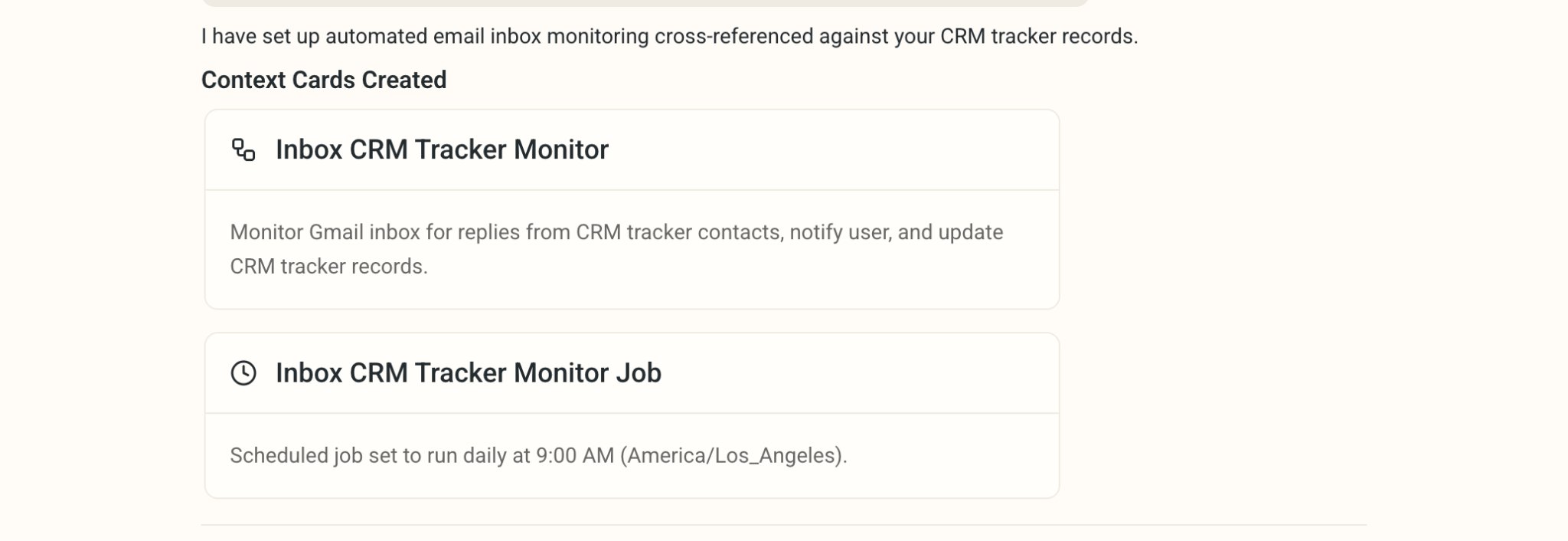
  <Step title="Ask DeepVista: Monitor my email inbox and update the CRM Tracker everyday.">
    DeepVista will create a **Scheduled job** to run the monitor **workflow** automatically.
    <Frame>
      <img src="https://mintcdn.com/deepvistainc/_inCNvsT8zxiIr7Z/images/lightworkflow-doc-inbox-monitor-cards.png?fit=max&auto=format&n=_inCNvsT8zxiIr7Z&q=85&s=d7aff1cda3faa5dbcbaf8e1132de76dd" alt="" width="2048" height="706" data-path="images/lightworkflow-doc-inbox-monitor-cards.png" />
    </Frame>
  </Step>

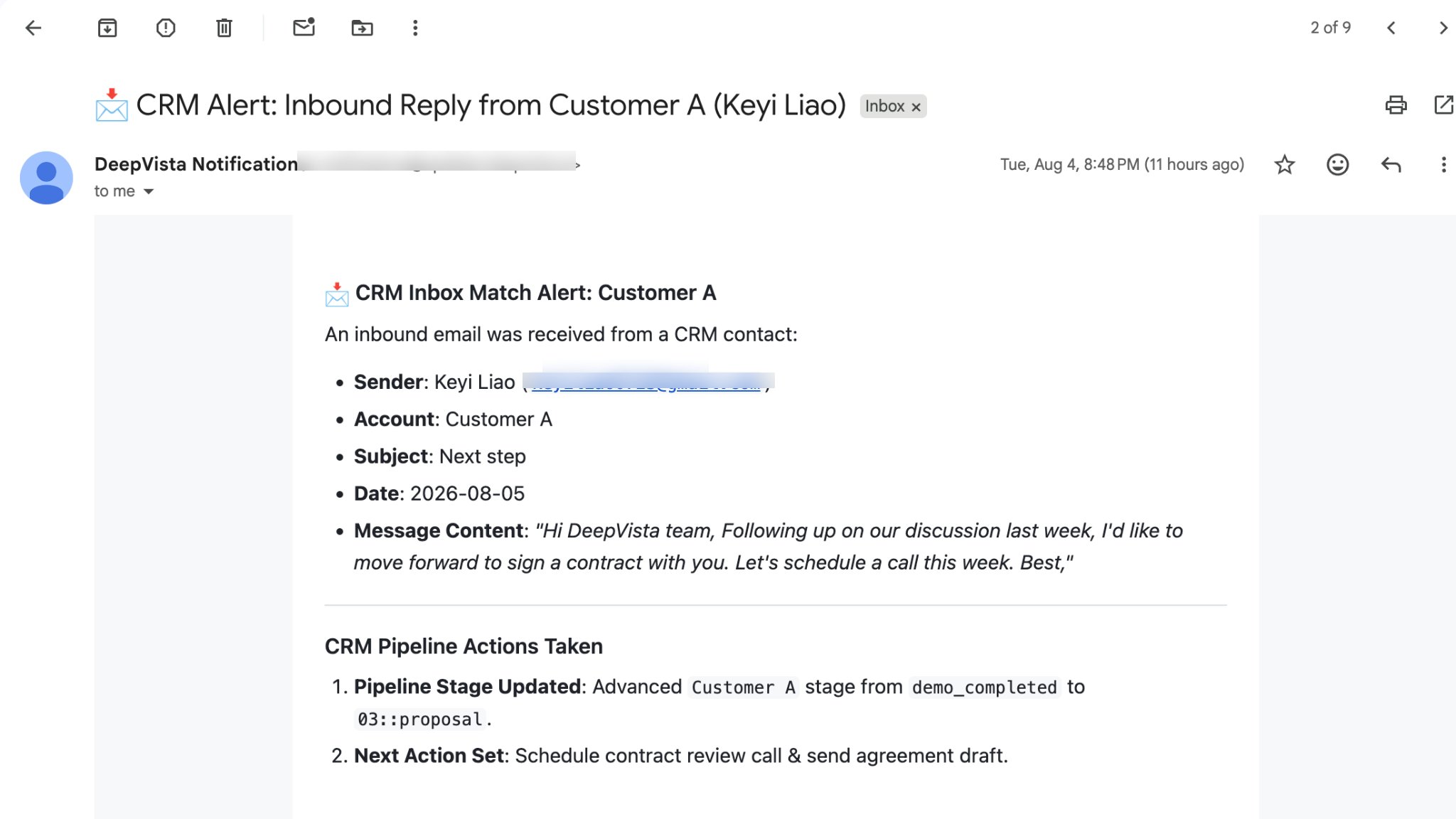
  <Step title="Get an email alert when a CRM contact has an update.">
    <Frame>
      <img src="https://mintcdn.com/deepvistainc/8IMk2x8hPeYfO5OI/images/lightworkflow-doc-inbox-alert-email.png?fit=max&auto=format&n=8IMk2x8hPeYfO5OI&q=85&s=e67e9b692e8aaff0c1b6d00f673edc22" alt="" width="2048" height="1152" data-path="images/lightworkflow-doc-inbox-alert-email.png" />
    </Frame>
  </Step>

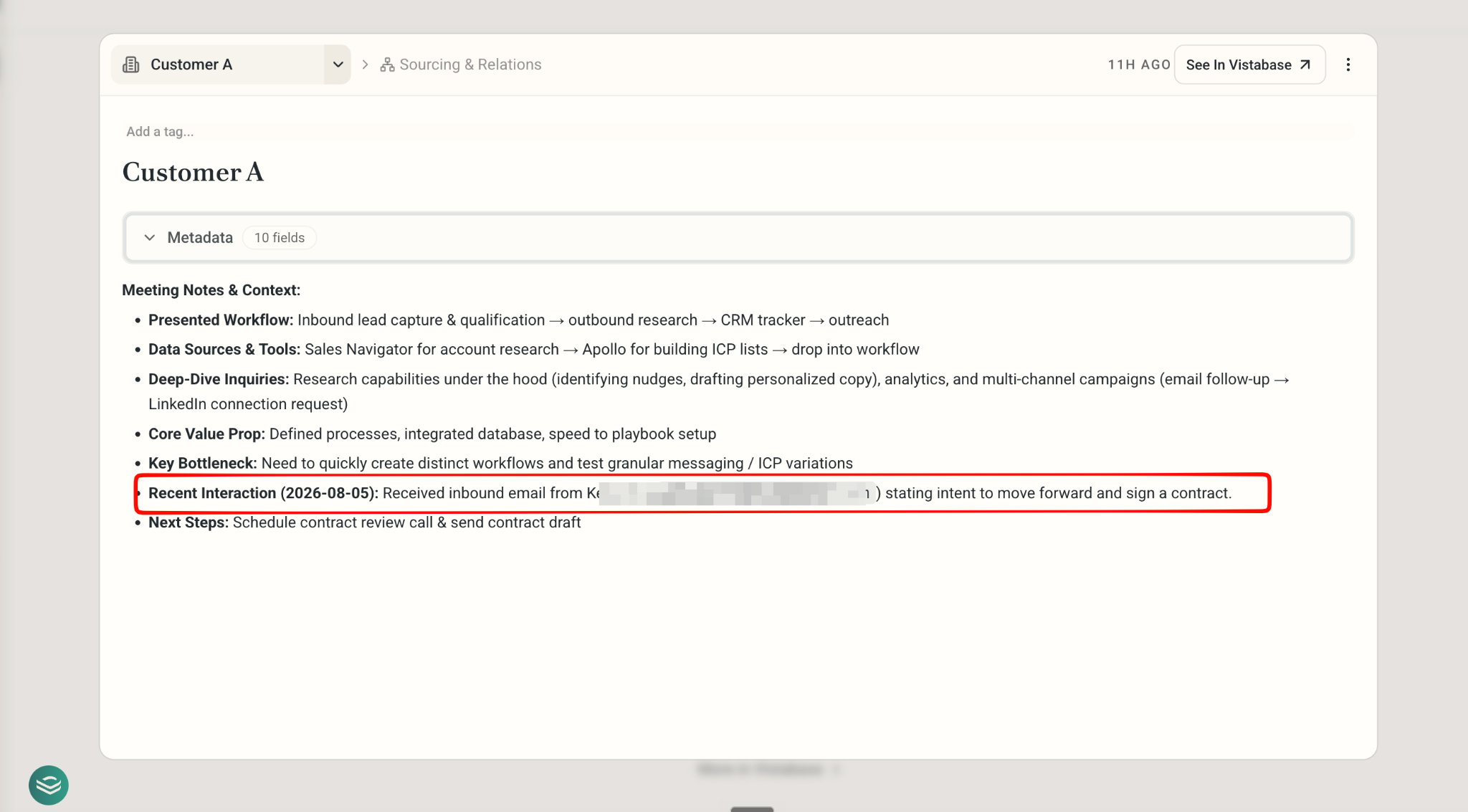
  <Step title="On the CRM tracker, click to check Person Card for recent interaction.">
    <Frame>
      <img src="https://mintcdn.com/deepvistainc/_inCNvsT8zxiIr7Z/images/lightworkflow-doc-person-card-interaction.png?fit=max&auto=format&n=_inCNvsT8zxiIr7Z&q=85&s=f8937c2a9b0d78ac435ffa349bcea703" alt="" width="2048" height="1133" data-path="images/lightworkflow-doc-person-card-interaction.png" />
    </Frame>
  </Step>
</Steps>

## Congratulations.

You just built an intelligent CRM Tracker. Start acquire, engage, and retent!